
 Zoho
Solutions
Zoho
Solutions
 Ecommerce
Development
Ecommerce
Development
 Web
Development
Web
Development
 AI
Solutions
AI
Solutions





- What is enterprise search software, exactly?
- Why enterprise search matters in 2026
- How enterprise search software actually works
- Types of enterprise search
- Key features to look for in enterprise search software
- Not sure which enterprise search approach fits your systems?
- Who actually needs enterprise search software?
- Benefits of implementing enterprise search software
- Best enterprise search software: a real comparison
- Build vs. buy, and why integration decides the outcome
- Common mistakes when implementing enterprise search
- How to choose the right enterprise search solution
- Where AI is taking enterprise search next
- Measuring the ROI of enterprise search
- How Elsner helps businesses implement enterprise search
- The bottom line
- Ready to make your organization’s knowledge actually findable?
- Frequently Asked Questions
- What is enterprise search software?
- What is enterprise search software and how is it used?
- What are the best enterprise search tools for work?
- What is the best enterprise AI search software?
- Is enterprise search software good for remote teams?
- Does enterprise search software work in hybrid cloud environments?
- How long does it take to implement enterprise search software?
- Who offers enterprise search software with real-time indexing?
- How much does enterprise search software cost?
- Should a company build its own enterprise search tool or buy one?
Ask most employees where a specific file lives and you’ll get a shrug, a guess, and then a message to three different coworkers. Multiply that across a 500-person company, and you’re looking at a real, measurable drag on the business, not just an annoyance. The tools exist to fix this. Most companies just haven’t set them up in a way that actually works.
This guide breaks down what enterprise search software actually is, the features that separate a genuinely useful tool from a glorified search bar, the real benefits worth expecting, and how to pick the right solution for your organization’s size and tech stack. If you’re evaluating vendors right now, the comparison and implementation sections further down get specific about what tends to go wrong.
Quick Answer
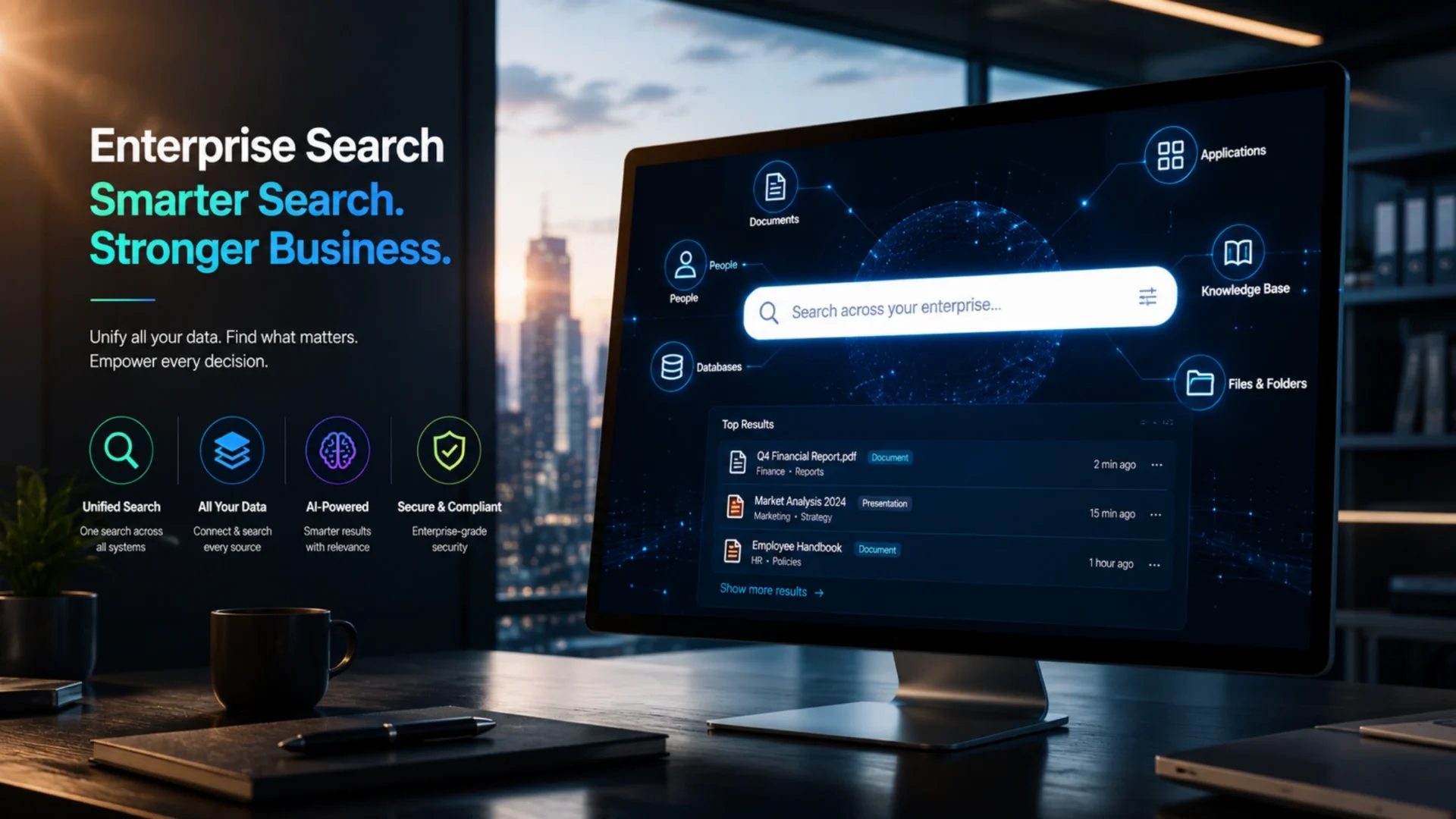
Enterprise search software is a tool that lets employees or customers search across an organization’s scattered data sources, such as documents, emails, CRMs, cloud drives, and internal wikis, from a single interface. Instead of digging through five different systems to find one answer, users type a query once and get results pulled from everywhere that data actually lives. Modern versions use AI and natural language processing to understand intent, not just match keywords, which matters more than most buyers realize until they compare a keyword-only tool against one that actually gets what you’re asking.
What is enterprise search software, exactly?
Enterprise search software is a system that indexes content from across an organization’s data sources, structured and unstructured alike, and makes all of it searchable from one place. That content might be internal: policy documents, Slack threads, CRM records, support tickets. Or it might be customer-facing: a knowledge base, a product catalog, a help center.
The distinction matters because the two use cases pull in different directions. Internal enterprise search has to respect permissions religiously, since an employee searching for “Q3 layoffs” should never surface a document they weren’t cleared to see. Customer-facing search cares more about relevance ranking and conversion, since a shopper who can’t find a product in three seconds usually just leaves.
Most vendors build for one use case and bolt the other on later, which is worth checking before you commit. A platform built ground-up for ecommerce product search rarely handles document-level permission inheritance well, and a workplace search tool built for internal knowledge often struggles with the relevance tuning a customer-facing search bar actually needs.
The question that actually matters before buying
Not “what does this tool search,” but “where does the data actually live, and how many systems is it scattered across.” A company running five disconnected tools has a fundamentally different problem than one running two, and the right solution size follows from that number more than from any feature checklist.
Why enterprise search matters in 2026
The cost of bad search is almost never tracked as its own line item, which is exactly why it survives so long inside organizations that would never tolerate it if it showed up on a P&L. It hides inside every other budget instead.
Here’s the part that doesn’t get said enough in vendor pitches: the problem isn’t usually a lack of information. Most enterprises have plenty of documentation, plenty of institutional knowledge, plenty of data. The problem is that it’s scattered across a dozen systems that were never designed to talk to each other, and no single employee has the patience or the access to check all of them every time they need an answer.
Integration complexity is the piece that catches most buyers off guard. Legacy content management and CRM systems frequently lack modern APIs, which stretches a deployment that looked simple in the sales demo into a project running six to eighteen months, according to market analysis from Mordor Intelligence. That same research also flags a genuine security tradeoff: centralizing sensitive documents into one searchable index widens the attack surface, and a notable share of firms have already dealt with incidents exposing search infrastructure as a result.
None of this is slowing down either. The volume of unstructured data most companies generate, chat logs, recorded calls, PDFs, internal wikis, keeps climbing faster than most IT budgets account for, and each new source is one more place an answer can quietly go missing. A search strategy built for the amount of data a company had two years ago is usually already behind where that same company sits today.
How enterprise search software actually works
Strip away the marketing language and every enterprise search platform runs through the same three phases, whether it’s indexing a wiki or a product catalog.
Exploration. A crawler or connector reaches into each data source, whether that’s a shared drive, a CRM, or a ticketing system, and pulls the raw content out for processing. Native connectors handle this with minimal setup. Custom sources usually need a purpose-built connector or an API integration.
Indexing. Extracted content gets organized into a searchable index, often alongside metadata extraction and auto-summarization that improve findability later. This is also where modern platforms build vector embeddings, numerical representations of meaning rather than just keywords, which is what makes semantic search possible.
Querying. A user searches, the engine scans the index for matches, and results come back filtered by whatever permissions apply to that specific user. Two people can run the identical search and see different results, and that’s the system working correctly, not a bug.
Where things get more interesting in 2026 is what happens between indexing and querying. Retrieval-augmented generation, RAG for short, pulls relevant indexed content and feeds it into a large language model in real time, so instead of returning a list of ten documents, the system can return a direct, synthesized answer with the source material cited underneath. This is the difference between a search engine and something closer to a knowledgeable coworker who’s read everything and can actually explain it back to you.
Connectors deserve more attention than most buyers give them at this stage. A native connector handles authentication, incremental syncing, and permission mapping automatically, which sounds minor until you’ve watched a team try to build that logic themselves for a system the vendor doesn’t natively support. Custom connectors are usually fine for one or two edge-case systems. Needing five or six custom connectors before a platform can even see most of your data is a sign the platform wasn’t really built for your environment in the first place. In many enterprise implementations, this connector gap is the single biggest source of scope creep once a project moves past the sales conversation and into actual deployment.
Types of enterprise search
Vendors use these terms loosely, so it’s worth knowing what each actually means before a sales call starts throwing them around.
| Type | How it works | Tradeoff |
|---|---|---|
| Siloed | Searches one repository at a time, independently | Simple, but forces users to search each source separately |
| Federated | Queries multiple sources at once, returns results by source | Wide coverage, but slower since it queries systems live |
| Unified | Consolidates everything into one central index ahead of time | Fast queries, but requires more upfront indexing infrastructure |
| AI-powered | Applies ML and NLP over a unified index to understand intent | Most relevant results, but needs enough data and tuning to work well |
Most enterprises land on unified or AI-powered search once they outgrow the early stage of just connecting a handful of tools. Federated search still has a real place, particularly in regulated industries where data residency rules make a single central index legally awkward.
Insight engines get mentioned less often but deserve a place in this conversation. Rather than just returning matches, they surface patterns across content, flagging, for example, that a spike in support tickets and a recent product change are likely connected. That’s a step beyond retrieval and closer to genuine analysis, and it tends to show up in more mature AI-powered platforms once the basic search function is already working reliably.
Key features to look for in enterprise search software
Connectors and integrations. A search platform is only as useful as the data it can actually reach. Check for native connectors to whatever CRM, ticketing system, and cloud storage your organization already runs, since a missing connector often means a custom integration project before you even get to see results.
Access controls and permission inheritance. This one is non-negotiable for internal search. The platform needs to respect the exact same permissions that already exist in the source system, at the document level, not just the folder level, or you’ve built a very efficient way to leak sensitive data. One challenge we frequently see during implementation: permission structures that looked clean in the source system turn out to have years of inconsistent folder-level exceptions once you actually try to map them into a new index.
Real-time indexing. A document updated five minutes ago should show up in search results now, not after tonight’s batch job. Real-time or near-real-time indexing matters most for fast-moving teams like support and sales, where stale information causes real customer-facing mistakes.
Semantic and AI-powered search. Keyword matching alone misses a lot. A search for “refund policy” should also surface a document titled “return terms” even without the exact word match. Vector search and NLP are what make that possible, and it’s worth testing this specifically during a trial rather than trusting the sales deck.
Analytics and search insights. Zero-result searches, popular queries, and click-through patterns tell you exactly where your knowledge base has gaps. Few buyers ask about this during evaluation, and it’s usually the feature that pays for itself fastest once teams start acting on the data.
Deployment flexibility. Cloud, on-premises, or hybrid, depending on compliance requirements and existing infrastructure. A platform that only offers one deployment model can eliminate itself from consideration before features even enter the conversation, especially for regulated industries with strict data residency rules.
Not sure which enterprise search approach fits your systems?
Elsner can map your current data sources and recommend an architecture that actually fits your stack, before you commit to a vendor.
Who actually needs enterprise search software?
The honest answer is any organization with more than a handful of disconnected data sources, but the specific pain point looks different depending on the industry.
Manufacturing. Engineering specs, supplier documentation, and quality records often sit across an ERP, a document management system, and years of PDFs on a shared drive. Search that spans all three cuts down time lost chasing down the current revision of a spec.
Ecommerce. Customer-facing product search directly affects conversion, and internal search across supplier catalogs, return policies, and inventory systems affects how fast support and merchandising teams can actually do their jobs.
Healthcare. Clinical documentation, compliance records, and patient-facing knowledge bases all carry strict access requirements. Permission-aware search matters more here than almost anywhere else, since a wrong result isn’t just inconvenient, it can be a compliance violation.
Finance. Regulatory filings, client records, and internal policy documents need both fast retrieval and an airtight audit trail of who accessed what. Search here has to satisfy compliance teams as much as end users.
SaaS and IT services. Product documentation, support tickets, and internal engineering wikis multiply fast as a company scales, and this is usually where the 1.8-hours-a-day statistic hits hardest, since technical teams live inside search all day.
Government and public sector. Large volumes of records, strict retention rules, and public information requests make findability a legal obligation as much as a convenience, and many of these organizations are still running on decades-old systems that were never designed to be searched centrally.
Across all of these, the pattern is the same. The industry changes what’s being searched and who’s allowed to see it, but the underlying problem, information trapped in systems that don’t talk to each other, stays identical. Organizations further along in a broader digital transformation effort tend to treat enterprise search as one piece of that larger initiative rather than a standalone purchase, which usually leads to a cleaner rollout.
Benefits of implementing enterprise search software
The productivity argument gets made constantly, and it’s real, but it’s not the only reason enterprise search earns its budget line.
Faster decisions. Teams waiting on information to make a call lose momentum fast. Shortening that wait from twenty minutes to twenty seconds changes how quickly a business can actually react to what’s happening around it.
Better customer experience. Customer-facing search that actually understands intent reduces support ticket volume and speeds up self-service resolution. A shopper who finds what they need in one search converts at a noticeably higher rate than one who gives up after a frustrating query.
Compliance and governance. Document-level access controls make it far easier to prove, during an audit, exactly who could see what and when. That’s not a small thing in regulated industries where a bad answer to that question carries real financial consequences.
Reduced duplicate work. When knowledge is genuinely findable, fewer people spend time recreating something that already exists somewhere in the organization. This one’s hard to measure directly, but teams that implement search well consistently report it as one of the more noticeable shifts.
Adoption reflects this. Over 15,000 companies are currently tracked as running some form of enterprise search technology, according to technology adoption data from 6sense, spanning everything from open-source search engines to fully managed AI-powered platforms. That range matters. Enterprise search isn’t a single product category anymore, it’s a spectrum from lightweight open-source tools to heavily managed enterprise platforms, and where a business lands on that spectrum should follow from actual need, not vendor pressure.
There’s a quieter benefit that rarely makes the pitch deck: it exposes knowledge silos that leadership didn’t know existed. Search analytics showing that half the sales team can’t find pricing documentation, or that support agents keep asking the same unanswered question, surfaces organizational gaps that were previously invisible simply because nobody had a way to measure how often people were failing to find something.
Best enterprise search software: a real comparison
There’s no single “best” here, only the best fit for your data volume, technical resources, and whether the priority is internal knowledge, customer-facing search, or both.
| Platform | Best for | Standout strength |
|---|---|---|
| Elasticsearch | Teams wanting full control and customization | Hybrid use for internal and customer-facing search, deep API access |
| Coveo | Enterprises unifying customer and workplace search | Deep integrations with Salesforce, ServiceNow, Microsoft 365 |
| Glean | Internal knowledge discovery at scale | LLM-generated summaries, over 100 native connectors |
| Algolia | High-volume customer-facing product search | Fast relevance tuning, developer-friendly APIs |
| Guru | Support, sales, and ops teams needing in-context answers | Slack and Teams integration, knowledge verification workflows |
| Lucidworks | Enterprise retailers combining search and product discovery | Intent-based recommendations, natural language understanding |
Worth flagging: most comparison articles rank these on feature count alone, which is close to useless. A platform with fifty features you’ll never touch isn’t better than one with ten features that map exactly onto your actual data sources. Ask any shortlisted vendor for a reference customer at a similar data volume and connector count, and ask specifically what the first ninety days looked like.
Beyond the dedicated search vendors above, the big cloud platforms have their own offerings worth knowing about. Microsoft Copilot leans on Microsoft Graph to search across Microsoft 365 content for organizations already deep in that ecosystem, which makes it a strong default for Microsoft-heavy companies but a weaker fit once data lives mostly outside that world. Amazon Kendra is AWS’s managed enterprise search service, built to plug into AWS-native infrastructure with minimal setup for teams already running on AWS. Google’s enterprise offering has been rebranded several times in recent years, most recently sitting under its Gemini Enterprise platform, and now leans heavily into agentic, AI-driven retrieval rather than the standalone search product it started as. None of these three are direct drop-in replacements for a dedicated platform like Coveo or Glean. They’re worth evaluating specifically when an organization is already committed to one of the three major cloud ecosystems and wants search to live inside that same environment.
Build vs. buy, and why integration decides the outcome
Most organizations should start with an established platform rather than building from scratch. Open-source options like Elasticsearch and Apache Solr give strong technical control at lower licensing cost, but they need real engineering investment to configure, tune, and maintain well.
A fully custom build only makes sense when the data model is genuinely unusual, when proprietary business logic needs to shape ranking in ways no off-the-shelf tool supports, or when data volume and connector requirements have outgrown what a general platform handles well. That’s a narrower slice of businesses than the vendor pitches suggest.
Where projects actually stall
Almost never on the search algorithm itself. Nearly always on connecting to a legacy CRM, ERP, or content management system that was never built with an API in mind. Budget the integration work with the same seriousness as the software license, not as an afterthought.
Salesforce and HubSpot connections tend to be straightforward, since both platforms ship mature APIs built for exactly this kind of integration. Legacy ERP systems, older SharePoint deployments, and homegrown intranets are where timelines slip. Middleware or a custom connector layer is often the difference between a six-week rollout and a six-month one, and it’s worth pressure-testing this specific point with any vendor before signing anything. Our data engineering and MLOps team handles exactly this kind of connector work when a client’s existing systems weren’t designed to expose clean data. Many organizations underestimate how much of the total project timeline sits in this integration layer specifically, rather than in evaluating or configuring the search platform itself.
A realistic implementation timeline
Timelines vary by data volume and legacy system complexity, but this is the general sequence worth planning around.
1. Assessment : Inventory every data source, who owns it, and its current permission model.
2. Data audit : Flag duplicate, outdated, or conflicting content before it ever gets indexed.
3. Connector setup : Build or configure connectors for each source, starting with the highest-value systems.
4. Indexing : Content gets crawled, extracted, and organized into the searchable index.
5. Permission testing : Verify, user by user, that search results respect existing access rules exactly.
6. Pilot users : Roll out to a small group with genuinely messy data first, and tune relevance based on real queries.
7. Go live : Full rollout with a named content owner and a recurring schedule for reviewing zero-result queries.
Common mistakes when implementing enterprise search
We often find that the same handful of mistakes show up regardless of company size or industry, mostly because they’re organizational habits rather than technical problems.
Treating it as a one-time indexing project. Data sources change constantly. A search platform that isn’t monitored and re-tuned after launch drifts out of relevance within months, quietly, without anyone noticing until users stop trusting it.
Underestimating permission complexity. Getting document-level access control wrong isn’t a minor bug. It’s either a compliance failure or a data leak, and both are far more expensive to fix after launch than to architect correctly from the start.
Skipping the relevance-tuning phase. Out-of-the-box relevance rarely matches how your specific organization actually searches. Budget real time for tuning based on actual query logs, not assumptions made during the sales process.
Ignoring the connector gap. A missing native connector for a critical system doesn’t disappear, it just becomes an unplanned custom integration project, usually discovered mid-rollout rather than during evaluation.
No adoption plan. The best search platform in the world does nothing if employees keep messaging coworkers out of habit instead of searching. Rollout needs real change management, not just a launch email.
Choosing based on the demo, not the data. Every platform looks impressive on a curated demo dataset. Insist on testing against a real, messy sample of your own content before signing anything.
Forgetting that search needs a content owner. Someone has to be responsible for flagging outdated documents, fixing broken permissions, and reviewing zero-result queries on an ongoing basis. Without a named owner, even a well-implemented platform slowly degrades as the underlying content drifts out of date.
How to choose the right enterprise search solution
Start with an honest inventory of where your data actually lives and how many systems it’s spread across. That alone rules out a meaningful chunk of the market before features even enter the conversation.
- Is this primarily for internal knowledge, customer-facing search, or genuinely both?
- How many distinct data sources need connectors, and does the vendor support them natively?
- What permission model does the organization currently use, and can the platform inherit it exactly?
- Cloud, on-premises, or hybrid, based on compliance and existing infrastructure requirements?
- What’s the realistic implementation timeline, factoring in legacy system integration, not just the software setup itself?
Team size and technical depth matter more than most buying guides admit. A lean IT team without dedicated search engineers usually does better with a managed platform, even at a higher subscription cost, than with an open-source tool that needs ongoing in-house tuning. A company with a strong data engineering function can extract more long-term value from something like Elasticsearch, since the flexibility pays off once someone’s actually available to use it. In our experience, organizations that pair this evaluation with a broader AI strategy consulting engagement tend to make more durable platform decisions, since search rarely stays an isolated tool for long once other AI initiatives start needing the same underlying data.
Run a pilot before committing to a company-wide rollout, and pick the pilot group carefully. A team with genuinely messy, scattered data (usually support or sales) gives a far more honest read on real-world performance than a small group with tidy, well-organized files. If the platform performs well against the messiest data set you have, it will handle everything else without much trouble.
Where AI is taking enterprise search next
Conversational search is quickly becoming the default expectation, not a premium feature. Employees who use ChatGPT daily at home increasingly expect the same experience at work: ask a full question in plain language, get a direct answer, not a list of ten links to sort through manually.
Vector search and semantic understanding are what make this possible at the technical level. Instead of matching literal keywords, the system represents meaning numerically, so a search for “how do I cancel a subscription” can surface a document titled “ending your plan” without ever containing the word “cancel.” This closes a gap that has frustrated employees and customers for years.
The honest caveat: AI-powered search is only as good as the data underneath it. A poorly organized, permission-messy data source doesn’t get fixed by adding an AI layer on top. It just gets a more confident-sounding wrong answer. Getting the foundational connector work and access controls right still comes before any of the generative AI layer, not after.
Agentic search is the logical next step, where the system doesn’t just answer a question but takes a follow-up action, pulling a related record, drafting a summary, or triggering a workflow based on what it found. That’s still early for most enterprise deployments, and a business chasing this capability before nailing basic connector reliability is solving tomorrow’s problem while today’s search still returns zero results half the time.
Measuring the ROI of enterprise search
A handful of metrics tell most of the story, and none of them require an elaborate dashboard to track.
| Metric | What it tells you |
|---|---|
| Zero-result search rate | How often users can’t find anything, points directly to content gaps |
| Average queries per session | More queries usually means users aren’t finding the answer on the first try |
| Click-through rate on top results | Whether relevance ranking is actually surfacing the right content first |
| Support ticket deflection | For customer-facing search, how many issues get resolved via self-service |
| Adoption rate | Percentage of eligible employees actually using the tool weekly |
Zero-result rate deserves more attention than it usually gets. A high rate almost never means the search technology is broken. It usually means the content genuinely doesn’t exist yet, or it exists in a source the platform hasn’t connected to. Treat it as a content and integration signal first, before assuming the algorithm needs retuning.
How Elsner helps businesses implement enterprise search
Choosing a platform is genuinely the easier half of this project. The harder half is the connector work, the permission architecture, and the ongoing tuning that determines whether the tool actually gets used or quietly gets ignored after month two.
Our team works across the AI and data infrastructure that enterprise search depends on, from custom connectors for legacy CRM and ERP systems to the underlying data pipelines that keep an index accurate. When a client’s existing systems need deeper work than a connector can solve, our custom software development team can build the middleware layer that makes clean integration possible. Combined with our business intelligence work, we can also help turn search analytics into an actual roadmap for closing content and knowledge gaps, not just a dashboard nobody checks.
The bottom line
Enterprise search isn’t just another software purchase anymore. It’s the layer that determines how quickly employees, customers, and increasingly AI systems themselves can access trusted knowledge inside your organization. The platform comparison above narrows your options. The implementation timeline shows where real projects actually spend their time. But the underlying truth doesn’t change: a business that gets connectors, permissions, and content ownership right builds a genuine foundation for every AI initiative that comes after search, from internal copilots to customer-facing assistants, while one that skips that groundwork ends up rebuilding it later anyway, usually under more pressure and at a higher cost. Organizations that treat this as infrastructure, not a checkbox, are the ones still getting value from it two years in.
Ready to make your organization’s knowledge actually findable?
Elsner helps businesses connect, index, and secure their scattered data sources so enterprise search actually works in production, not just in a demo. Book a consultation and let’s map out what fits your systems.
Key takeaways
- Employees lose roughly 1.8 hours a day searching for information they need but can’t quickly locate, a cost that hides across every department’s budget rather than showing up as its own line item.
- Integration with legacy CRM and ERP systems, not the search algorithm itself, is where most enterprise search implementations actually stall or blow past timeline.
- AI-powered semantic search understands intent, not just keywords, but it only performs as well as the underlying data and permission architecture underneath it.
- There’s no single best platform. The right choice depends on data volume, internal technical capacity, and whether the priority is internal knowledge, customer-facing search, or both.
- Zero-result search rate is one of the most underused metrics available, and it usually points to a content or connector gap rather than a broken algorithm.
Frequently Asked Questions
What is enterprise search software?
Enterprise search software is a tool that indexes content from across an organization’s data sources, such as documents, emails, CRMs, and cloud storage, and makes all of it searchable from a single interface, respecting each user’s existing access permissions.
What is enterprise search software and how is it used?
It’s used both internally, letting employees find documents, tickets, and records across disconnected systems, and externally, powering customer-facing search bars on websites and support portals. Most enterprises use it for both, though the technical requirements differ between the two.
What are the best enterprise search tools for work?
Glean and Guru are strong for internal knowledge discovery and support teams. Coveo works well for enterprises unifying customer and workplace search. Elasticsearch suits teams wanting full technical control. The right pick depends on data volume, connector needs, and available technical resources.
What is the best enterprise AI search software?
There’s no single best option. Glean and Coveo lead on generative AI summaries and enterprise-grade connectors, while Elasticsearch offers the most flexibility for teams with in-house data engineering capacity to build and tune their own AI-powered search layer.
Is enterprise search software good for remote teams?
Yes, often more valuable for remote and hybrid teams than in-office ones, since remote employees can’t simply walk over and ask a coworker where a file lives. Centralized, permission-aware search closes that gap without requiring constant Slack or email interruptions.
Does enterprise search software work in hybrid cloud environments?
Most modern platforms support hybrid deployment, connecting to both on-premises systems and cloud-based tools within a single index. Confirm this specifically during evaluation, since deployment flexibility varies significantly between vendors and can eliminate options that otherwise look strong on features.
How long does it take to implement enterprise search software?
A straightforward deployment connecting to modern, API-friendly systems can take a few weeks. Projects involving legacy CRM, ERP, or content management systems without modern APIs often stretch to six to eighteen months once custom connector work is factored in.
Who offers enterprise search software with real-time indexing?
Elasticsearch, Coveo, and Glean all support real-time or near-real-time indexing, meaning newly created or updated content becomes searchable within seconds to minutes rather than waiting for an overnight batch job.
How much does enterprise search software cost?
Pricing varies widely, from under $100 a month for smaller teams on lighter tools to significant custom enterprise contracts for platforms like Coveo or Glean at scale. Factor in implementation and integration costs separately, since those often exceed the software license itself for organizations with legacy systems.
Should a company build its own enterprise search tool or buy one?
Most organizations should buy an established platform rather than build one. A custom build only makes sense when the data model is genuinely unusual, proprietary business logic needs to shape search ranking, or scale has outgrown what general-purpose platforms handle well.