 Zoho
Solutions
 Ecommerce
Development
 Web
Development
 AI
Solutions




- What Is Zoho CRM Integration?
- Zoho CRM Integration Methods at a Glance
- Method 1: Native Connectors and Zoho Marketplace Extensions
- Method 2: Zoho Flow
- How Zoho Flow Pricing Works
- Method 3: Zapier
- What to Know Before You Build
- Method 4: Custom APIs, Webhooks, and Deluge Functions
- The Building Blocks
- Plan Around API Limits
- How to Choose the Right Zoho CRM Integration Method
- Common Zoho Integrations and the Method That Usually Fits
- Zoho CRM Integration Mistakes to Avoid
- When Zoho Integration Services Make Sense
- FAQs
- What is the best way to integrate Zoho CRM with other apps?
- Is Zoho Flow better than Zapier for Zoho CRM?
- Do Zoho CRM integrations use API credits?
- What happens when Zoho CRM API credits run out?
- Can Zoho CRM sync data both ways with another system?
- Do I need a developer for Zoho CRM integration?
- Planning a New Integration, or Fixing One That Keeps Breaking?
What Is Zoho CRM Integration?
Zoho CRM integration allows Zoho CRM to be integrated with your other software, so data is automatically flowed between them without any user input. Some common examples are transferring web orders into Deals, syncing won deals into your accounting software, or attaching support tickets to your contact record.
Every integration has to answer the same five questions, whatever tool you use:
Direction
One-way (CRM to app, or app to CRM) or two-way sync.
Timing
Instant and event-driven, or scheduled through polling or batches.
Volume
A few records a day, or thousands per hour.
Logic
Straight field copies, or conditions, lookups, and data transformations.
Ownership
Who fixes the integration when a field changes or an API version retires.
The method you choose decides how well each question gets answered. That’s why integration planning belongs inside your wider Zoho CRM implementation plan, not after it is launched.
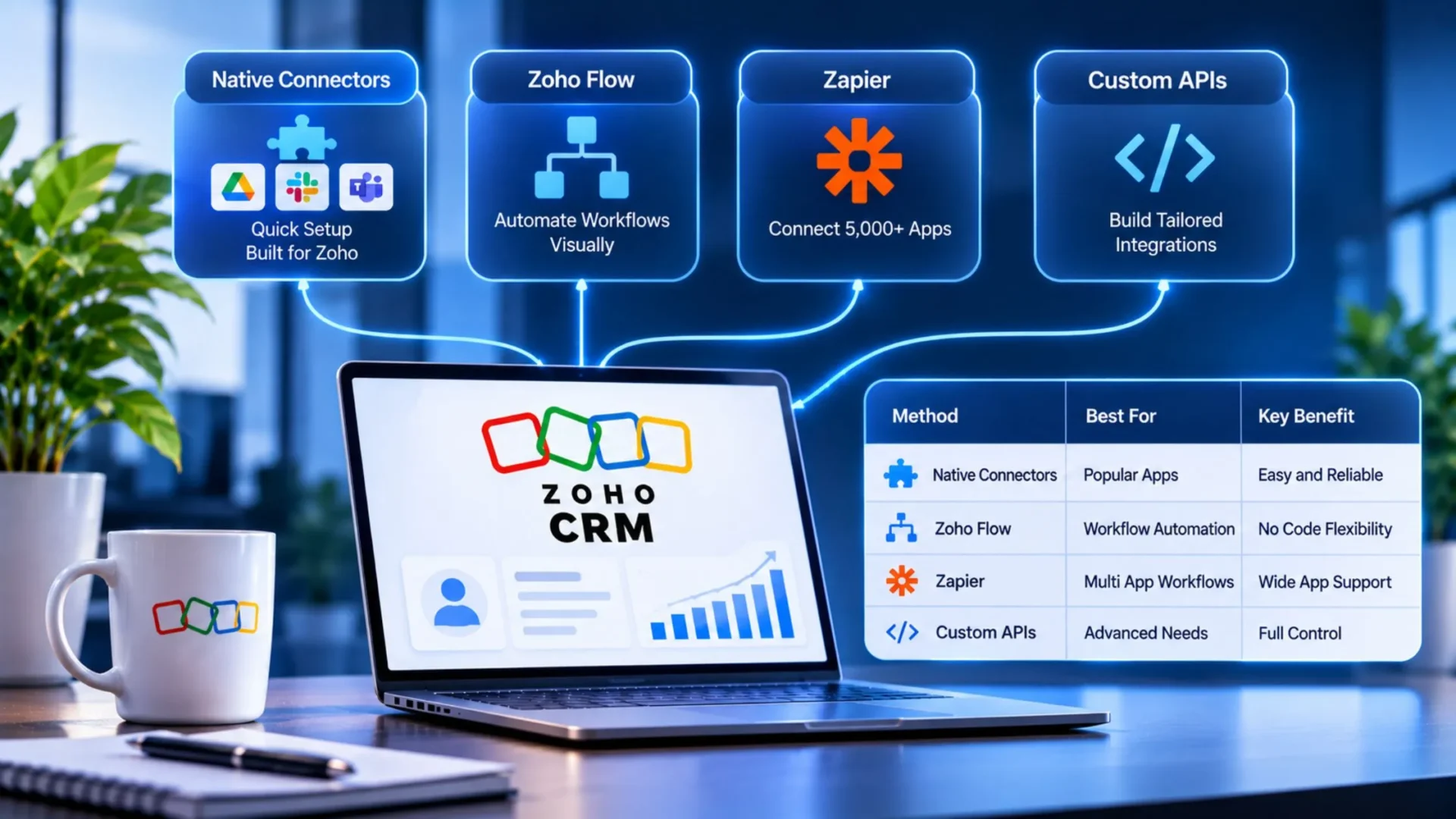
Zoho CRM Integration Methods at a Glance
No single method wins on every factor. The table shows where each one is strong and where it starts to strain.
Method 1: Native Connectors and Zoho Marketplace Extensions
Native connectors are prebuilt integrations you switch on and configure with little or no code. They come in two forms.
Built-in Zoho Integrations
Zoho CRM connects to other Zoho apps, such as Zoho Books, Zoho Desk, Zoho Campaigns, and Zoho Analytics, from its own settings. It also has built-in options for Google Workspace and Microsoft 365.
Zoho Marketplace Extensions
Zoho and third-party vendors publish installable extensions for ecommerce platforms, telephony, document signing, and more.
Ecommerce teams often start here. Our guide to Zoho integration with Shopify walks through the connector options for that platform.
Check before you install: the last update date, review history, support for custom fields and two-way sync, and how failed records get logged.
Method 2: Zoho Flow
Zoho Flow is the native platform created by Zoho. You build flows from a trigger plus series of actions, with logical steps like decision, delay, and Deluge custom function in between. It ties into all of the Zoho apps and most of the third-party apps.
A typical flow looks like this: a deal moves to Closed Won, Flow creates an invoice in Zoho Books, posts an alert in Zoho Cliq, and opens a task in Zoho Projects. No developer is needed, and the flow stays visible to your admins.
How Zoho Flow Pricing Works
Zoho Flow bills by tasks. Zoho’s task rules say triggers, decisions, and set-variable steps don’t count. Every other action counts once it runs successfully, and failed actions don’t count. Unused tasks reset each month and don’t carry over.
If you’re on Zoho One, Flow is included with 3,000 tasks per month per organization, plus 1,000 tasks per employee per month.
Run the math before launch. A flow that fetches a contact and then creates a deal uses two tasks per run. At 3,000 orders a month, that one flow uses 6,000 tasks.
For a cross-platform example, see how teams use SAP and Zoho Flow together to keep operations data in step.
Method 3: Zapier
Zapier connects Zoho CRM to thousands of apps through Zaps, each made of a trigger and one or more actions. It has the easiest builder of the four methods. It’s often the quickest way to link Zoho CRM with a tool that has no native connector.
What to Know Before You Build
Zapier’s Zoho CRM guide lists several points that shape real projects:
- Zoho CRM is a premium app on Zapier, so you need a paid Zapier plan.
- Instant triggers exist for new and updated module entries. Some older triggers, such as New Lead and New Contact, poll on a schedule instead.
- The New Module Entry trigger doesn’t support custom modules.
- Creating or updating records needs admin permissions, and API access must be enabled in Zoho CRM.
- Zapier’s calls count against your Zoho CRM API credits.
Method 4: Custom APIs, Webhooks, and Deluge Functions
A custom integration connects directly to the Zoho CRM API, typically via middleware hosted by your team. It’s the only method with no ceiling on logic, volume handling, or error recovery.
The Building Blocks
REST API
Read, create, update, upsert, and delete records in any module, including custom modules.
Bulk Read and Bulk Write APIs
Asynchronous jobs for large exports and imports that would be slow record by record.
COQL (CRM Object Query Language)
SQL-style SELECT queries for pulling filtered record sets.
Notification API and Workflow Webhooks
Zoho CRM pushes events to your endpoint when records change, so you don’t have to poll.
Deluge Functions
Server-side scripts inside Zoho CRM that run from workflows, buttons, or schedules. Our guide to Zoho customization and automation with Deluge covers common patterns.
Plan Around API Limits
Zoho CRM meters API use with credits over a rolling 24-hour window. Zoho’s API limits tie your allowance to your edition and user licenses. Enterprise and Zoho One, for example, start at 15,000 credits plus 1,000 per user license.
Three limits shape integration design:
- Insert, update, and upsert calls take up to 100 records each, at 1 credit per 10 records.
- Concurrency caps how many calls can run at once, from 5 on the Free edition to 25 on Ultimate.
- Heavy operations cost more. Starting a Bulk Write job costs 500 credits, and converting a lead costs 5.
How to Choose the Right Zoho CRM Integration Method
Start from what the integration needs, not from the tool your team already knows. Read the rows from top to bottom; the first clear match is usually your answer.
Then pressure-test the choice:
- ✅ Estimate monthly volume for each integration. Convert it into Flow tasks, Zapier tasks, or Zoho API credits.
- ✅ Map every field, including custom fields, and confirm the method supports each one.
- ✅ Pick a source of truth for each field before you build a two-way sync.
- ✅ Name an owner who fixes the integration when it fails.
If the answers point to custom APIs, or to a mix of methods across several apps, Zoho CRM integration services from an experienced partner can shorten the build and cut rework.
Common Zoho Integrations and the Method That Usually Fits
The right method often depends on what sits on the other end. Here are common Zoho integrations, with the usual starting point for each.
Online stores usually need several of these at once. Our guide to Zoho integrations for ecommerce shows how they fit together for retail teams.
Zoho CRM Integration Mistakes to Avoid
Most failed integrations fail for planning reasons, not technical ones. Watch for these:
⚠️ Choosing by Familiarity
A team that knows Zapier builds everything in Zapier, even a high-volume ERP sync.
⚠️ Skipping the Volume Estimate
Task bills and API credit errors show up weeks after launch, when order volume grows.
⚠️ Building Two-Way Sync Without a Source of Truth
Two systems overwrite each other, or one update triggers an endless loop.
⚠️ Ignoring Custom Fields Until Testing
Some connectors and triggers skip custom modules entirely.
⚠️ No Failure Alerts
A sync that fails silently can leave records out of date for weeks.
⚠️ Stacking Tools With No Inventory
A connector, a flow, and a Zap all write to the same field, and nobody knows which one wins.
⚠️ Testing in Production
Use a Zoho CRM sandbox where your edition includes one.
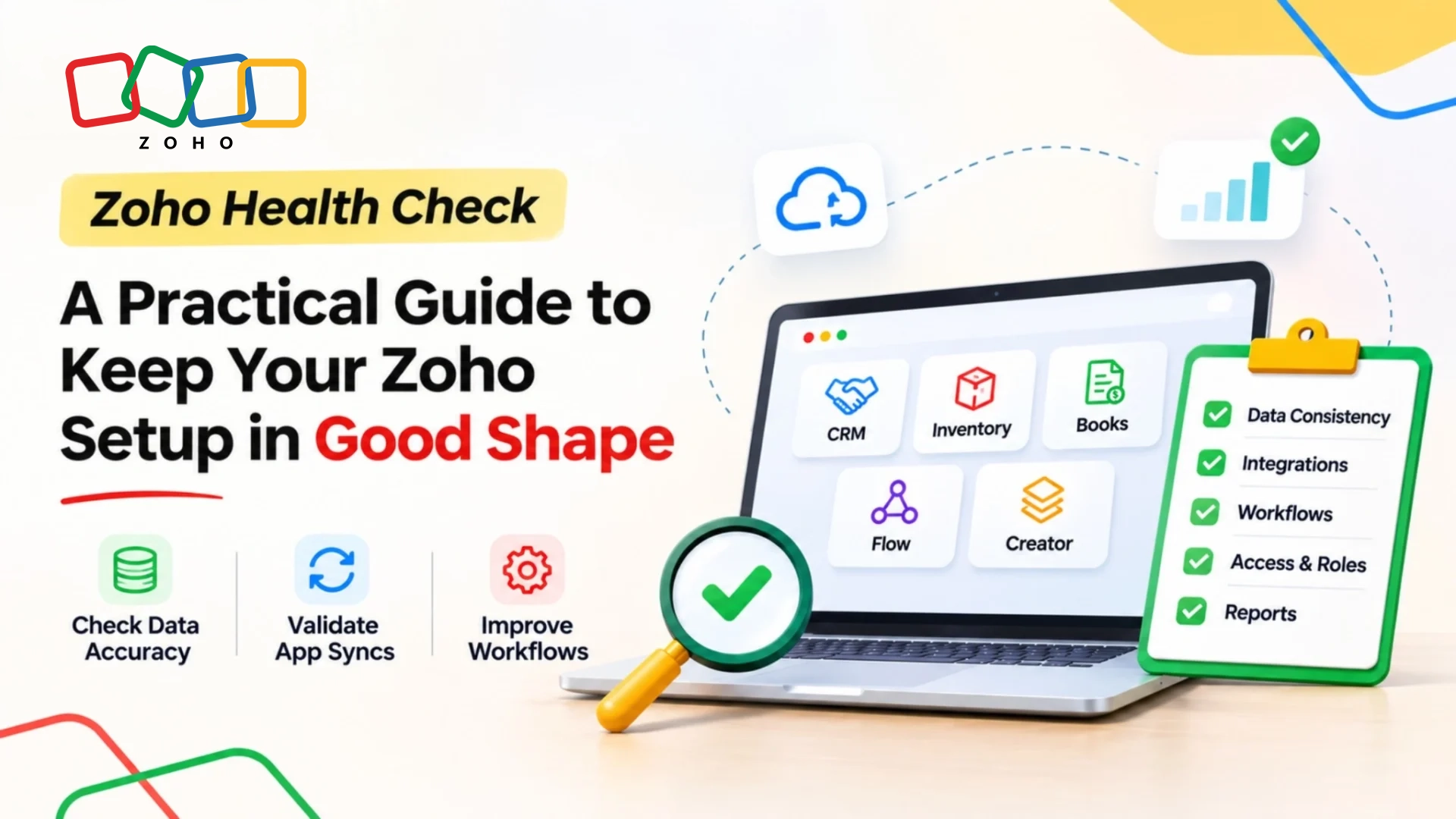
If integrations already run in your org, a Zoho health check can surface overlapping syncs, failing jobs, and data quality gaps before they reach your reports.
When Zoho Integration Services Make Sense
Many teams handle native connectors and simple flows in-house. Outside help pays off when the stakes or the complexity rise:
- You’re connecting an ERP, accounting system, or online store where bad data costs money.
- You need two-way sync, custom modules, or high record volumes.
- Several tools already write to your CRM, and nobody owns the full picture.
- You’re moving from another CRM and need integrations live on day one.
A good partner starts with discovery, not code. Expect a field map, a volume and credit estimate, a recommended method for each integration, and a monitoring plan after launch. Our guide on choosing Zoho CRM consultants lists the questions to ask before you sign.
Elsner is a Zoho Premium Partner. Our team plans and builds Zoho integration services across native connectors, Zoho Flow, and custom APIs.
FAQs
What is the best way to integrate Zoho CRM with other apps?
There’s no single best way. Use a native connector when a well-supported one exists for a standard sync. Use Zoho Flow for workflows across Zoho apps, and Zapier for quick, low-volume links to other tools. Choose custom APIs for high-volume, two-way, or business-critical integrations.
Is Zoho Flow better than Zapier for Zoho CRM?
For Zoho-heavy stacks, Zoho Flow is usually the better fit. It supports Deluge custom functions and comes included with Zoho One. Zapier covers more third-party apps and has a simpler builder. Both bill by tasks, so compare costs at your real monthly volume.
Do Zoho CRM integrations use API credits?
Yes, integrations that call the Zoho CRM API use credits, including Zapier, Marketplace extensions, and custom code. Deluge integration tasks also consume credits. Credits reset on a rolling 24-hour window, and your allowance depends on your edition and number of user licenses.
What happens when Zoho CRM API credits run out?
Further API calls fail with a “too many requests” error until credits free up in the rolling window. Integrations stop syncing during that time. You can buy add-on credits from Zoho, but reducing wasted calls through batching and webhooks is usually the better long-term fix.
Can Zoho CRM sync data both ways with another system?
Yes. Some connectors support two-way sync out of the box, and Zoho Flow or Zapier can do it with one flow per direction. For high volumes or strict conflict rules, a custom API integration gives the most reliable result. Always define which system owns each field first.
Do I need a developer for Zoho CRM integration?
Not always. CRM admins can set up native connectors, Zoho Flow, and Zapier without writing code. You need developers for custom API work, middleware, and complex Deluge functions. Many businesses use a partner for the complex integrations and keep simple automations in-house.
Planning a New Integration, or Fixing One That Keeps Breaking?
Talk to our Zoho team about the right method for your stack.