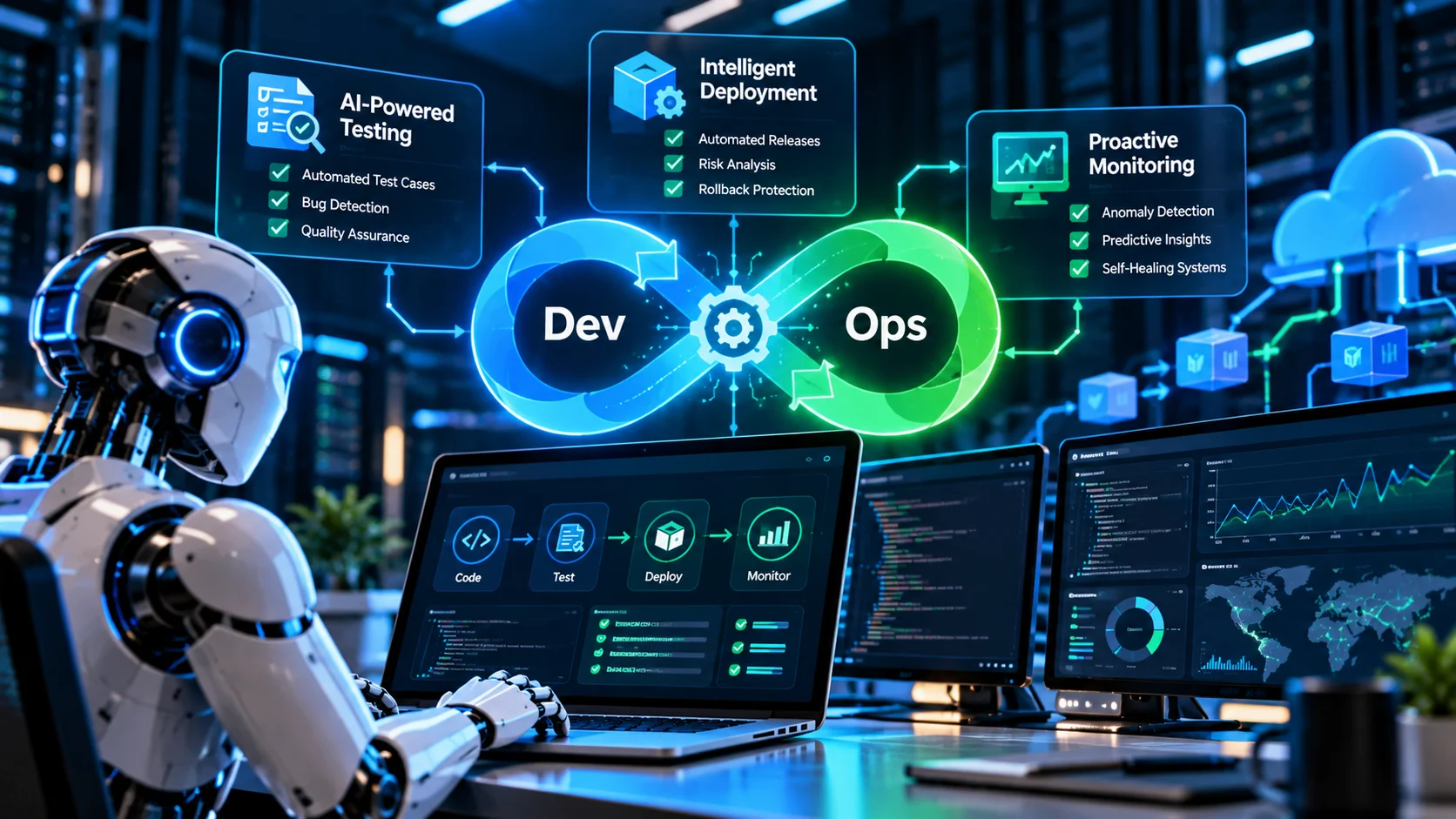
- What Is AI in DevOps?
- How AI changes traditional DevOps automation
- AI in DevOps vs. traditional DevOps vs. AIOps
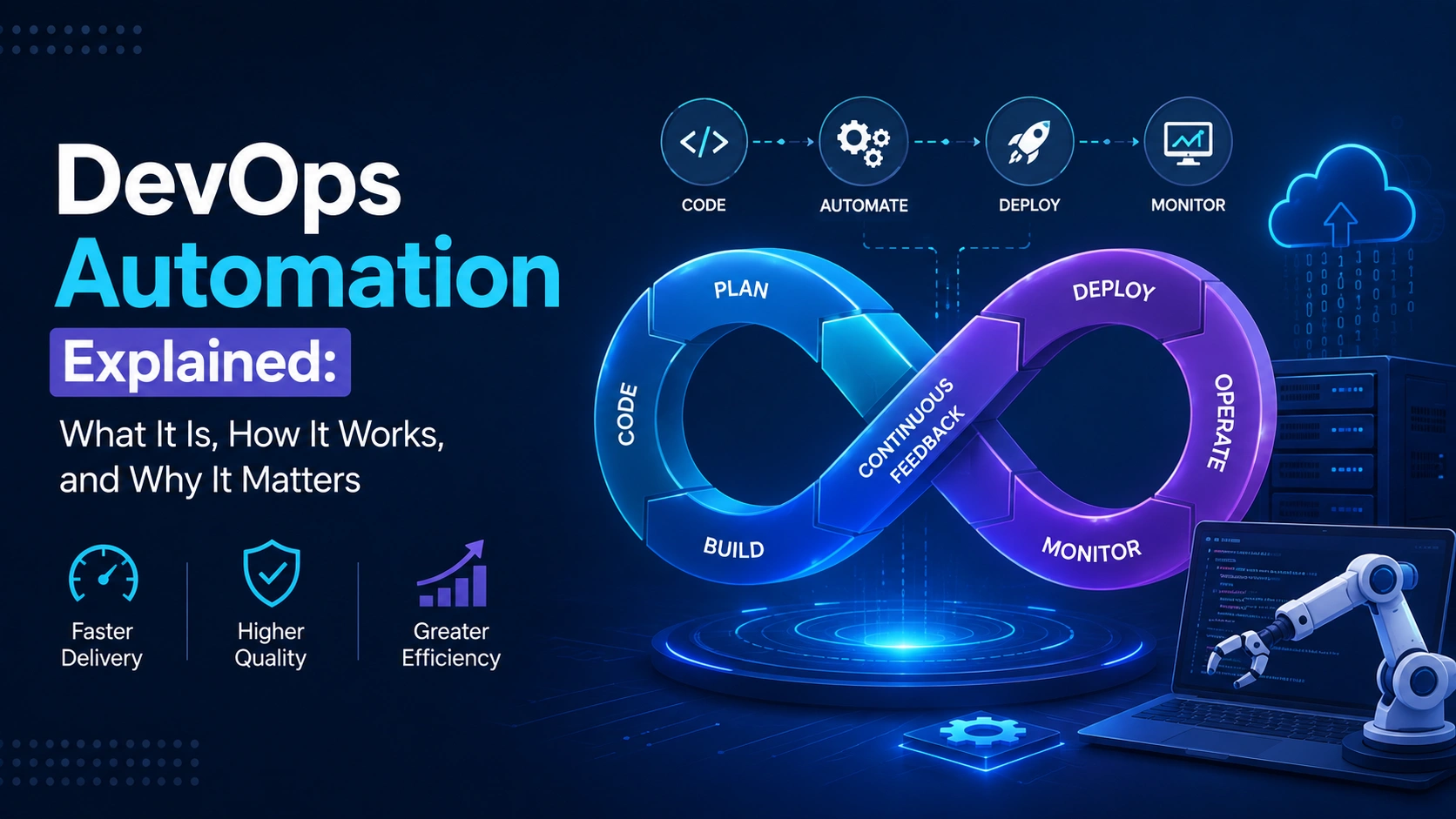
- Where AI Fits in the DevOps Lifecycle
- How AI Automates Software Testing in DevOps
- AI-powered test case generation
- Intelligent regression testing and test selection
- AI-powered flaky test detection
- AI-assisted test failure analysis
- Example workflow for AI-assisted testing
- How AI Improves Deployment and CI/CD Pipelines
- AI-assisted CI/CD pipeline configuration
- AI-based deployment risk assessment
- AI-assisted canary and progressive deployments
- Rollback and release verification
- AI for DevOps Monitoring, Anomaly Detection, and Incident Response
- AI-powered anomaly detection
- AI log analysis and alert correlation
- AI-assisted root cause analysis
- AI incident response and remediation
- Security, Human Approval, and Guardrails for AI in DevOps
- Apply least-privilege access to AI agents
- Establish human approval gates
- Protect source code, secrets and production data
- Test AI workflows before production
- How to Implement AI in DevOps: A Step-by-Step Roadmap
- Step 1. Audit existing DevOps workflows
- Step 2. Select a low-risk pilot use case
- Step 3. Integrate AI with existing tools
- Step 4. Define success metrics and acceptance criteria
- Step 5. Expand with controlled permissions
- Step 6. Review and continuously improve
- How to Measure the Impact of AI in DevOps
- Software delivery metrics
- AI-specific quality and cost metrics
- Best Practices for Adopting AI in DevOps
- Conclusion: Building More Reliable Software Delivery With AI
- Frequently Asked Questions About AI in DevOps
- What is AI in DevOps?
- How is AI used in DevOps automation?
- Can AI automate software testing and regression testing?
- Can AI deploy code to production without human approval?
- What are the risks of using AI in DevOps?
- How should a company start implementing AI in DevOps?
Quick Answer
AI in DevOps means applying machine learning and large language models to the data your delivery pipeline already produces: code changes, test results, logs, traces and deployment history. It speeds up test creation and failure analysis, adds context to release decisions and shortens incident investigation. The safe pattern is simple. AI recommends, while deterministic checks and people decide.
Good first uses
- CI test failure summaries
- Log and alert summarization
- Pull request review assistance
Wait on these
- Autonomous production changes
- Access control changes
- Anything destructive or hard to reverse
Quick Answer
AI in DevOps means applying machine learning and large language models to the data your delivery pipeline already produces: code changes, test results, logs, traces and deployment history. It speeds up test creation and failure analysis, adds context to release decisions and shortens incident investigation. The safe pattern is simple. AI recommends, while deterministic checks and people decide.
|
Good first uses
|
Wait on these
|
Your pipeline already builds, tests and deploys code without anyone clicking a button. So why does a Friday release still feel risky? Usually because the hard parts were never scripted: a checkout test that fails one run in ten, a pull request that touches six services, a pager that fires forty times for a single root cause.
That’s where AI in DevOps earns its place. It reads the diffs, logs, traces and history that people skim under pressure, then returns a summary or a recommendation. It doesn’t replace your deterministic checks, and it doesn’t take over accountability for a release.
This article covers how AI supports software testing, deployment decisions, monitoring and incident investigation, and where the guardrails belong. You’ll find a checkout testing workflow, a deployment risk matrix, a hypothetical incident, a permission matrix, a 30/60/90-day roadmap and the metrics that show whether any of it works. The thesis is straightforward: AI helps most when it sits inside reliable workflows with measurable controls.
What Is AI in DevOps?
Definition: AI in DevOps is the use of machine learning and large language models to analyze software delivery data, such as code changes, test results, pipeline logs and production telemetry, and to produce summaries, predictions or recommendations that help teams test, release and operate software more reliably.
Notice what that leaves out. Nothing in it says AI ships code on its own. Most production use today is analysis and drafting, with a person or a policy engine holding the final say. If you want the pipeline fundamentals first, our guide to DevOps automation fundamentals covers them.
How AI changes traditional DevOps automation
Classic automation is deterministic. A pipeline runs the same steps every time, a threshold fires at 90 percent CPU, a script restarts a service. It’s predictable, auditable and blind to context.
AI adds interpretation. It can read a 4,000-line build log and point at the failing dependency, or notice that a latency curve looks wrong for a Tuesday morning even though no threshold was crossed. Agentic workflows go a step further: an AI system calls approved tools, such as log search or a ticketing API, across several steps to finish a task within defined permissions. That last layer is where governance matters most, and we’ll get to it shortly.
AI in DevOps vs. traditional DevOps vs. AIOps
| Approach | Main job | Who decides | Typical example |
| Deterministic automation | Run repeatable steps and rules | The rule or script | Pipeline stage fails when a required test fails |
| AI assistance | Interpret data, draft output, recommend | A person reviews | Summary of why a build broke |
| Agentic workflow | Complete multi-step tasks with approved tools | Policy limits plus human approval for risky steps | Agent gathers logs, traces and deploy history for an incident |
| AIOps | Correlate IT operations data and events | Operations team, with automation where proven | Grouping 40 alerts into one incident |
AIOps deserves one clarification. It’s an overlapping discipline focused on IT operations data, event correlation and incident analysis, so it isn’t a replacement for DevOps. AI in IT operations is one slice of the wider AI DevOps picture, which also covers testing and release.
Where AI Fits in the DevOps Lifecycle
Think of delivery as a loop rather than a line. AI touches five points in it, and at each one something deterministic stays in charge.
| Stage | What AI can do | What stays authoritative |
| Code and pull request | Summarize the change, flag risky files, suggest reviewers | Human code review and static analysis |
| Build and test | Suggest tests, select relevant tests, explain failures | Required CI checks |
| Release and deploy | Summarize risk signals, read canary telemetry, draft release notes | Approval policy and deployment gates |
| Production monitoring | Detect anomalies, correlate alerts, draft incident summaries | The on-call engineer |
| Feedback | Turn incident findings into test and review suggestions | Team prioritization |
Coding assistants sit at the far left of that loop. AI in software development more broadly makes changes larger and faster, which puts pressure on everything downstream. Faster code generation without matching test and review capacity only moves the bottleneck.
The loop closes when production findings flow back into tests and code review. An incident that exposed a missing edge case should become a regression test. That feedback path turns separate features into one delivery capability, which fits how Google Cloud’s DevOps capability guidance treats continuous delivery, test automation, deployment automation and observability as connected practices.
How AI Automates Software Testing in DevOps
Testing usually pays off first, mostly because the inputs are clean: diffs, requirements and historical results. Roles are shifting too. Perforce’s 2026 survey of 820 technology professionals found that 53 percent say developers now author tests directly, and 55 percent report QA teams focusing more on quality analytics than execution.
AI-powered test case generation
Given a user story, a code diff and the existing suite, AI can propose unit, integration and end-to-end cases. Take a checkout feature that adds saved payment methods. A useful assistant might suggest a valid card charged exactly once, a declined card with a clear error, a session that expires mid-payment, and inventory that drops to zero between cart and confirmation.
Those are good prompts for thought. They aren’t proof. Generated tests can mirror the implementation, so they pass because they assert what the code already does. Two checks help. Mutation testing seeds small bugs to see whether the tests notice, and a human reads each assertion against the requirement. Treat AI-generated test cases as drafts that must run, pass for the right reasons and survive review.
Intelligent regression testing and test selection
Running every test on every commit gets slow. AI for regression testing uses change analysis, dependency maps and historical failures to rank the tests most likely to matter for a given change. Think of it as test impact analysis with a learning component, paired with parallel execution to cut feedback time.
Two cautions. Selection models can skip a relevant test, so keep a full nightly or pre-release run as a safety net and track defects that escaped past skipped tests. And selection is only as good as the data. A repository with vague test names and no service ownership map gives the model very little to work with.
AI-powered flaky test detection
A flaky test passes and fails on identical code. AI flaky test detection looks at pass and fail history per commit, timing variance, shared resources and environment differences between runs to flag likely offenders.
The real question is whether a failure is noise or signal. Rerun the test on the same commit. If it flips with no code change and failures cluster on one runner or a slow dependency, suspect infrastructure or test design. If it fails consistently after a specific change and the stack trace touches changed code, suspect a genuine regression. Quarantine flaky tests in a tracked list with an owner. Don’t silently ignore them, or the suite quietly stops protecting anything.
AI-assisted test failure analysis
Reading a stack trace at 6 p.m. is nobody’s favorite task. AI can summarize the trace, compare a failing run against the last passing one and point to the likely commit or config change. Treat that output as a hypothesis. It’s often right, occasionally confidently wrong, and the only way to tell is to reproduce the failure. Feed the assistant the failing test, the diff and the logs from the last green run. Context beats cleverness, and vague inputs produce vague answers.
Example workflow for AI-assisted testing
Here’s how the pieces fit for a pull request that changes payment retry logic in a checkout service.
- A developer opens the pull request.
- The pipeline runs deterministic checks first: build, lint, unit tests and static analysis, and attaches change metadata.
- AI reviews the diff and history, then recommends extra tests, such as duplicate charge prevention when a retry fires.
- The suggested tests run in an isolated CI environment, never against production data.
- AI summarizes failures, links them to logs and labels each as likely regression, likely flaky or unknown. Every false positive gets logged for later measurement.
- Required checks and a human reviewer decide whether the change merges. Coverage reports show which new lines still lack tests.
Notice what’s missing: no step lets AI mark a failing required check as passed. The summary informs the decision. It doesn’t make it.
How AI Improves Deployment and CI/CD Pipelines
Deployment is where a wrong answer costs the most, so this is where AI should stay the most advisory.
AI-assisted CI/CD pipeline configuration
Assistants can draft a GitHub Actions workflow, explain a confusing GitLab CI job or decode a cryptic Jenkins error. That’s genuinely useful for AI pipeline optimization and day-to-day CI/CD pipeline automation. But generated configuration is untrusted input. Lint it, run it in a sandbox repository, check that it pins dependency versions and doesn’t expose secrets, then merge it through the same review as any other code. GitHub’s Actions documentation covers workflow syntax and security hardening in detail.
AI-based deployment risk assessment
An AI system can pull several release signals into one readable summary: the size and type of the change, required test results, recent deployment and incident history, affected dependencies, and the health and criticality of the services involved. The matrix below shows how those signals might be interpreted.
| Signal | Illustrative interpretation | Required control |
| A required test failed | Release is blocked under existing policy | Deterministic gate. AI can’t override it |
| Change touches the payment service | Higher service criticality | Second reviewer and staged rollout |
| Large diff plus a dependency upgrade | Wider blast radius | Extra regression run and smaller batches |
| Missing tests or telemetry on changed code | Unknown risk, treated as elevated | Add coverage or instrumentation before release |
| A similar past change caused an incident | Historical pattern worth checking | Reviewer reads the earlier postmortem |
| Error rate rises during canary | Possible regression | Pause rollout and investigate |
Important: This matrix is illustrative. It isn’t a validated scoring model, and a made-up figure like 7.3 out of 10 would suggest precision nobody has earned. One rule holds up well in practice: missing data raises uncertainty, and it should never lower the risk rating. An AI risk assessment is a recommendation, not proof that a release is safe.
AI-assisted canary and progressive deployments
In a canary release, a small share of traffic reaches the new version first. AI can compare canary telemetry with the baseline, covering latency, error rate, saturation and business signals like checkout completion, then recommend continuing, pausing or rolling back against predefined service-level criteria. If your workloads run on Kubernetes, our overview of Kubernetes is a useful companion for the rollout mechanics.
Keep the recommendation separate from execution. A deployment tool such as Argo CD or a managed release service should enforce deterministic policy. If the AI says continue and the error budget says stop, the budget wins.
Rollback and release verification
Automated deployment validation should check health endpoints, key user journeys and service-level indicators, and stamp each release with version, commit and configuration metadata so responders know what changed. Define rollback triggers before the release, not during the incident.
Rollback isn’t always safe, though. A migration that dropped a column, or a schema change old code can’t read, can turn a rollback into a second outage. Prefer backward-compatible migrations, rehearse recovery, and make sure any AI recommending a rollback checks migration status first.
One more habit pays off. Record every AI recommendation next to the actual decision and its outcome. After a quarter you’ll have real data on where the recommendations helped and where they didn’t, which beats any vendor benchmark.
AI for DevOps Monitoring, Anomaly Detection, and Incident Response
AI observability is only as good as the telemetry underneath it. OpenTelemetry gives teams a vendor-neutral way to produce traces, metrics and logs with consistent attributes, which is exactly what AI-powered monitoring needs to reason across services.
AI-powered anomaly detection
Fixed thresholds miss patterns that matter. A 400 millisecond response is fine at noon and alarming at 3 a.m. AI anomaly detection learns seasonal baselines and flags departures from them. Typical catches include API latency above the normal range for the current traffic level, database connection saturation creeping upward, error rates rising after a deployment, and background jobs taking longer than they used to.
Expect false positives, especially on new services with little history or telemetry with gaps. Tune sensitivity per service, and review flagged anomalies weekly so the noise level doesn’t erode trust.
AI log analysis and alert correlation
During an incident, one failing dependency can trigger dozens of alerts. AI log analysis can group related alerts, condense large log volumes and attach recent changes to the timeline. It works far better with structured logs, trace IDs propagated across services and a current dependency map. Without those, the model is guessing from noise.
Tie alerts to service-level objectives where you can. An alert saying the checkout error budget is burning ten times too fast gives both people and AI a clearer target than “CPU high on node 14.”
AI-assisted root cause analysis
Hypothetical example, for illustration only. At 2:10 p.m., p95 latency on a checkout API doubles, twelve minutes after a service update. An AI assistant pulls the deployment record, compares traces from before and after, and checks database metrics. It returns a ranked list. First, a new query in the order lookup path, supported by slower database spans. Second, a connection pool near its limit, supported by rising wait times. Third, a slowdown in a downstream tax service, weaker because that service’s own latency is flat. An engineer checks the pool metrics, confirms saturation and finds that the new code opens a connection per line item. The AI narrowed the search. The engineer established the cause.
That division of labor is the point. AI root cause analysis produces ranked hypotheses with evidence attached. Verification stays with a person, because a plausible explanation and a proven one aren’t the same thing.
AI incident response and remediation
The low-risk wins come first: incident summaries for stakeholders, runbook retrieval, suggested diagnostic commands, routing to the right on-call engineer and draft timelines for postmortems. Vendors are pushing further. AWS announced general availability of AWS DevOps Agent on March 31, 2026, positioned around investigating incidents by correlating telemetry, code and deployment data.
Whichever AI incident management tool you pick, split the work into two classes. Read-only investigation is fine to automate early. Remediation that changes production, such as restarting services, scaling clusters or editing configuration, needs approval.
Security, Human Approval, and Guardrails for AI in DevOps
Governance is where many pilots stall, and for good reason. In the same Perforce survey, only 39 percent of respondents reported fully automated audit trails. On the threat side, OWASP’s Top 10 for LLM applications lists prompt injection as LLM01 and excessive agency as LLM06, which describes an agent that can do more than its task requires. Both matter the moment an AI touches your pipeline.
Apply least-privilege access to AI agents
Give each agent its own identity instead of borrowing a developer’s token. Start read-only. Scope credentials per environment so a staging agent can’t touch production, allowlist the specific tools and actions it may call, keep credential lifetimes short and log every call. That’s the core of AI access control and AI agent security.
Establish human approval gates
The permission matrix below shows one way to map AI actions to controls. Adjust it to your own risk tolerance.
| AI action | Access level | Required control | Default |
| Summarize logs and test failures | Read-only | Access logging | Allowed |
| Draft a pull request | Write to a branch only | Human code review | Allowed with review |
| Recommend a deployment | Read release data | Existing release approval | Recommendation only |
| Change production infrastructure | Scoped write | Explicit named approval and audit trail | Approval required |
| Delete data, drop resources or revoke access | Destructive | Approved procedure and a second person | Prohibited by default |
To place a new action, run a quick reversibility test. Ask how much damage it can do and how easily you can undo it. Low blast radius and easy to reverse can be automated sooner. High blast radius or irreversible stays behind a person, and that’s what human-in-the-loop AI means in practice.
Protect source code, secrets and production data
Decide which AI providers are approved, what code and data may leave your environment, and how long prompts and outputs are retained. Keep secrets out of prompts, scan outputs for leaked credentials, mask or synthesize production data used in tests and send only the context the task needs.
Test AI workflows before production
Build an evaluation set from real past failures and incidents, and score the AI against it before granting access. Include adversarial cases. Prompt injection is a real concern here, because logs, commit messages, tickets and web pages an agent reads can contain text that tries to give it orders. Treat all of that as untrusted, validate outputs before they trigger any action and keep an audit trail of inputs, outputs and actions.
Rehearse rollback for anything the agent can change, and make sure you can revoke its credentials within minutes through one documented step. The OWASP DevSecOps Guideline is a solid reference for the pipeline side, and your cloud vendor’s security documentation covers current implementation details.
How to Implement AI in DevOps: A Step-by-Step Roadmap
Ideas are cheap, so here’s a sequence you can run. Perforce’s data hints at why order matters: 72 percent of high-maturity organizations had AI embedded across delivery, against 18 percent of low-maturity ones. AI tends to amplify the discipline you already have.
|
1
|
Step 1. Audit existing DevOps workflowsFind where engineers lose time: test reruns, triage, pipeline upkeep and noisy on-call rotations. Document the current tools, approval requirements and baseline numbers such as test feedback time, alert volume and time to diagnose. If quality gates already run through SonarQube, note what they catch and what they don’t. Our SonarQube implementation guide helps with that inventory. |
|
2
|
Step 2. Select a low-risk pilot use casePick something with clear inputs, limited permissions and measurable outcomes.
|
Skip autonomous production remediation as a first project. A wrong answer there has real customer impact, and you won’t yet have the evidence to trust it.
|
3
|
Step 3. Integrate AI with existing toolsKeep the architecture plain. The CI/CD system supplies approved build and test metadata. The AI service receives only the relevant, authorized context and returns a structured summary or recommendation. Policy checks validate that output, and existing automation plus human approvals decide what executes. Don’t assume every AI DevOps tool integrates natively with every CI/CD platform. Some are IDE assistants, some are pipeline plugins and some are observability add-ons. Where connectors don’t exist, a thin custom layer is often the answer, which is where custom software development or AI integration services come in. |
|
4
|
Step 4. Define success metrics and acceptance criteriaBefore the pilot starts, decide what improvement justifies expanding it. Capture a baseline, choose comparison periods with similar workloads, set a minimum sample size and quality thresholds, and write down how you’ll disable the pilot if it misbehaves. |
|
5
|
Step 5. Expand with controlled permissionsMove from read-only analysis to drafting changes, then to narrowly scoped, approved actions. Each stage needs evidence of reliability, a security review, audit logging and a named operational owner. If you’re heading toward multi-step agents, our AI agent development work follows the same permission-first logic. |
|
6
|
Step 6. Review and continuously improveHold regular reviews of false positives, missed failures, unexpected actions, AI costs and user feedback. Model updates can change behavior overnight, so rerun your evaluation set whenever the underlying model or prompts change. |
Note: This 30/60/90-day plan is a suggested implementation framework. It isn’t an industry standard, and larger organizations often need longer phases.
| Phase | Suggested focus | Prerequisites | Exit criteria |
| Days 1 to 30 | Workflow audit, baseline, low-risk pilot | Named owner, access to pipeline and test data | Defined metrics, security approval, tested pilot |
| Days 31 to 60 | Integrate with CI/CD and observability | Structured logs, traces, working approval gates | Verified results, audit logs, rollback and disable plan |
| Days 61 to 90 | Controlled expansion | Pilot met its thresholds | Documented performance, clear ownership and permission boundaries |
Teams that want a second pair of eyes on DevOps implementation, especially around pipeline design and cloud application development, can bring in outside DevOps consulting services. The value is in the audit and guardrail design, not in buying more tools.
How to Measure the Impact of AI in DevOps
Judge AI on two lenses at once: how software delivery performs, and how good the AI’s recommendations are. Either alone misleads. Delivery metrics can improve for unrelated reasons, and a clever assistant can be accurate while changing nothing that matters.
Software delivery metrics
DORA’s software delivery metrics are the standard starting point. DORA now tracks five, and it renamed the older recovery metric to focus on failures caused by a deployment.
| Metric | What it measures |
| Deployment frequency | How often changes are deployed to production |
| Lead time for changes | Time from code commit to running in production |
| Change failure rate | Share of deployments that need immediate intervention, such as a rollback or hotfix |
| Failed deployment recovery time | Time needed to recover from a deployment that failed |
| Deployment rework rate | Share of deployments that are unplanned fixes for a production incident |
| Test feedback time (not a DORA metric) | Time from starting tests to getting useful results |
Compare against a pre-AI baseline with consistent definitions. And don’t credit AI for an improvement without ruling out other causes, like a team reorganization or a quieter quarter.
AI-specific quality and cost metrics
- Test acceptance rate: the share of AI-generated tests kept after human review.
- False positives and false negatives: bad alerts raised, and real problems the AI missed.
- Recommendation accuracy: how often incident or release recommendations matched the verified outcome.
- Human overrides and escalations: how often people reject or escalate the AI’s output. A rising rate signals a trust problem.
- Cost per successful task: compute, licensing and review time divided by tasks that actually worked.
- Policy violations: blocked or attempted actions outside the agent’s permissions.
Track these on the same workloads before and after, using the same definitions each time. Otherwise the trend line is just noise with a chart around it.
Best Practices for Adopting AI in DevOps
- Start with a defined problem. “Reduce time spent triaging CI failures” beats “use more AI.”
- Keep deterministic checks authoritative. Required tests, policy gates and error budgets outrank any recommendation.
- Feed the AI trusted context. Production telemetry and version-controlled configuration beat scraped, stale wiki pages.
- Pair least privilege with approvals. High-impact changes get a named human, every time.
- Check recommendations against real outcomes. Accuracy you haven’t measured is only a feeling.
- Monitor the AI itself. Watch model changes, cost, reliability and security exposure on an ongoing basis.
One more thing. AI won’t compensate for poor CI/CD design, incomplete monitoring or missing engineering ownership. Fix those first, or the AI will simply make the gaps easier to see.
Conclusion: Building More Reliable Software Delivery With AI
AI can shorten test feedback, sharpen release decisions and make incidents easier to investigate, provided it works inside the controls you’ve already built. It’s a strong analyst and a risky autopilot. If you’re weighing where AI fits in your delivery workflow, our AI/ML development services team is happy to talk it through.
Frequently Asked Questions About AI in DevOps
What is AI in DevOps?
It’s the use of machine learning and language models to analyze delivery and operations data, then recommend or draft actions across testing, deployment and monitoring.
How is AI used in DevOps automation?
Common uses include generating and prioritizing tests, explaining pipeline failures, summarizing deployment risk, detecting anomalies and correlating alerts during incidents.
Can AI automate software testing and regression testing?
Partly. It can draft test cases and rank regression tests, but generated tests still need execution, review and validation before you trust them.
Can AI deploy code to production without human approval?
Technically, yes. Governance-wise, it’s not recommended. Keep deterministic release gates and human approval for high-impact changes, and limit any autonomy to narrow, reversible actions.
What are the risks of using AI in DevOps?
Risks include incorrect recommendations, prompt injection, over-broad permissions, leaked secrets, false alerts and unpredictable compute costs.
How should a company start implementing AI in DevOps?
Audit current workflows, record baselines, pilot one low-risk read-only use case, measure results, then expand permissions gradually with security review.
Talk to the Elsner Technologies team about a pilot, a pipeline review or the guardrails your AI workflows need before they touch production.