- What is Shopify CRO?
- Why Shopify CRO matters more in 2026
- What is a good Shopify conversion rate in 2026?
- The Shopify CRO Readiness Framework
- CRO vs buying more traffic: where should your budget go?
- What are the benefits of Shopify CRO?
- Where conversion actually leaks in a Shopify funnel
- Essential CRO techniques, tools, and tech stack
- Checkout and trust: the highest-leverage fixes
- How a Shopify CRO audit and testing process works
- How much does Shopify CRO cost?
- How long before CRO shows results?
- Common mistakes and best practices
- AI in Shopify CRO
- Where Shopify CRO is heading next
- How this plays out in practice: a hypothetical scenario
- How Elsner approaches Shopify CRO
- Key takeaways
- Ready to find out where your Shopify store is leaking revenue?
- Frequently Asked Questions
- What is Shopify CRO?
- What is a good conversion rate for a Shopify store?
- How much does Shopify CRO cost?
- How long does it take to see results from Shopify CRO?
- Should I focus on CRO or getting more traffic first?
- Why is my mobile conversion rate lower than desktop?
- What causes the most cart abandonment on Shopify?
- Can AI improve Shopify conversion rates?
- How do I run a Shopify CRO audit myself?
- Is a low conversion rate always a problem?
- What’s the difference between CRO and A/B testing?
- Does site speed affect Shopify conversion rate?
- Should I hire a Shopify CRO agency or handle it in-house?
- What is revenue per visitor and why does it matter more than conversion rate?
- Can improving checkout alone meaningfully increase conversions?
Picture a DTC skincare brand on Shopify spending $14,000 a month on paid social and pulling in close to 40,000 sessions. Sales stay flat for two straight quarters. Nobody on the team asks why, because traffic keeps climbing and that feels like progress. When someone finally pulls a funnel report, the real story shows up fast: a large share of visitors who add a product to cart never reach the payment screen, and mobile sessions, which make up most of the traffic, convert at less than half the rate of desktop. The store doesn’t have a traffic problem. It has a conversion problem wearing a traffic problem’s clothes, and that mix-up is common enough on Shopify that it’s worth naming before we go any further.
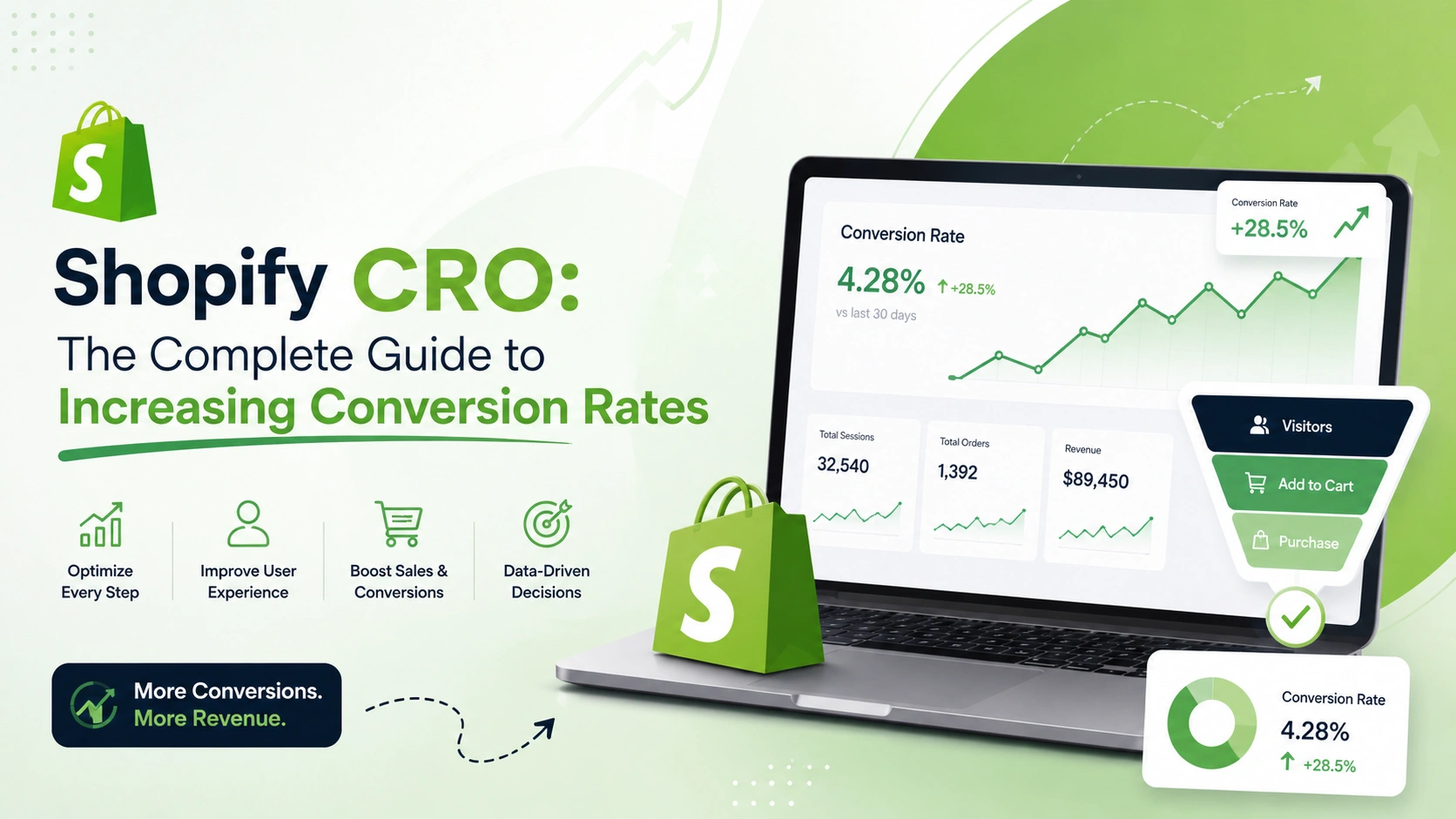
Shopify CRO exists to fix exactly that gap. It’s the discipline of turning the visitors a store already earns into paying customers, instead of chasing more visitors to compensate for a leaky funnel. Every dollar spent on ads or SEO gets more valuable the moment conversion rate improves, and every dollar stays wasted for as long as it doesn’t.
This guide covers what Shopify CRO actually means, what a realistic conversion rate looks like in 2026 by industry and device, how to audit a store for leaks, which techniques and tools genuinely move the needle, what CRO services cost, how AI is changing testing and personalization, and where merchants consistently get it wrong. We’ll also walk through a real store scenario and close with the questions Shopify merchants ask most often.
Quick Answer
Shopify CRO, short for conversion rate optimization, is the process of systematically improving how many store visitors complete a purchase, using data from analytics, heatmaps, and structured testing instead of guesswork. According to Shopify’s own benchmark data pulled from the analytics app Littledata, the average Shopify store converts at around 1.4 percent, while stores in the top 20 percent convert above 3.2 percent and the top 10 percent exceed 4.7 percent. Going from the 1.4 percent average to the 4.7 percent top-10-percent mark is roughly a three-fold increase in revenue from the exact same traffic, which is why closing even part of that gap matters more than most merchants assume. Effective Shopify CRO in 2026 focuses on five areas that consistently produce the biggest gains: mobile checkout friction, product page decision-making, cart abandonment recovery, page speed, and increasingly, AI-driven personalization built on first-party store data.
What’s Covered
- What is Shopify CRO?
- Why Shopify CRO matters more in 2026
- What is a good Shopify conversion rate?
- The Shopify CRO Readiness Framework
- CRO vs buying more traffic: where should your budget go?
- What are the benefits of Shopify CRO?
- Where conversion actually leaks in a Shopify funnel
- Essential CRO techniques, tools, and tech stack
- Checkout and trust: the highest-leverage fixes
- How a Shopify CRO audit and testing process works
- How much does Shopify CRO cost?
- How long before CRO shows results?
- Common mistakes and best practices
- AI in Shopify CRO
- Where Shopify CRO is heading next
- A hypothetical scenario
- FAQs
What is Shopify CRO?
In one sentence: Shopify CRO is the practice of finding exactly where visitors drop off in your store and fixing that specific point, rather than adding more traffic on top of a funnel that’s already leaking.
Conversion rate optimization on Shopify means analyzing visitor behavior across the homepage, collection pages, product pages, cart, and checkout, then making evidence-based changes that increase the percentage of sessions that end in a purchase. It’s not a redesign. It’s not “make the site prettier.” It’s closer to diagnostic work: find the leak, form a hypothesis about why it’s happening, test the fix, measure the result, and move to the next leak.
The distinction that matters most here is the one between conversion rate and revenue per visitor. A store can lift conversion rate by discounting aggressively, and that’s usually a mistake dressed up as a win, since margin erodes even as the percentage climbs. Real CRO, the kind that actually helps a business, ties every change back to revenue per visitor or profit per visitor, not just the raw conversion number. That framing shapes how we approach conversion rate optimization for Shopify clients: a test that lifts conversion rate by 8 percent but drops average order value by 15 percent isn’t a win, it’s a wash at best.
One pattern shows up constantly across Shopify accounts we’ve reviewed: the store owner assumes their conversion rate is bad because it’s below 3 percent, without checking what’s actually normal for their category. A supplements brand converting at 1.8 percent might be underperforming badly. A furniture brand converting at 1.8 percent might be doing better than most of its competitors. Context matters more than the raw number, and skipping that step wastes a lot of testing effort on the wrong priorities.
Here’s the other thing worth saying plainly: CRO isn’t a one-time project. Shopper behavior shifts with the season, competitor pricing changes, browser updates alter checkout rendering, and traffic mix moves as marketing channels rise and fall. A store that ran a CRO project in early 2025 and hasn’t touched it since is very likely leaving money on the table right now.
Why Shopify CRO matters more in 2026
Three shifts are pushing CRO from a nice-to-have into something closer to survival math for Shopify merchants this year. First, acquisition costs keep climbing. Paid social and search auctions have gotten more competitive and more expensive, which means a store that can’t convert efficiently is paying a growing tax on every new customer it wins. Fixing conversion is, in effect, a cheaper customer acquisition strategy than fixing ad targeting.
Second, mobile has become the dominant channel and the dominant leak at the same time. Shopify’s own conversion data, drawing on Contentsquare’s retail benchmarking, shows a meaningful gap between devices: desktop retail sessions convert around 3.7 percent, compared with 2 percent on mobile. For most Shopify stores, mobile makes up the majority of sessions today, so a gap of this size, even before accounting for category differences, tends to account for a sizable share of lost revenue on a typical store. It’s rarely fixed by a generic “mobile responsive” theme. It needs deliberate, mobile-specific CRO work.
Source: Shopify, https://www.shopify.com/blog/ecommerce-conversion-rate
Third, checkout has stopped being a fixed, unchangeable step. Shopify’s checkout extensibility framework, Shop Pay’s expansion, and a wider range of express payment options mean merchants finally have real control over the part of the funnel where the most money used to disappear silently. Not using that control is, frankly, leaving free conversion gains on the table.
The scale of what’s at stake is bigger than most merchants assume. Cart abandonment across ecommerce, based on the Baymard Institute’s meta-analysis of fifty separate studies, sits at 70.22 percent, a figure that has barely moved in over a decade despite constant improvements in payment technology. Baymard estimates $260 billion in recoverable revenue is lost annually in the US and EU alone due to poor checkout usability. That’s not a rounding error. That’s a structural opportunity sitting inside almost every Shopify store’s own checkout flow, right alongside the acquisition cost pressure and the mobile conversion gap covered above.
Source: Baymard Institute, https://baymard.com/lists/cart-abandonment-rate
What is a good Shopify conversion rate in 2026?
This is the question we hear most, and the honest answer is that it depends entirely on what you sell. Shopify’s own reporting, based on Littledata’s analytics benchmarking across Shopify stores, puts the platform-wide average at roughly 1.4 percent. Stores above 3.2 percent sit in the top 20 percent, and stores above 4.7 percent are in the top 10 percent. That’s a useful headline number, but it flattens a lot of real variation underneath it.
Source: Shopify, https://www.shopify.com/blog/cro-report
Price point and consideration cycle explain most of the spread. Lower-priced, low-risk purchases like food, beverage, and beauty consumables convert faster because the decision requires almost no deliberation. Higher-priced, research-heavy categories like furniture, electronics, and luxury goods convert slower, and that’s not automatically a problem to fix. Shopify’s own benchmark data shows food and beverage converting around 4.58 percent in recent tracking, while luxury and jewelry sit closer to 0.63 percent, a gap that reflects buying behavior, not store quality.
Source: Shopify, https://www.shopify.com/blog/ecommerce-conversion-rate
| Segment | Typical conversion rate | What it tells you |
|---|---|---|
| Platform-wide average | ~1.4% | Includes brand-new stores and stores that never optimized |
| Top 20% of stores | 3.2% or higher | A realistic near-term target for a store that hasn’t run structured CRO before |
| Top 10% of stores | 4.7% or higher | Usually requires ongoing testing, not a single fix |
| Desktop retail sessions | ~3.7% | Larger screens and less checkout friction lift the ceiling |
| Mobile retail sessions | ~2.0% | The largest single opportunity for most Shopify stores today |
| Food and beverage | ~4.58% | Low price point and low perceived risk speed up decisions |
| Luxury and jewelry | ~0.63% | Long research cycles are normal, not a sign of a broken store |
Figures compiled from Shopify’s official blog, sourced from Littledata, Contentsquare, and Statista benchmarking data referenced there.
The practical takeaway: don’t chase an industry-wide number. Segment your own store’s conversion rate by device, traffic source, and price tier, then compare each segment against the closest matching category, not the flattened platform average. A drop concentrated in one price tier or one device points to a specific, fixable problem. A number that looks fine sitewide can still be hiding a serious mobile leak underneath it.
The Shopify CRO Readiness Framework
Before running a single test, it helps to score a store honestly against five dimensions. We use a version of this during discovery calls, and it usually surfaces where the real bottleneck sits faster than a generic audit checklist does.
| Dimension | Low readiness signal | High readiness signal |
|---|---|---|
| Traffic volume | Under a few hundred sessions a day, tests take months to reach significance | Steady daily traffic large enough for A/B tests to conclude in weeks |
| Analytics maturity | Only default Shopify reports, no funnel or event tracking set up | GA4 events, heatmaps, and session recordings already active |
| Mobile experience | Desktop theme adapted as an afterthought, slow load times on phones | Theme designed mobile-first, sub-three-second load on 4G |
| Checkout configuration | Default checkout, no express payment options, shipping cost hidden until late | Shop Pay and express wallets enabled, shipping estimator shown early |
| Organizational buy-in | CRO treated as a one-off project with no owner after launch | A team member or partner owns a continuous testing calendar |
If a store scores low on traffic volume specifically, that doesn’t mean skip CRO. It means shift the approach: fix known usability issues directly instead of running formal split tests that would take too long to reach statistical confidence on limited traffic. Structural fixes rarely need a test to justify them.
CRO vs buying more traffic: where should your budget go?
This is the decision almost every Shopify merchant faces once growth slows. Should the next marketing dollar go toward more ads, or toward fixing the funnel that’s already leaking? Neither answer is universal, but the math usually favors CRO first for one simple reason: a conversion improvement compounds across every future visitor, paid or organic, while an ad dollar only buys that one visit.
| Factor | Investing in CRO | Investing in more traffic |
|---|---|---|
| Effect on existing traffic | Every future visitor benefits, forever | No effect, existing visitors still leak the same way |
| Cost trend | One-time or ongoing project cost, then compounding return | Recurring cost per visitor, usually rising with competition |
| Speed to result | Slower, needs data and testing cycles | Faster, sales bump within days of launching a campaign |
| Risk if funnel is broken | Low, you’re fixing the actual problem | High, you’re paying to send more people into a leak |
Decision guide
Prioritize CRO first if:
✔ Your cart-to-checkout drop-off is above 65 percent, roughly in line with industry norms, or worse
✔ Mobile makes up most of your traffic but converts noticeably below desktop
✔ Your acquisition cost has climbed while your conversion rate hasn’t moved in six months or more
Prioritize traffic first if:
✔ Your funnel already converts near or above your category benchmark
✔ You’re pre-launch or in the first few months, without enough sessions yet to test meaningfully
✔ Your bottleneck is genuinely awareness, not conversion, and your funnel metrics confirm that
Honestly, most established Shopify stores land in the “do both, but sequence it” category. Fixing the funnel first, then scaling paid traffic into a store that actually converts, produces a much better return than the reverse order. A well-known example from Shopify’s own reporting puts this bluntly: even a shift from a 1 percent conversion rate to 2 percent doubles revenue on the exact same traffic, no additional ad spend required.
Source: Shopify, https://www.shopify.com/blog/cro-report
What are the benefits of Shopify CRO?
More revenue from the traffic you already have. This is the headline benefit, and it’s the one that makes CRO cheaper than most acquisition spend. A store doesn’t need more visitors to grow if the existing visitors are converting below their category’s realistic ceiling.
Lower blended customer acquisition cost. When conversion rate rises, the same ad spend produces more customers, which mechanically lowers cost per acquisition without touching the media budget at all.
Better data for every future decision. A structured CRO process generates funnel data, heatmaps, and test results that inform product, merchandising, and marketing decisions well beyond the original test itself. That compounding knowledge is often worth more than the individual test win.
Real revenue impact from personalization. McKinsey’s research on retail personalization found it drives a 10 to 15 percent boost in sales conversion rates, alongside a 20 percent lift in customer satisfaction. For a mid-sized Shopify brand, that’s not a marginal gain, it’s often the difference between a flat quarter and a genuinely good one.
Source: McKinsey, https://www.mckinsey.com/industries/retail/our-insights/personalizing-the-customer-experience-driving-differentiation-in-retail
Higher lifetime value, not just a single sale. A checkout experience that builds trust, shows accurate shipping timelines, and confirms orders clearly tends to produce more repeat purchases than one that merely closes the sale. CRO done well touches retention, not only the first transaction.
Key takeaways
- CRO generates revenue from traffic you’re already paying for or already earning organically
- A higher conversion rate lowers blended acquisition cost without touching ad budgets
- Personalization alone drives a measurable 10 to 15 percent conversion lift, according to McKinsey
- Good checkout and post-purchase experience influence repeat purchase rate, not just the first sale
Where conversion actually leaks in a Shopify funnel
“CRO” gets treated as one activity, but the funnel has distinct stages, and each one leaks for different reasons. Diagnosing the wrong stage wastes weeks of testing effort on the wrong fix.
| Funnel stage | Common cause of drop-off | Where to look first |
|---|---|---|
| Homepage and collection | Unclear value proposition, confusing navigation, slow load | Heatmaps and scroll depth on top landing pages |
| Product page | Weak imagery, missing trust signals, unclear shipping or return info | Session recordings on high-traffic, low-converting products |
| Add to cart | Variant confusion, hidden stock issues, unclear pricing | Add-to-cart rate segmented by product and device |
| Cart | Surprise shipping costs, no urgency, no easy path to checkout | Cart-to-checkout initiation rate |
| Checkout | Too many form fields, forced account creation, limited payment methods | Checkout completion rate by step, split by device |
| Post-purchase | No follow-up, weak order confirmation, missed upsell moment | Repeat purchase rate within 60 to 90 days |
Baymard’s checkout usability research is unusually specific about the biggest single driver of abandonment at that final stage: 48 percent of shoppers who abandon a cart cite unexpected extra costs at checkout, mainly shipping fees and taxes revealed too late in the process. That’s not a design problem in the visual sense. It’s a sequencing problem, and it’s fixable without touching the theme at all.
Source: Baymard Institute, https://baymard.com/lists/cart-abandonment-rate
Baymard’s broader checkout usability testing also found that resolving the documented, solvable friction points can lift conversion rate by as much as 35.26 percent for the average large ecommerce site. That’s a genuinely large number, and it explains why checkout usually deserves attention before homepage redesigns or hero banner tweaks.
Source: Baymard Institute, https://baymard.com/lists/cart-abandonment-rate
Essential CRO techniques, tools, and tech stack
Effective Shopify CRO relies on a layered stack, not one silver-bullet app. Getting the layers right matters more than any single tactic, because each layer feeds the next.
Analytics and funnel tracking. GA4, layered with Shopify’s native analytics, is the baseline. Event tracking needs to cover product views, add-to-cart, checkout initiation, and completed purchase, segmented by device and traffic source, not just totaled at the store level.
Heatmaps and session recordings. Tools like Hotjar or Microsoft Clarity show where visitors actually click, scroll, and hesitate, which quantitative funnel data alone can’t explain. Watching ten recordings of a high-traffic, low-converting product page usually reveals the friction point faster than any spreadsheet.
A/B and multivariate testing. Platforms built for Shopify, alongside broader tools, let a team test one variable at a time against a control. The discipline here matters more than the tool: test one hypothesis, run it to statistical significance, and resist the urge to call a test early because the early numbers look good.
Site speed infrastructure. Image optimization, lazy loading, and app bloat reduction directly affect conversion, since a slow-loading page loses visitors before they ever see the offer. This is one of the few CRO levers where the fix doesn’t need a test at all, it just needs to be done. We cover the specific technical steps in our Shopify speed audit checklist, which pairs well with any broader CRO project.
Personalization and merchandising engines. Product recommendation apps, dynamic bundling, and behavior-based email flows increasingly run on first-party store data rather than generic rules. This layer sits on top of clean analytics, since a personalization engine trained on incomplete or messy event data will make recommendations that don’t reflect real customer behavior.
Reviews and social proof. Verified review widgets, user-generated content, and trust badges reduce the perceived risk of a first-time purchase, which matters more on Shopify than on a marketplace where buyer protection already feels implicit.
Pro tip
Don’t install five CRO apps at once and test them all simultaneously. Overlapping scripts slow the store down, which quietly cancels out any conversion gain the apps were supposed to produce. Add one layer, measure its effect on speed and conversion, then add the next.
Checkout and trust: the highest-leverage fixes
Checkout deserves its own section because it’s where the smallest changes tend to produce the largest measurable gains. Here’s what a serious Shopify CRO project needs to check.
Shipping cost visibility. Show an estimated shipping cost or a free-shipping threshold on the product page or cart, not for the first time at checkout. Since unexpected costs are the single biggest driver of abandonment, this alone is often the highest-return fix available.
Guest checkout by default. Forcing account creation before purchase remains one of the more common self-inflicted wounds we see. Let customers buy first and create an account afterward, or make it fully optional.
Express payment options. Shop Pay, Apple Pay, Google Pay, and similar wallets cut form-filling to almost nothing, which matters enormously on mobile, where typing card details is genuinely tedious.
Minimal form fields. Baymard’s checkout research found an ideal flow needs as few as twelve to fourteen form elements, sometimes seven to eight counting only actual input fields. Most default Shopify checkouts carry more fields than that once apps are layered in, and each unnecessary field is a small chance to lose the sale.
Source: Baymard Institute, https://baymard.com/lists/cart-abandonment-rate
Trust signals near the payment button. Security badges, a clear return policy link, and visible customer service contact information reduce hesitation right at the moment it matters most, since Baymard’s research also found that roughly one in five shoppers has abandoned a checkout specifically because they didn’t trust the site with payment information.
Common mistake
Merchants often optimize the homepage first because it feels like the “front door” of the store. In practice, checkout often carries more untapped potential than a homepage refresh, since Baymard’s research shows resolvable checkout friction alone can lift conversion by over 35 percent for the average large ecommerce site. Start where the data says the leak is biggest, not where it feels most visible.
How a Shopify CRO audit and testing process works
Data collection and funnel mapping. Before anything gets changed, the process starts by confirming analytics accuracy and mapping the full funnel from landing page to purchase, segmented by device and channel. Skipping this step means every later decision is built on shaky ground.
Qualitative research. Heatmaps, session recordings, and if traffic allows, short on-site surveys, reveal the “why” behind the numbers. Quantitative data tells you where people leave. Qualitative data tells you why.
Prioritization. Not every leak deserves equal attention. Prioritize by potential revenue impact and implementation effort together, tackling high-impact, low-effort fixes first. This is also where a pre-mortem helps: ask what’s most likely to be wrong before assuming the obvious answer is correct.
Hypothesis and test design. Every test needs a specific, falsifiable hypothesis, not a vague “let’s try a different button color.” A good hypothesis reads closer to: “adding shipping cost estimates on the product page will reduce cart abandonment because 48 percent of abandoners cite hidden costs as the reason.”
Running the test. Tests run until they reach statistical significance, not until a deadline arrives. Calling a test early because results look promising after two days is one of the most common ways CRO efforts produce false wins that don’t hold up.
Implementation and iteration. Winning variants get rolled out permanently, and the next hypothesis moves into the queue. CRO works as a continuous loop, not a project with a fixed end date.
Reporting. Results get tied back to revenue, not just conversion percentage, since a change that increases conversion but shrinks average order value needs a fuller picture before anyone calls it a win.
Key takeaways
- Data collection and funnel mapping come before any test is designed
- Qualitative tools explain the “why” behind quantitative drop-off numbers
- Every test needs a specific hypothesis tied to a documented cause, not a guess
- CRO is a continuous loop, not a single project with a fixed finish line
How much does Shopify CRO cost?
Quick summary: A focused CRO audit typically runs $1,500 to $5,000, ongoing monthly CRO retainers run $2,000 to $8,000, and a full conversion-focused redesign covering theme, checkout, and personalization can range from $15,000 to $60,000 or more.
Cost depends heavily on store traffic, catalog size, and how much of the funnel needs rework versus fine-tuning. There’s no single published index for CRO pricing the way there is for hosting or ad rates, so treat the figures below as planning ranges drawn from typical project scopes we see across US-based Shopify and Shopify Plus engagements, not a fixed market rate. Get a scoped quote before budgeting against them.
| Service scope | Typical cost range (USD) | Best suited for |
|---|---|---|
| One-time CRO audit | $1,500 to $5,000 | Stores wanting a prioritized fix list before committing to ongoing work |
| Monthly CRO retainer | $2,000 to $8,000 per month | Growing stores running continuous A/B tests and iteration |
| Checkout and payments optimization | $3,000 to $12,000 | Stores with high cart-to-checkout drop-off |
| Full conversion-focused rebuild | $15,000 to $60,000+ | Established Shopify Plus brands rebuilding theme, PDP, and personalization together |
Ranges assume a US-based or blended team and standard Shopify or Shopify Plus setups. Enterprise catalogs with heavy customization can move toward the higher end.
What actually shifts a project between these ranges: catalog size, whether checkout extensibility customization is involved, how many traffic segments need separate testing, and whether personalization or AI-driven merchandising is part of the scope. A store running on Shopify Plus with checkout extensibility unlocked usually costs more upfront but recovers that cost faster, since checkout fixes tend to produce the fastest measurable wins.
Worked example
As a hypothetical illustration, take a mid-sized apparel brand doing $80,000 a month in revenue at a 1.6 percent conversion rate. It might scope a project as: audit and funnel mapping at $3,500, mobile PDP and cart redesign at $9,000, checkout optimization at $6,000, and a three-month testing retainer at $4,000 a month. That totals roughly $30,500 across the engagement. If the conversion rate moves from 1.6 percent to 2.4 percent, a 50 percent relative lift that’s well within documented ranges for stores addressing checkout and mobile friction, monthly revenue on the same traffic rises to around $120,000, recovering the project cost within the first month of the improved rate.
How long before CRO shows results?
An initial audit and funnel diagnosis usually takes two to three weeks. Quick structural fixes, things like shipping cost visibility or reducing checkout form fields, can show measurable impact within days of going live, since they don’t require a formal test to justify. Proper A/B tests need enough traffic to reach statistical significance, which for a mid-traffic store typically means two to six weeks per test depending on baseline conversion rate and daily sessions.
A full CRO program covering homepage, PDP, cart, checkout, and personalization generally runs three to six months to see compounding results across the whole funnel. That’s not a sign of slow progress. It reflects the reality that each stage needs its own testing cycle, and rushing multiple simultaneous changes makes it impossible to know which change actually caused the improvement.
Common mistakes and best practices
Chasing conversion rate instead of revenue per visitor
A discount popup will raise conversion rate almost every time. It won’t necessarily raise profit. Track revenue and margin per visitor alongside conversion rate, or a “winning” test can quietly make the business worse.
Testing on too little traffic
Calling a winner after 200 sessions per variant is a coin flip dressed up as data. Wait for statistical significance, or skip formal A/B testing entirely and implement well-documented usability fixes directly instead.
Ignoring the mobile and desktop split
A sitewide conversion number can look acceptable while mobile, the channel carrying most of the traffic, quietly underperforms. Always segment before deciding what’s “normal” for a store.
Redesigning the homepage before fixing checkout
Homepage work feels satisfying because it’s visible. Checkout usually holds more untapped revenue. Prioritize based on where the data shows the biggest leak, not where the fix is most visually gratifying.
Stacking too many apps at once
Popups, chat widgets, upsell tools, and personalization scripts all add page weight. If speed drops while “CRO features” pile on, the net conversion effect can end up negative even when each individual app tested well in isolation.
Best practice
Keep a single source of truth for your funnel metrics, updated weekly, so every stakeholder is arguing from the same numbers. Most CRO disagreements inside a team come from people looking at different reports that define “conversion” slightly differently.
AI in Shopify CRO
AI has moved from a marketing buzzword into a genuinely useful layer of Shopify CRO, though the useful applications are narrower and more specific than the general hype suggests. Product recommendation engines trained on a store’s own purchase and browsing data now regularly outperform generic “customers also bought” widgets, because they reflect actual behavior on that specific catalog rather than industry-wide patterns.
Personalized search and merchandising is another area seeing real traction. Instead of showing every visitor the same collection order, AI-driven merchandising reorders products based on individual browsing signals, which matters because relevance is one of the strongest conversion levers available without touching price at all.
Predictive exit-intent and cart-recovery tools are also improving. Rather than waiting for a cart to sit abandoned before sending a recovery email, newer tools intervene while a visitor is still on-site and showing exit signals, catching a portion of would-be abandoners before they ever leave the page. That’s a meaningfully different approach than the traditional abandoned-cart email, which only engages after the opportunity has already passed.
AI-assisted testing is starting to change how experimentation itself works too. Some platforms now suggest which elements are statistically most likely to move conversion based on a store’s own historical data, shrinking the guesswork in hypothesis generation. This doesn’t replace human judgment about brand and customer experience, but it does narrow the list of things worth testing first.
A caveat worth stating clearly: AI personalization is only as good as the data feeding it. A store with messy event tracking or thin historical order data will get mediocre recommendations regardless of how sophisticated the underlying model is. Clean analytics and consistent tagging need to come first, and that data foundation work is really what makes an AI-driven approach to Shopify conversion optimization succeed or fail long before the personalization layer ever ships.
Key takeaways
- AI recommendation engines trained on a store’s own data outperform generic widgets
- Predictive, on-site cart recovery now intercepts abandonment before the visitor leaves, not after
- AI can help prioritize which tests to run first, but doesn’t replace human judgment about brand experience
- Clean, consistent analytics data is the real prerequisite for any AI personalization to work well
Want AI Personalization Built on Your Own Store Data?
Generic recommendation widgets only get a store so far. Real gains come from models trained on your own catalog and customer behavior.
| Custom product recommendation and merchandising models built on your first-party data |
| Predictive cart-recovery and exit-intent tooling tuned to your store’s actual behavior |
| Ongoing A/B testing and CRO strategy grounded in your funnel data, not industry guesses |
Where Shopify CRO is heading next
The shifts below are directional signals we’re watching based on the platform changes and merchant behavior described earlier in this guide, not confirmed industry-wide standards. Treat them as what to plan for, not settled fact.
Checkout extensibility as a CRO battleground. As Shopify continues expanding what merchants can customize inside checkout, the gap between stores that use that flexibility and stores still running an unmodified default checkout is likely to widen. Merchants treating checkout as untouchable risk leaving structural gains on the table that competitors start capturing first.
Revenue per visitor gaining ground as a primary KPI. A growing number of Shopify Plus brands are shifting toward RPV instead of raw conversion percentage as their headline metric, since RPV accounts for both conversion and order value in a single number that’s harder to game with discounts. We expect this to keep spreading beyond enterprise merchants.
Server-side and privacy-conscious testing gaining relevance. As browser tracking restrictions tighten, CRO testing infrastructure is starting to move toward server-side implementations, which affects how attribution and test measurement get set up. Stores relying entirely on client-side scripts for testing may see measurement gaps widen over the next few years.
Continuous, always-on optimization replacing quarterly projects. The stores pulling ahead treat CRO as an ongoing operating rhythm, not a one-time engagement booked once a year. A testing calendar with a dedicated owner consistently outperforms sporadic, reactive fixes.
Mobile-first design as the actual default, not an afterthought. Given the gap between mobile traffic share and mobile conversion rate documented earlier in this guide, expect more merchants to design new pages mobile-first and then adapt up to desktop, rather than the historical reverse workflow.
How this plays out in practice: a hypothetical scenario
Picture a home goods brand on Shopify Plus doing roughly $150,000 a month in revenue, with mobile accounting for close to 70 percent of sessions but only 40 percent of revenue. The store’s overall conversion rate sat at 1.5 percent, which looked roughly in line with the platform average, and for a while that felt fine.
The diagnosis. Segmenting the funnel by device told a different story than the blended number. Desktop converted at 2.3 percent, mobile at 0.9 percent, and mobile checkout completion specifically sat well below the cart initiation rate on the same device. Session recordings showed visitors abandoning during a lengthy address entry step that hadn’t been optimized for mobile keyboards or autofill.
The build. The team enabled express payment options prominently on mobile, restructured the checkout flow to reduce form fields, and added a persistent shipping cost estimate on both the product page and cart. Product pages got a mobile-specific layout pass focused on sticky add-to-cart and a clearer trust section near the buy button.
The outcome. Over the following quarter, mobile conversion rate rose from 0.9 percent to 1.7 percent, nearly doubling, while desktop stayed roughly stable. Since mobile carried the majority of sessions, that single-device fix moved overall store conversion from 1.5 percent to just over 2.1 percent, translating to meaningfully higher monthly revenue without any change to ad spend or traffic volume.
How Elsner approaches Shopify CRO
Our starting point is always the funnel data, not a template checklist. Every Shopify store carries a different mix of traffic sources, price points, and customer expectations, and a generic “20 CRO tips” approach ignores exactly the context that determines which fixes actually matter for a given catalog.
For merchants unsure whether to run CRO in-house or bring in a partner, our breakdown of in-house versus agency CRO walks through where each approach makes sense depending on team size and testing volume needed.
Checkout work usually gets prioritized early in an engagement, since it consistently produces the fastest measurable return, and we pair that with mobile-specific fixes given how large the device gap tends to be on most stores we audit. Once the core funnel is stable, personalization and AI-driven merchandising layer on top, building on the Shopify development foundation already in place rather than requiring a rebuild from scratch.
For brands running at scale on Shopify Plus, our work on Shopify Plus solutions often ties CRO directly into checkout extensibility customization, since that’s where enterprise merchants have the most untapped control and the least competition for attention, given how many stores still leave the default checkout untouched.
Key takeaways
Shopify CRO isn’t about chasing a universal “good” conversion rate or copying a generic tips list. It’s about segmenting your own funnel honestly, finding where visitors specific to your store and your category actually drop off, and fixing that in order of revenue impact rather than visual appeal.
The merchants seeing real gains in 2026 aren’t necessarily running the most tests. They’re the ones treating checkout and mobile as the priority they actually deserve, measuring revenue per visitor instead of a raw conversion percentage, and running CRO as an ongoing rhythm rather than a one-time project that gets forgotten after the first round of fixes ships.
Ready to find out where your Shopify store is leaking revenue?
Talk to a team that’s audited funnels, rebuilt checkouts, and run CRO programs for Shopify and Shopify Plus brands, and can show you a realistic revenue opportunity before you commit to a project.
Frequently Asked Questions
What is Shopify CRO?
Shopify CRO, or conversion rate optimization, is the process of analyzing visitor behavior across a Shopify store’s funnel and making evidence-based changes that increase the percentage of visitors who complete a purchase, using data from analytics, heatmaps, and structured A/B testing rather than guesswork.
What is a good conversion rate for a Shopify store?
According to Shopify’s own benchmark data, the platform-wide average sits around 1.4 percent, stores in the top 20 percent convert above 3.2 percent, and stores in the top 10 percent exceed 4.7 percent. What counts as good depends heavily on your product category, since low-consideration categories like food and beverage convert far higher than high-consideration categories like luxury goods or furniture.
How much does Shopify CRO cost?
A standalone CRO audit typically costs $1,500 to $5,000. Ongoing monthly CRO retainers usually run $2,000 to $8,000. A full conversion-focused rebuild involving theme, checkout, and personalization work can range from $15,000 to $60,000 or more, depending on catalog size and platform tier.
How long does it take to see results from Shopify CRO?
Quick structural fixes, like reducing checkout form fields or showing shipping costs earlier, can show measurable results within days. Formal A/B tests typically need two to six weeks to reach statistical significance depending on traffic volume, and a full CRO program covering the whole funnel usually takes three to six months to show compounding results.
Should I focus on CRO or getting more traffic first?
If cart-to-checkout drop-off is above roughly 65 percent, or mobile conversion trails desktop significantly, CRO usually delivers a better return than more ad spend, since fixing the funnel benefits every future visitor rather than just the ones you pay to acquire today. Traffic investment makes more sense once your funnel already converts near your category’s realistic benchmark.
Why is my mobile conversion rate lower than desktop?
Mobile typically converts lower because of smaller screens, more tedious form entry, and checkout flows that were often designed desktop-first and adapted afterward. Shopify’s own retail benchmark data shows desktop converting around 3.7 percent compared with roughly 2 percent on mobile, a gap that’s usually closed through express payment options, fewer form fields, and mobile-specific product page layouts rather than a generic responsive theme.
What causes the most cart abandonment on Shopify?
According to Baymard Institute research, unexpected extra costs revealed at checkout, mainly shipping fees and taxes, are cited by 48 percent of shoppers who abandon their cart. Other major factors include forced account creation, an overly long or complicated checkout process, and limited payment options.
Can AI improve Shopify conversion rates?
Yes, when it’s trained on a store’s own customer and catalog data rather than generic industry patterns. AI-driven product recommendations, personalized merchandising, and predictive cart-recovery tools that intervene before a visitor leaves the site can all lift conversion meaningfully, though the results depend on having clean, consistent analytics data feeding the model in the first place.
How do I run a Shopify CRO audit myself?
Start by segmenting your Shopify Analytics or GA4 funnel data by device and traffic source, then compare your conversion rate at each stage, homepage, product page, cart, and checkout, against your closest category benchmark rather than a flattened platform average. Add heatmaps and session recordings on your highest-traffic, lowest-converting pages to understand why visitors are leaving, then prioritize fixes by potential revenue impact before running any formal A/B test.
Is a low conversion rate always a problem?
Not necessarily. High-consideration, high-price categories like furniture, electronics, and luxury goods naturally convert lower than low-consideration categories like food, beverage, and beauty. A conversion rate should always be judged against your specific product category and price point, not a single platform-wide average.
What’s the difference between CRO and A/B testing?
CRO is the broader discipline of improving how well a store converts visitors into customers, covering analytics, usability fixes, checkout optimization, and personalization. A/B testing is one specific technique within CRO, used to compare two or more versions of a page or flow to see which performs better, and it’s most useful once a store has enough traffic to reach statistically significant results within a reasonable timeframe.
Does site speed affect Shopify conversion rate?
Yes, significantly. A slow-loading page loses visitors before they ever see an offer or add-to-cart button, and the effect compounds on mobile where connection speeds are often less reliable. Site speed is one of the few CRO levers that doesn’t require a formal test to justify fixing, since the relationship between load time and drop-off is well documented across ecommerce.
Should I hire a Shopify CRO agency or handle it in-house?
It depends on team bandwidth and testing volume needed. An in-house approach works well for smaller stores making incremental, well-documented usability fixes. An agency or specialized partner tends to make more sense for stores running continuous, structured A/B testing programs across multiple funnel stages, since that requires dedicated analytics, design, and development resources working together consistently.
What is revenue per visitor and why does it matter more than conversion rate?
Revenue per visitor, or RPV, measures total revenue divided by total sessions, combining both conversion rate and average order value into a single number. It matters more than conversion rate alone because a test can raise conversion rate through discounting while actually reducing revenue per visitor, so tracking RPV prevents a store from mistaking a short-term conversion bump for genuine business improvement.
Can improving checkout alone meaningfully increase conversions?
Yes. Baymard Institute’s checkout usability research found that addressing documented, solvable friction points in checkout can increase conversion rate by up to 35.26 percent for the average large ecommerce site, making checkout one of the highest-leverage areas to prioritize before broader homepage or product page redesigns.