- What Is Multi Branch Management in Odoo?
- Why Odoo 19 Businesses Need Branch-Wise Access Control
- Key Features of Odoo Multi Branch Management
- Branch Master
- User Branch Access
- Sales Branch
- Purchase Branch
- Accounting Branch
- Inventory Branch
- Branch Reporting
- Security and Roles
- Branch on Reports
- How to Set Up Multi Branch Management in Odoo 19
- Install the app
- Create your branches
- Assign user access
- Confirm the branch flow on a transaction
- Odoo Multi Company vs Multi Branch Management: Which One Do You Need?
- Integrated Odoo Modules
- Ready to Bring Branch-Wise Control to Your Odoo 19 Setup?
- Frequently Asked Questions
- How do I manage multiple branches in Odoo?
- Does this app work on both Community and Enterprise editions?
- How does branch wise reporting work?
- How many branches can I create?
- What is the pricing?
- Final Thoughts
Quick Answer
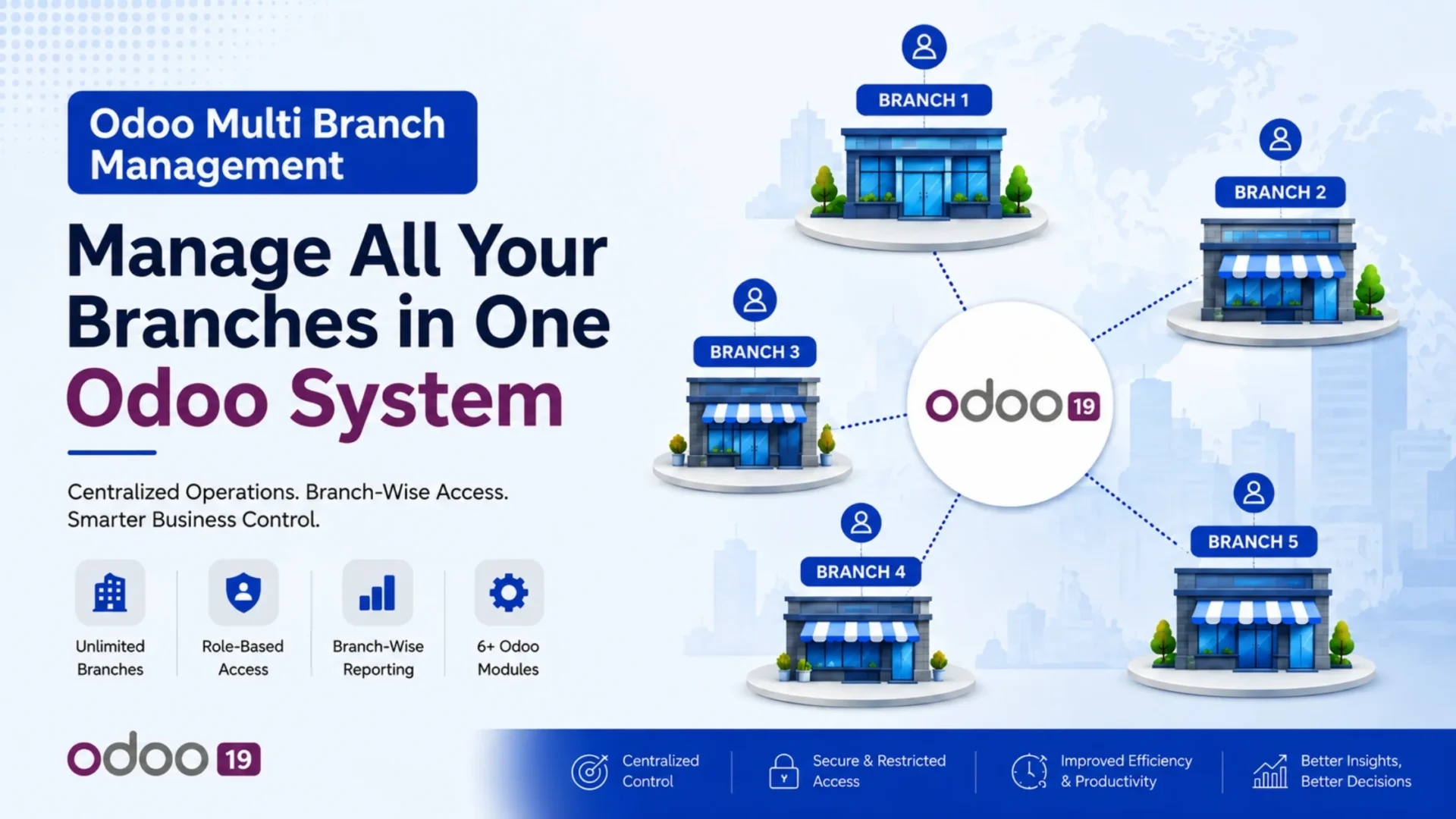
Odoo multi branch management allows a single company to run unlimited branches across Sales, Purchase, Accounting and Inventory from one Odoo 19 instance, with role based access so each user sees only their authorized branch data. This is different from Odoo’s native multi company setup and is built for businesses that operate multiple locations under one legal entity. Elsner Technologies’ Multiple Branch Management app delivers this across 6+ modules for a one time price of $20.23.
What Is Multi Branch Management in Odoo?
Multi branch management lets a company create separate operational units, called branches, within a single company record in Odoo. Each branch can have its own manager, its own set of sales orders, purchase orders, invoices and stock, while still belonging to the same company for accounting and legal purposes.
This is not the same as Odoo’s built in multi company feature. Multi company treats each entity as a fully separate company, with its own chart of accounts, its own database of contacts, and its own set of legal documents. Multi branch, by contrast, works inside one company and simply segments records and access by branch. For businesses that don’t need separate legal entities, but do need separated visibility and reporting per location, branch management is the lighter, faster option.
Retail chains, clinics, franchise operations, multi location service businesses and companies with regional offices are the most common users of this setup.
Why Odoo 19 Businesses Need Branch-Wise Access Control
As a business grows past a single location, three problems show up repeatedly in a standard Odoo setup.
|
Mixed data across locations Sales orders, invoices and stock moves from every location sit in the same lists, with no easy way to filter by branch. |
No role based separation Every user with Sales or Accounting access can see every record, regardless of which branch it belongs to. |
Reporting chaos Comparing performance across branches means manually filtering and exporting, since standard reports have no branch dimension. |
Branch wise access control solves all three by adding a branch field to core records and restricting visibility by user.
Key Features of Odoo Multi Branch Management
The app covers 6+ Odoo modules with the following core capabilities.
|
1
|
Branch MasterCreate unlimited branches, each with its own name, code, address, phone, email and assigned branch manager. A unique code is enforced per branch within the company. |
|
2
|
User Branch AccessAssign each user a default branch and, where needed, multiple allowed branches. Records are automatically filtered to the branches a user is authorized to see. |
|
3
|
Sales BranchA branch field is added to sale orders and order lines, and the sales analysis report is extended with a branch dimension for per branch insight. |
|
4
|
Purchase BranchPurchase orders and lines carry a branch field, with the purchase analysis report extended the same way and auto filtered by user access. |
|
5
|
Accounting BranchBranch is added to invoices, journal entries, payments and bank statement lines, enabling branch wise profit and loss and balance visibility. |
|
6
|
Inventory BranchStock pickings and locations are scoped by branch, giving delivery and receipt operations full separation per warehouse and branch. |
|
7
|
Branch ReportingSales and purchase analysis reports are enhanced with branch grouping, so performance across branches can be compared side by side. |
|
8
|
Security and RolesDedicated branch access groups and record rules restrict visibility so users only see the branch data they are assigned to. |
|
9
|
Branch on ReportsPDF report templates display branch information on invoices, sales orders and purchase orders for professional branded output at each location. |
How to Set Up Multi Branch Management in Odoo 19
|
1
|
Install the appAdd the Multiple Branch Management app to your Odoo 19 instance from the Apps menu, then install it. |
|
2
|
Create your branchesGo to Settings, then Users and Companies, then Branches. Create a branch record for each location, adding its name, code, address and assigned branch manager. |
|
3
|
Assign user accessOpen each user’s settings and set their default branch, along with any additional branches they should be allowed to access. Users without explicit access see only their default branch’s records. |
|
4
|
Confirm the branch flow on a transactionCreate a new sales order. The branch field auto populates from the logged in user’s current branch, and the warehouse and shipment address follow the same branch. The same pattern applies to purchase orders and invoices. |
Businesses looking for a broader Odoo rollout beyond branch management can also explore Elsner’s Odoo development services for custom configuration and support.
Odoo Multi Company vs Multi Branch Management: Which One Do You Need?
This is the most common point of confusion, so here is a direct comparison.
If your locations file separate tax returns and operate as distinct legal entities, multi company is the correct fit. If they are simply operational units of one company, such as retail outlets, clinics, or regional offices, multi branch management is the faster and simpler path. Elsner’s Odoo customization services can help assess which structure fits your business before you commit to either path.
Integrated Odoo Modules
Ready to Bring Branch-Wise Control to Your Odoo 19 Setup?
Manage unlimited branches across Sales, Purchase, Accounting and Inventory, with role based access built in. One time price, no recurring fees.
| Explore Multiple Branch Management → |
Frequently Asked Questions
How do I manage multiple branches in Odoo?
Install a branch management app such as Multiple Branch Management for Odoo 19, then create branch records under Settings, Users and Companies, Branches. Assign each user a default branch, and the app automatically filters Sales, Purchase, Accounting and Inventory records by branch.
Does this app work on both Community and Enterprise editions?
Yes. Multiple Branch Management for Odoo 19 is built to work across Odoo’s generic applications, including Contacts, Sales, Purchase, Inventory and Accounting, on both editions.
How does branch wise reporting work?
Sales and purchase analysis reports are extended with a branch dimension, allowing branch level performance to be viewed and compared side by side without manual filtering or exporting.
How many branches can I create?
There is no limit. The app supports unlimited branch creation, with a unique code enforced per branch within the company.
What is the pricing?
Multiple Branch Management is a one time purchase priced at $20.23 on the Odoo App Store, covering all listed features across 6+ modules with no recurring fees.
Final Thoughts
For Odoo 19 businesses running more than one location under a single company, Multiple Branch Management offers a lighter alternative to full multi company setup. Unlimited branch creation, role based access across Sales, Purchase, Accounting and Inventory, and branch wise reporting are covered in a single one time purchase of $20.23, with no ongoing subscription cost.
Elsner Technologies, an established Odoo development partner, built this app to address a gap in Odoo’s native multi location capabilities, and continues to support and maintain it directly.
Explore More Odoo Apps
Elsner Technologies builds and maintains a growing range of Odoo apps covering Sales, Accounting, Inventory and more. Browse the full collection on the Odoo App Store.
| Browse All Elsner Apps → |