- Why AI on WooCommerce is a board-level decision now, not a plugin choice
- The enterprise AI capability map for WooCommerce
- AI agents and agentic commerce on WooCommerce
- Enterprise architecture: making WooCommerce AI-ready
- Integration complexity: connecting AI to your enterprise stack
- Build vs buy: a decision framework for AI on WooCommerce
- Security, governance, and compliance
- Limitations, and what separates enterprise-grade from a small-store setup
- A staged roadmap for enterprise WooCommerce AI adoption
- Quick reference checklist
- Ready to turn AI strategy into a working WooCommerce roadmap?
- Frequently Asked Questions
- What is the WooCommerce MCP and why does it matter?
- Can WooCommerce handle enterprise-scale AI and traffic?
- Do I need headless WooCommerce to use AI?
- What is agentic commerce and how do I prepare my store for it?
- Should I build custom AI agents or use plugins?
- What are the compliance risks of AI on my WooCommerce store?
- How much does enterprise AI on WooCommerce cost to run?
An operations director at a home goods brand doing eight figures a year on WooCommerce described her real problem to us this way. Her team was not short on AI tools. They had a chatbot, a product description writer, and an email engine that all claimed to run on AI. What they did not have was any of it talking to each other, to the ERP, or to the people accountable for margin. Three AI tools, zero coordination, and a merchandising team still exporting spreadsheets by hand every Tuesday.
That gap is the real story of AI for WooCommerce in 2026. The tools got good. The strategy did not keep up. This guide is written for the people who own that strategy: the engineering leaders, ecommerce directors, and CTOs running WooCommerce at real scale. It covers what actually works, where the platform is heading with AI agents and agentic commerce, how to architect for it, and where careful planning separates a system that compounds value from one that quietly becomes a liability. Skip what you know. Read the parts on agents, architecture, and governance closely, because those are the sections most guides never reach.
Quick Answer
AI for WooCommerce means using artificial intelligence across your store to automate work and support decisions, from customer support and product recommendations to demand forecasting, dynamic pricing, and full agentic workflows that act on your data. At enterprise scale, the value is not in installing a single plugin. It comes from connecting AI to your ERP, CRM, and order systems, governing what it can touch, and preparing your catalog for the AI shopping agents that are starting to buy on customers’ behalf. Done with structure, it compounds. Done as a pile of disconnected tools, it creates cost and risk.
Why AI on WooCommerce is a board-level decision now, not a plugin choice
For years, adding AI to a store meant bolting on a widget. A chatbot here, a recommendation block there. That framing is now out of date, and treating AI as a plugin decision is how enterprise teams end up with the disconnected mess described above.
The shift is real and measurable. McKinsey’s most recent global survey found that 71 percent of organizations now use generative AI regularly in at least one business function, more than double the share reported in early 2024. Adoption stopped being the question. How to operationalize it without breaking things became the question, and that is a leadership problem, not an IT ticket.
WooCommerce sits in an interesting spot for this. It runs a large share of the open web’s stores, and because it is open source and built on WordPress, it gives enterprise teams something the closed platforms do not: full control over data, models, and integration. WooCommerce itself now positions the platform for stores handling more than $100 million in annual sales, unlimited SKUs, and tens of thousands of daily orders. Take that as the vendor’s own claim rather than an audited benchmark, but the architectural point holds. The open model means you decide where AI plugs in, which is exactly what enterprise governance demands.
Before going further, it helps to separate what people lump together under one label. AI for WooCommerce covers at least five distinct things. Generative content produces text and images at catalog scale. Workflow automation triggers actions when events happen. Machine learning models predict demand or flag fraud. LLM copilots answer questions and draft work. And autonomous agents plan and execute multi-step tasks with limited supervision. These are not interchangeable. A strategy that treats a product description writer and an inventory-forecasting model as the same category will misallocate budget every time. Teams building serious capability here usually start by mapping which of the five they actually need, then work backward to tools, which is also where a considered approach to ecommerce development services pays off over a rushed plugin rollout.
The enterprise AI capability map for WooCommerce
Most roundups hand you a list of plugins and stop there. That is backward. The useful question is not which tool ranks highest on some affiliate list. It is which business outcome you are trying to move, and what AI capability actually moves it. Here is how the major capabilities map to outcomes and what each one demands at enterprise scale.
| Capability | Business outcome it moves | Enterprise consideration |
|---|---|---|
| Support automation | Lower ticket cost, faster response | Escalation rules and human handoff on high-value cases |
| Personalization | Higher conversion, larger baskets | Engine performance on large catalogs, privacy of behavioral data |
| Generative content | Faster catalog launches, SEO coverage | Brand voice governance, factual accuracy review |
| Demand forecasting | Less overstock, fewer stockouts | Data quality, weak signal on new SKUs |
| Dynamic pricing | Protected margin, competitive position | Margin floors and guardrails against a price race to the bottom |
| Autonomous agents | Reduced manual operations load | Permission scoping, audit logs, human validation gates |
Take personalization as the clearest example of why outcomes matter more than tools. Baymard Institute’s ongoing research puts the documented average cart abandonment rate at 70.22 percent of online carts, calculated across dozens of separate studies. AI that recovers even a slice of that, through timely reminders, relevant recommendations, and friction removal at checkout, pays for itself quickly. But a recommendation engine that chokes on a 50,000-SKU catalog does the opposite. It slows the page, hurts the very conversion it was meant to lift, and shows up as a complaint in your performance monitoring rather than a win in your revenue report.
Marketing and lifecycle automation is where most teams see the first honest return. Abandoned-cart recovery, post-purchase flows, win-back sequences, and behavioral segmentation all run well on WooCommerce through mature tools. Named brands running these flows report meaningful revenue lift, though those figures usually come with vendor attribution windows, so read them as directional rather than guaranteed. If you want the deeper mechanics of stacking these together, our breakdown of WooCommerce revenue automation and personalization goes further than there is room for here.
Generative content at catalog scale deserves one caution. Writing a thousand product descriptions in an afternoon feels like a pure win until a few of them confidently invent a spec the product does not have. Speed without a review gate is how brand trust erodes one hallucinated bullet point at a time. Fast is good. Fast and checked is what actually scales.
AI agents and agentic commerce on WooCommerce
This is the section that separates a store built for 2024 from one built for what is coming. Everything above automates tasks a human defined. Agentic commerce is different. It is about AI that plans and acts, on both sides of the transaction, and WooCommerce made a concrete move toward it in late 2025.
The pivot point is the Model Context Protocol. As of the WooCommerce 10.3 release in October 2025, the platform ships an MCP integration in developer preview, built on the WordPress Abilities API. In plain terms, MCP gives an AI agent a structured, permissioned way to see and act on your store: read products, check orders, update stock, run defined operations. Before this, connecting an agent to WooCommerce meant brittle custom code against the REST API. MCP turns that into a standard interface. Treat it as early and evolving, because it is, but treat it seriously, because it is the direction the whole ecosystem is moving.
Agentic commerce runs in two directions, and mixing them up leads to confused strategy.
Merchant-side agents work for you. You describe a task in plain language, and the agent executes it against your store: adjust pricing on a category, generate and publish seasonal collections, reconcile an order exception, draft a purchase order when stock dips. This is operations leverage, and MCP is what makes it reliable instead of hacky.
Shopper-side agents work for the customer. A buyer tells an AI assistant to find and purchase something, and the assistant discovers products, compares options, and completes checkout on their behalf. This is not science fiction anymore. Gartner predicts that by 2028, 90 percent of B2B buying will be intermediated by AI agents. That is a forecast, not a fact on the ground, but the trajectory is clear enough that ignoring it is its own decision.
The shopper-side shift creates a new discipline nobody had to worry about two years ago: making your catalog readable by machines, not just humans. AI shopping agents do not browse a pretty homepage. They parse structured data. Clean product schema, accurate JSON-LD, machine-readable attributes, and participation in emerging feed formats like the OpenAI Product Feed Spec decide whether an agent can even find and recommend your products. Think of agent-readiness as a distinct channel sitting alongside traditional search visibility. A store invisible to agents in 2027 will feel a lot like a store invisible to Google in 2010.
Payment is the other piece falling into place. Stripe’s Agentic Commerce Protocol, which WooCommerce has signaled alignment with, defines how an agent can complete a purchase securely with tokenized payment handling. That matters because agent checkout changes your risk surface. When a bot is submitting the order, your fraud logic, your PII handling, and your payment flow all need to account for a non-human buyer acting fast.
Designing agent workflows follows a repeatable shape. An event triggers the agent, it plans the steps, it calls the tools it is permitted to use, a human validates anything sensitive, and every action lands in an audit log. On WooCommerce, those triggers map naturally onto existing hooks and endpoints, so a low-stock event or a status change can kick off an agent action without reinventing the plumbing. Getting that shape right, with real guardrails, is squarely the domain of purpose-built custom AI agent development rather than a switch you flip on an off-the-shelf plugin.
Enterprise architecture: making WooCommerce AI-ready
You cannot bolt sophisticated AI onto a shaky foundation and expect it to hold. The stores that get real value from AI tend to have done unglamorous architecture work first. Here is what that work involves.
Start with data, because AI accuracy is downstream of data quality. Inconsistent product attributes, messy taxonomy, and half-filled specification fields produce exactly what you would expect: recommendations that miss, descriptions that guess, forecasts that wobble. Garbage in, garbage out is not a cliche in AI systems. It is the single most common reason enterprise pilots underdeliver. Fix the catalog structure before you point a model at it.
Then consider whether you need to go headless. A decoupled front end, running React or Next.js against WooCommerce as an API-first backend, gives you speed and flexibility that a traditional theme cannot match, and it makes serving AI-driven, personalized experiences far easier. It also costs more to build and maintain. The honest threshold is scale. If you are running high traffic, multiple storefronts, or ambitious personalization, headless usually earns its cost. If you are not, it is premature. Do not adopt the architecture because it sounds advanced. Adopt it because your traffic and roadmap demand it.
Performance is the layer people underestimate right up until an agent or a bot surge exposes it. Redis object caching, disciplined database and query optimization, a CDN, and WooCommerce’s High-Performance Order Storage all matter more once AI traffic and automated actions enter the picture. Agents can generate request patterns no human ever would, and a store tuned only for human browsing will feel it. Our deeper guide to WooCommerce performance optimization is worth pairing with any serious AI rollout, because a slow store makes every AI feature look worse than it is.
Integration complexity: connecting AI to your enterprise stack
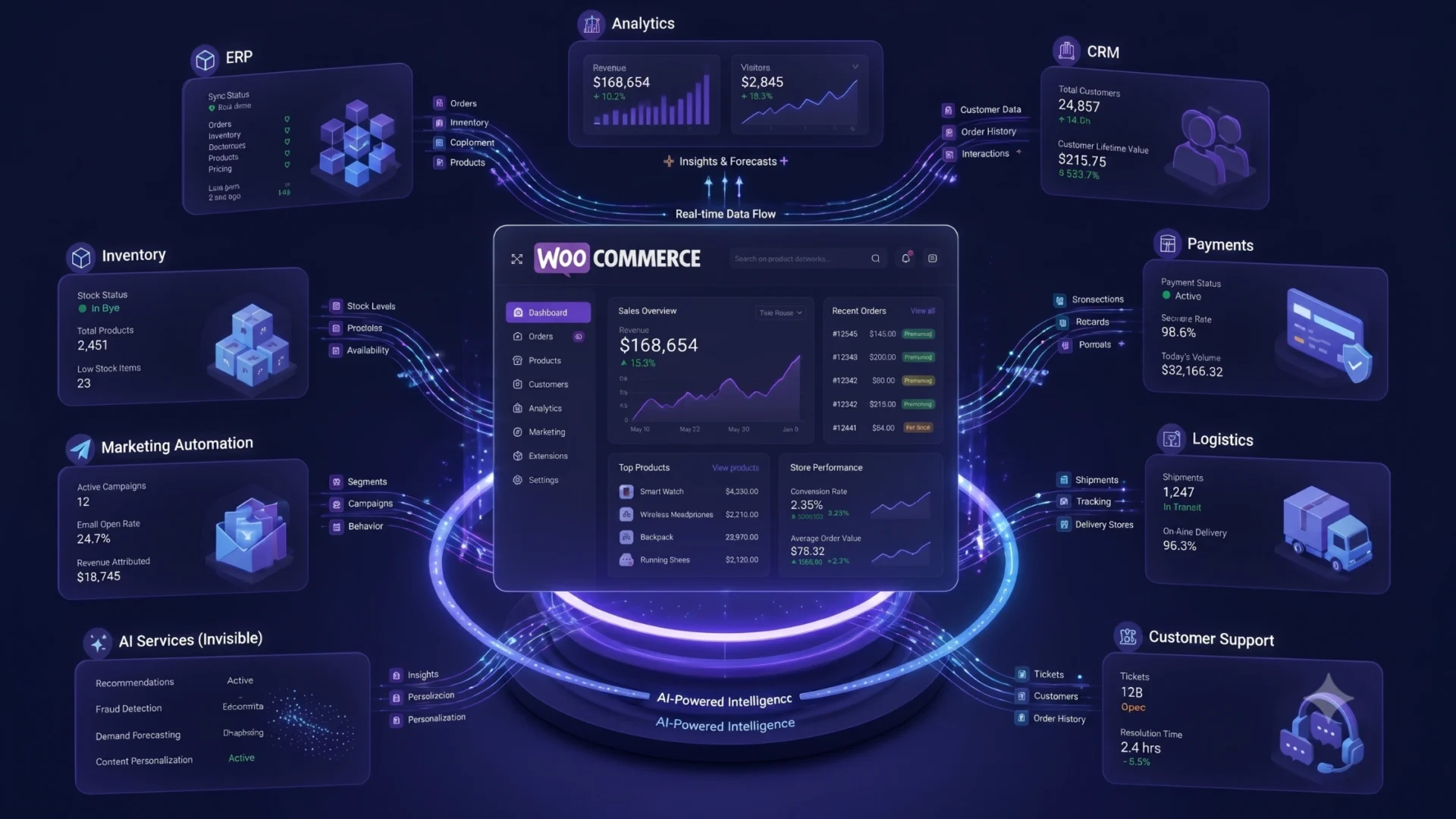
The disconnected mess from the opening scenario almost always traces back to integration, or the lack of it. An AI feature that cannot see your other systems is guessing. The value shows up when AI reads from and writes to the systems that actually run the business.
On the customer side, that means CRM and marketing automation. When your WooCommerce data syncs bidirectionally with a platform like Salesforce, HubSpot, or Zoho, AI can segment on real behavior, personalize on real history, and treat customer records as a single source of truth instead of three conflicting ones. One-directional sync is where data drift begins.
On the operations side, that means ERP and inventory. Connecting WooCommerce to a system like NetSuite, and keeping stock accurate across every channel you sell on, is what lets forecasting and order automation actually work. Sell on your store, a marketplace, and a point-of-sale system without real-time inventory sync, and your AI will confidently promise stock you do not have. Multi-region and omnichannel add another layer, since multi-currency, multi-language, and localized agent experiences all depend on the same clean integration backbone. Getting these connections right, with observability rather than brittle point-to-point wiring, is the practical heart of good AI and machine learning integration services.
A few integration mistakes recur across enterprise stores. Plugin bloat, where a dozen single-purpose tools each add weight and conflict risk. Brittle point-to-point connections that break silently when one API changes. Data drift between systems nobody notices until a report looks wrong. And zero observability, so when something does break, no one can see where. Design for the failure modes, not just the happy path.
Build vs buy: a decision framework for AI on WooCommerce
Not every AI need justifies custom development, and not every need can be met by a plugin. The roundups almost never frame this honestly, so here is a cleaner way to think about it.
Off-the-shelf plugins fit when
- The need is bounded and single-function, like a support chatbot or a description writer.
- A bring-your-own-API-key tool covers it without deep data access.
- Switching cost is low if the tool disappoints.
- No proprietary logic or competitive edge is involved.
Custom build earns its cost when
- The workflow encodes logic specific to your business.
- Deep ERP, CRM, or agent orchestration is required.
- Data sovereignty or compliance rules out sending data to a third party.
- The capability is meant to be a competitive differentiator.
Most enterprise teams land on a hybrid path, and that is usually the right call. Buy for commodity functions where a mature tool already does the job well, like support automation or content drafting. Build for orchestration and agentic workflows where the value lives in how your specific systems connect. Spending custom-development budget on a chatbot that Tidio or a similar tool already handles is a waste. Trying to force a generic plugin to run a multi-system agent workflow it was never designed for is a different kind of waste.
Whatever you decide, price the total cost of ownership honestly. Beyond a subscription or a build fee, budget for API and model token costs that scale with usage, ongoing maintenance, monitoring, and the very real cost of accuracy failures when a system gets something wrong at scale. The cheapest option on paper is rarely the cheapest in practice. When the math points toward building, a partner experienced in custom software development tends to save more than they cost by designing the guardrails before the system outgrows them.
Security, governance, and compliance
This is the part that turns a promising pilot into a defensible production system, and it is almost entirely absent from the tool lists ranking today. If AI is going to touch customer data and act on your store, governance is not optional overhead. It is the thing that keeps a good idea from becoming an incident.
Data privacy comes first. Regulations like GDPR and, for stores selling to residents of California, CCPA govern how you collect, store, and process personal data, and AI systems tend to be hungry for exactly that data. Favor zero-party data your customers knowingly share, and tokenize or mask personally identifiable information before it ever reaches a model or a third-party service. The rule of thumb is simple. If an AI system does not strictly need to see raw PII to do its job, do not let it.
Model governance is the next layer. Hallucination control, brand-safe response boundaries, clear thresholds for when a human must validate an output, logging of prompts and responses, and a way to roll back when something goes wrong. These are not nice-to-haves at enterprise scale. They are the difference between an AI feature you can stand behind in a board meeting and one you quietly hope nobody examines too closely.
A note on regulatory timing: the EU AI Act carries obligations that reach stores outside Europe if they serve European customers, including transparency duties around AI chatbots. Some deadlines have been in flux, with proposals to defer certain high-risk requirements into later years, while transparency and prohibited-practice rules landed earlier. Treat the timeline as moving, and design for disclosure and documentation now rather than scrambling when a date firms up.
Agents introduce risk that plugins do not. Because an agent can take actions, permission scoping through the Abilities API becomes a security control, not a convenience. Test agent behavior in a sandbox before it touches live data. Scope what each agent can read and write to the minimum it needs. And plan for the reality that not all agent traffic hitting your store will be friendly. Structuring this properly is where measured AI strategy consulting often prevents an expensive lesson.
Limitations, and what separates enterprise-grade from a small-store setup
Honest limits build more trust than inflated promises, so here is where AI on WooCommerce genuinely underperforms. Demand forecasting struggles with new SKUs that have no history, with sudden regime changes the model never saw, and with sparse or dirty data. Recommendation quality degrades when behavioral data is thin. And layering on more bots does not linearly produce more value. Gartner has been blunt that even as AI agents multiply, a large share of teams will report no productivity gain, which is a caution against adopting agents for their own sake.
Measure what actually matters. Forecast accuracy, recovered revenue, ticket deflection with quality held constant, margin protected. Not the number of AI features installed. A store with three well-integrated, well-governed AI capabilities beats a store with fifteen disconnected ones every time.
The gap between a small-store setup and an enterprise-grade one is not about which plugins you picked. It is about everything around them.
| Dimension | Typical small-store setup | Enterprise-grade requirement |
|---|---|---|
| Data | Whatever the catalog happens to contain | Structured attributes, clean taxonomy, governed quality |
| Integration | Standalone plugins, little cross-system sync | Bidirectional ERP, CRM, and OMS connections |
| Governance | Trust the tool defaults | Documented policy, review gates, audit logs |
| Performance | Standard hosting, basic caching | Tuned caching, HPOS, capacity for agent traffic |
| Custom logic | Off-the-shelf behavior only | Custom agents and workflows for differentiated needs |
Read that table as a maturity path, not a judgment. Plenty of stores do not need the right-hand column yet. But if you are operating at enterprise volume and your setup still looks like the left column, that gap is where your risk and your missed upside both live.
A staged roadmap for enterprise WooCommerce AI adoption
Trying to do everything at once is how AI initiatives stall. The teams that succeed sequence it. Here is a phasing that tends to hold up in practice.
1
Build the foundation
Clean the catalog data, structure attributes and taxonomy, and put measurement in place. This phase is boring and non-negotiable. Everything after it depends on the quality of this work.
2
Capture high-ROI automation
Turn on support automation, cart recovery, lifecycle flows, and content generation at scale. These pay back fastest and build organizational confidence before you attempt anything more ambitious.
3
Introduce agents and orchestration
Bring in MCP-connected agents and custom workflows that span ERP and CRM. Start narrow, with heavy human validation, and widen scope only as trust and audit trails accumulate.
4
Prepare for agentic commerce
Make your catalog discoverable to shopper-side agents, adopt structured product feeds, and get secure agent checkout ready. This is the phase that positions you for how buying itself is changing.
Teams often want to jump straight to phase three because agents are the exciting part. Resist that. An agent running on dirty data and thin governance is not an asset. It is a faster way to make mistakes. The sequence exists for a reason, and staffing it well, whether in-house or through experienced WooCommerce developers, keeps each phase from collapsing into the next before it is ready.
Quick reference checklist
- Map which of the five AI types you actually need before shopping for tools
- Clean product data and taxonomy before pointing any model at it
- Tie every AI capability to a business outcome, not a feature count
- Decide build vs buy per capability, and expect a hybrid answer
- Connect AI to ERP, CRM, and OMS with bidirectional sync and observability
- Scope agent permissions through the Abilities API and log every action
- Tokenize PII and document a governance policy before production
- Prepare your catalog to be discoverable by shopper-side AI agents
Ready to turn AI strategy into a working WooCommerce roadmap?
Talk to a team that designs enterprise AI, automation, and agent workflows into WooCommerce the right way, with the architecture, integrations, and governance your store actually needs to scale.
Frequently Asked Questions
What is the WooCommerce MCP and why does it matter?
MCP, the Model Context Protocol, is a standard way for AI agents to read and act on your store through defined, permissioned operations. WooCommerce shipped an MCP integration in developer preview with version 10.3 in October 2025, built on the WordPress Abilities API. It matters because it replaces brittle custom API code with a structured interface, which is what makes reliable AI agents on WooCommerce practical rather than fragile.
Can WooCommerce handle enterprise-scale AI and traffic?
Yes, when it is architected for it. WooCommerce positions the platform for stores running large annual sales volumes, unlimited SKUs, and high daily order counts. Reaching that reliably takes tuned caching, database optimization, High-Performance Order Storage, and often a headless front end. The platform can scale. The default install out of the box is not automatically ready for enterprise AI traffic without that engineering work.
Do I need headless WooCommerce to use AI?
No. Plenty of AI capabilities, including support automation, recommendations, and content generation, run fine on a traditional WooCommerce setup. Headless becomes worth its added cost at higher scale, with multiple storefronts, heavy personalization, or demanding performance targets. Adopt it because your traffic and roadmap require it, not because it sounds more advanced.
What is agentic commerce and how do I prepare my store for it?
Agentic commerce is AI that plans and acts, either running your store operations for you or shopping and buying on a customer’s behalf. To prepare, clean your product data, publish accurate structured data and JSON-LD, adopt emerging product feed formats, and get secure agent checkout ready. The goal is a catalog that AI shopping agents can find, understand, and purchase from without a human clicking through your pages.
Should I build custom AI agents or use plugins?
Use plugins for bounded, commodity functions like a support chatbot or a description writer, where a mature tool already does the job and switching cost is low. Build custom when the workflow encodes business-specific logic, requires deep ERP or CRM orchestration, involves data you cannot send to a third party, or is meant to be a competitive advantage. Most enterprise teams end up with a hybrid, buying the commodity pieces and building the orchestration.
What are the compliance risks of AI on my WooCommerce store?
The main risks are privacy and disclosure. Regulations like GDPR and CCPA govern how you handle personal data, and AI systems tend to want a lot of it, so tokenize or mask PII and favor zero-party data. The EU AI Act adds transparency duties that can reach stores serving European customers, including disclosure around AI chatbots. Document your access and governance policy the way you would for any vendor handling sensitive data.
How much does enterprise AI on WooCommerce cost to run?
It varies too much for a single number, but budget for more than the subscription or build fee. Ongoing costs include API and model token usage that scales with volume, integration and maintenance work, monitoring, and the cost of correcting accuracy failures at scale. The honest way to compare options is total cost of ownership over a year, not the sticker price of a plugin or a project quote.