- What is Headless WordPress?
- Traditional WordPress vs Headless vs Custom React App
- What is ReactJS?
- Why React Works So Well Here?
- Component Based Architecture
- Virtual DOM
- Next.js Fixes the SEO Problem
- Scales With You
- Why Businesses Actually Make the Switch?
- Speed affects revenue.
- One content source, multiple destinations.
- Frontend and backend scale independently.
- Smaller attack surface.
- Developers prefer it.
- What are the Advantages of Headless WordPress with React?
- The Set-up of WordPress with React:
- Step 1: Install and Configure WordPress
- Step 2: Enable the API Layer
- Step 3: Set Up Authentication (If Needed)
- Step 4: Create the React Frontend
- Step 5: Fetch Content From WordPress
- Step 6: Handle Routing
- Step 7: Deploy Both Systems Separately
- Real Use Cases
- Enterprise Publishing Platforms
- High-Traffic News Portals
- SaaS Product Sites
- eCommerce With WooCommerce Backend
- Corporate Intranets
- Mobile Apps Powered by WordPress
- When Headless WordPress Is the Wrong Choice?
- Small Brochure Sites
- Limited Budget
- Non-Technical Teams Without Developer Support
- No Multi-Channel Needs
- Heavy Plugin Dependency
- What are the Improvements that ReactJS Offers in Headless WordPress?
- Seamless UI Designing
- Virtual DOM
- SEO Advantages
- What are the Benefits of Using Headless WordPress?
- 1. Multichannel Publishing
- 2. Multiple Language Support
- 3. Great Performance
- 4. Fewer Security Issues
- 5. Highly Scalable
- Conclusion
- FAQs
- REST API or WPGraphQL — which should I use?
- Can WooCommerce work in a headless setup?
- How does user authentication work?
- What does it cost to build a headless WordPress site?
- Do WordPress plugins still work in a headless setup?
You build a WordPress site. It looks fine. Then traffic grows. Pages slow down. Your dev team wants React. Your editors refuse to leave WordPress. And suddenly, the “simple CMS” becomes a bottleneck.
This is not a rare situation. It happens to growing businesses all the time.
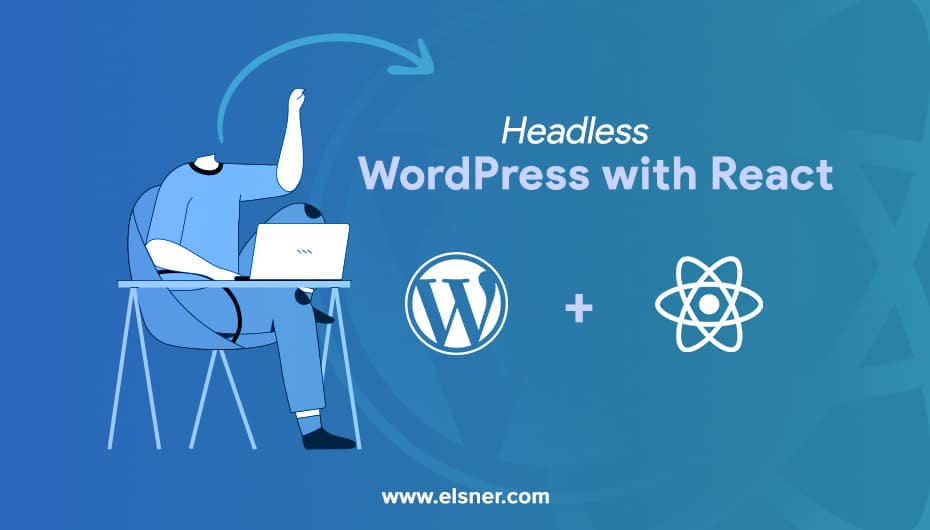
The fix? Decouple the two. Let WordPress do what it does best: manage content. Let React handle what it does best: deliver fast, dynamic interfaces. That combination is what headless WordPress is about.
What is Headless WordPress?
Traditional WordPress is a monolith. The backend (PHP, MySQL) and the frontend (themes, templates) are glued together. Change one, and you risk breaking the other.
Headless WordPress breaks that dependency.
WordPress becomes a pure content backend. It stores posts, pages, media, and custom fields. But it no longer renders anything for the public. Instead, it exposes that content through an API. Your React frontend calls that API, gets the data, and renders the UI exactly the way you want, making it easier to optimize your WordPress website for mobile users and deliver a faster, more flexible user experience.
Your editors still log into the same familiar WordPress dashboard. Your developers get full freedom on the frontend. No compromise required.
Traditional WordPress vs Headless vs Custom React App
Before choosing an architecture, see how the options actually compare:
|
Feature |
Traditional WordPress | Headless WordPress + React |
Custom React App |
|
Content Management |
Built-in CMS | WordPress CMS |
Manual or custom-built |
|
Frontend Flexibility |
Limited by themes | Completely open |
Completely open |
|
Performance |
Moderate | High |
High |
|
SEO Support |
Plugin dependent | Next.js SSR or SSG |
Requires manual setup |
|
Plugin Ecosystem |
Full access | Partial access |
None |
|
Setup Complexity |
Low | Medium to high |
High |
|
Multi-channel Delivery |
Web only | Web, mobile, IoT |
Web, mobile, IoT |
|
Ongoing Dev Support Needed |
No | Yes |
Yes |
Headless sits in the middle. You keep WordPress content management. You gain React frontend power. The trade-off is setup complexity and the need for a developer.
What is ReactJS?
It is a JavaScript library that helps create fast and interactive user interfaces for mobile and web apps. React is a component-based, frontend library and open-source, which is responsible for the view layer. In Model-View-Controller architecture, the view deals with the looks and feels of the app. Some benefits of ReactJS are:
- Creating Dynamic Apps: React has made it easier to create dynamic web applications as it required less coding but more functionality.
- Performance: React uses the virtual DOM, which helps in creating web apps faster. It compares the components to previous states and changes only the items that are updated.
- Reusable Components: These are the building blocks of the React application. They have their controls and logic, which can be reused throughout the application, which reduces development time.
- Unidirectional Data Flow: React has a unidirectional data flow. While designing the app, developers nest the child components within parent components. As the data flow is in a single direction, it is easier to debug the errors.
Why React Works So Well Here?
React is not the only frontend option for headless WordPress. But it is the most practical one for most teams.
Here is why it fits.
Component Based Architecture
React builds UIs out of reusable components. Write a PostCard component once. Use it on the homepage, the blog listing, the sidebar. No repetition. No inconsistency.
For content-heavy sites pulling data from WordPress, this matters a lot.
Virtual DOM
React does not rewrite the entire page every time something changes. It calculates what changed and updates only that part. The result is noticeably faster interactions, especially on content-rich pages.
Next.js Fixes the SEO Problem
Plain React apps render in the browser. Search engines sometimes struggle with that. Next.js solves it by rendering pages on the server before they reach the user. Google gets clean HTML. Users get fast load times. Both problems handled.
If you are building headless WordPress for a public-facing site, Next.js is not optional. It is the standard.
Scales With You
React has the largest frontend ecosystem available today. Libraries, tooling, community support, it is all there. Whether you are building a blog or an enterprise platform, React grows with the project.
Why Businesses Actually Make the Switch?
Performance benchmarks are one thing. But what makes a business choose headless in the real world?
Speed affects revenue.
Google’s own data shows a 100ms delay in page load reduces conversions by about 1%. React frontends paired with Next.js and a CDN regularly hit sub-second load times. WordPress themes rarely do.
One content source, multiple destinations.
Headless lets a single WordPress installation power a website, a mobile app, a digital kiosk, and a third-party integration. Teams that publish once and distribute everywhere save significant time.
Frontend and backend scale independently.
A traffic spike hits your React frontend, not your WordPress database. Your content team can publish freely without touching your infrastructure.
Smaller attack surface.
When WordPress is not directly exposed to the public, there is no login page for bots to hammer. The public sees only your React frontend. That alone removes a large chunk of common WordPress vulnerabilities.
Developers prefer it.
React, Git workflows, component libraries, CI/CD pipelines — this is how modern dev teams want to work. Forcing them into PHP templates causes friction and slows delivery.
What are the Advantages of Headless WordPress with React?
- Multiple Channel: It helps publish on various platforms like tablets, computers, smartphones, and more. This method helps in increasing the accessibility of your website.
- More Simple Design: Using WordPress as a headless CMS makes it easier to manage and lightweight. You can redesign the website to create a familiar environment and user experience.
- Better Performance: Once WordPress is coupled with the new integrated technologies, it provides reliability and super-fast performance.
- Scalability: Your website should have flexibility and bandwidth by adapting to change the features, scale, and size. A headless WordPress with React helps to evolve the requirements and updates of the platform.
- Security: It is an online service that must be provided on every online platform. So, hire ReactJS developers to ensure tighter security which makes your website safe from online vulnerabilities.
The Set-up of WordPress with React:
The following steps help you do a smooth setup:
Step 1: Install and Configure WordPress
Set up WordPress on managed hosting. For local development, you can use tools like Local by Flywheel or DevKinsta. For production, consider WP Engine, Kinsta, or Pantheon. Proper configuration, security hardening, and performance setup are important at this stage, which is why many businesses choose to hire a WordPress developer to ensure the backend is correctly prepared for headless integration. Set permalink structure to Post name under Settings for clean API-compatible URLs.
Step 2: Enable the API Layer
The WordPress REST API is built in. It is available at /wp-json/wp/v2/ with no extra setup.
For more efficient queries, install WPGraphQL. It adds a /graphql endpoint that lets your frontend request exactly the fields it needs — nothing more. This reduces payload size and speeds up data fetching on complex content structures.
Also configure CORS settings so your frontend domain can make requests to the WordPress backend.
Step 3: Set Up Authentication (If Needed)
For protected content, form submissions, or member areas, install the JWT Authentication for WP REST API plugin. Your React app requests a token, stores it securely, and sends it with API calls that require authorization.
Step 4: Create the React Frontend
Next.js is the recommended starting point. Initialize a project, set your WordPress API URL as an environment variable in .env.local, and never commit credentials to version control.
NEXT_PUBLIC_WORDPRESS_API_URL=https://your-wordpress-site.com/graphql
Step 5: Fetch Content From WordPress
Use getStaticProps for pages that do not change frequently. Use getServerSideProps for content that updates often. For client-side fetching with caching, React Query or SWR handle revalidation cleanly without manual state management.
Step 6: Handle Routing
Next.js file-based routing covers most cases. For dynamic WordPress content (individual posts, custom post types), create dynamic route files like [slug].js and fetch the matching post from WordPress at build time or request time.
Step 7: Deploy Both Systems Separately
|
Layer |
Recommended Hosting |
|
WordPress Backend |
WP Engine, Kinsta, or Pantheon |
|
React Frontend |
Vercel or Netlify |
|
Domain and SSL |
Configure separately for both |
|
Environment Variables |
Set production API URLs post-deploy |
The frontend goes on a CDN. The WordPress backend stays protected. They communicate only through the API.
Real Use Cases
Enterprise Publishing Platforms
Large media companies manage thousands of articles inside WordPress. The editorial team never leaves the dashboard. On the frontend, a custom React build handles ad placements, user personalization, infinite scroll, and reading preferences. These are the things no WordPress theme can do cleanly.
High-Traffic News Portals
Breaking news brings unpredictable traffic. Headless portals pre-render pages through Next.js and serve them from a CDN. When a story goes viral, the WordPress database is barely touched. Pages load instantly because they are already built.
SaaS Product Sites
SaaS companies use WordPress to manage their marketing pages, blog, and documentation. Non-technical team members handle all the content. The React frontend matches the product’s design system precisely. It’s something off-the-shelf WordPress themes never achieve.
eCommerce With WooCommerce Backend
WooCommerce manages products, inventory, pricing, and orders. A custom React storefront consumes the WooCommerce REST API to deliver a shopping experience that loads faster and converts better than any WooCommerce theme on the market.
Corporate Intranets
Internal portals, policy libraries, team directories, company announcements, are managed in WordPress. The React frontend provides a modern employee experience with proper search, filtering, and role-based content. Something the default WordPress admin could never provide.
Mobile Apps Powered by WordPress
React Native apps pull content directly from WordPress via the REST API. One WordPress installation serves both the website and the mobile app. The content team publishes once. It appears everywhere.
When Headless WordPress Is the Wrong Choice?
Not every project needs this architecture. Be honest about whether it fits before committing.
Small Brochure Sites
Five pages, a contact form, and a blog. Traditional WordPress with a well-built theme handles this comfortably. Adding a separate React frontend for a site this simple creates maintenance overhead with no real payoff.
Limited Budget
Two systems mean two hosting costs, more development time, and a more complex deployment process. For projects with tight budgets, the ROI rarely justifies the additional investment at small scale.
Non-Technical Teams Without Developer Support
In traditional WordPress, a non-developer can change a banner image, update a page layout, or install a new plugin. In headless, frontend changes require a developer. If your team does not have ongoing dev support, that becomes a real operational problem.
No Multi-Channel Needs
If content only ever appears on one website, you gain almost nothing from headless. The API layer adds latency and complexity without delivering the multi-channel benefit that justifies it.
Heavy Plugin Dependency
Page builders, membership plugins, and certain form plugins rely on tight theme integration. They simply will not work in a headless setup without custom development. If your project lives on specific plugins, audit them carefully before going headless.
What are the Improvements that ReactJS Offers in Headless WordPress?
Seamless UI Designing
WordPress with React will help to create module-like pieces of code known as components. The React developers can help in custom-designed headless WordPress. The components are part of the user interface. Being declarative, it handles the minimal inputs like:
- Less development time
- Developers can work on core features
- They can efficiently perform unit testing and ensure no crashes
Virtual DOM
Document Object Model enhances the scalability of the web app. It represents the page in virtual memory before rendering the final web page. A few benefits of React are:
- Consumes less time to load the web pages
- Eliminates the heavy code like jQuery
- The web pages are smooth and light
SEO Advantages
Content is an important key to grab the top positions on the SERP. React fastens the loading speed, which means your platform will gain more traffic. This ensures that you have better page rendering speed with an excellent user interface.
What are the Benefits of Using Headless WordPress?
1. Multichannel Publishing
This is one of the main uses of this platform. You post one thing that will automatically be added to social media accounts, websites, and applications. The main work is to detach the front end from the backend. This gives you an efficient method to automate content publishing.
2. Multiple Language Support
WordPress uses the API to facilitate multiple channel publishing and connect with any frontend. If you perform proper configuration, it works perfectly with React. You get the freedom to experiment with new languages and explore the benefits of WordPress.
3. Great Performance
It is a heavy CMS that gives you great features and functionalities for building websites. The dynamic language helps to craft interactive and interesting websites with great features.
4. Fewer Security Issues
Headless WordPress development gives you an extra layer of security. It connects your apps and websites using API instead of a login screen. Also, since your frontend and backend servers are on different servers, it is difficult for the malware to enter your store.
5. Highly Scalable
Headless WordPress gives you enough resources to redesign or scale your platforms effortlessly. It keeps the content and visuals separate to make it easier to update. Even the website or app upgrading is easier.
Conclusion
Headless WordPress with React is not hype. It solves real problems like slow performance, limited frontend flexibility, and multi-channel content needs. Traditional WordPress genuinely cannot address these at scale.
But it demands honest evaluation. It requires developer expertise, proper infrastructure, and ongoing maintenance. Businesses investing in modern architectures often rely on WordPress development services to ensure the backend, API integration, and frontend work together reliably. For projects that justify it, the results are exceptional. For projects that do not, it adds complexity without reward.
Match the architecture to the actual requirements. Not the other way around.
FAQs
REST API or WPGraphQL — which should I use?
The REST API requires no extra plugins and works fine for straightforward content. WPGraphQL gives you precise, flexible queries and reduces over-fetching. For complex projects with multiple post types and relationships, WPGraphQL is the better long-term choice.
Can WooCommerce work in a headless setup?
Yes. WooCommerce exposes a REST API for products, cart management, and orders. A React frontend can consume it to build a custom storefront. Some WooCommerce plugins that hook into the theme layer will not function, so plugin compatibility needs checking before you start.
How does user authentication work?
Install the JWT Authentication for WP REST API plugin. Your React app posts credentials to the auth endpoint, receives a JWT token, and includes it as a Bearer header on requests that require authentication. The token has an expiry, so implement refresh logic for sessions that last longer than a few hours.
What does it cost to build a headless WordPress site?
Managed WordPress hosting typically runs between $30 and $100 per month. Vercel and Netlify have generous free tiers for most frontend traffic levels. Development time is the bigger cost. A mid-scale project realistically takes 40 to 200 hours depending on complexity and design requirements.
Do WordPress plugins still work in a headless setup?
Backend plugins work well. SEO plugins like Yoast manage meta data that the API exposes. Advanced Custom Fields structures your content. WPGraphQL extends the API. Frontend-rendering plugins tied to WordPress themes will not transfer to a headless frontend without custom development.