- What Is Zoho NetSuite Integration?
- Why Connect Zoho with NetSuite Benefits That Matter?
- Unified customer view
- Automated order processing
- Real-time data sync
- Inventory visibility
- Billing and finance automation
- Accuracy across teams
- Better forecasting
- Smoother operations
- What Data Can Zoho and NetSuite Sync?
- Integration Methods with Pros and Cons
- Step-by-Step Flow: How Zoho NetSuite Integration Works?
- Zoho CRM to NetSuite
- NetSuite to Zoho CRM
- Real Business Use Cases
- Automating leads to order workflows
- Sales and finance finally speaking the same language
- Inventory-driven selling without awkward surprises
- Subscription and recurring billing workflows
- Multi-region and multi-currency operations
- Custom workflows for unique business models
- Leadership level visibility without extra reporting tools
- Challenges and How to Avoid Them
- Why Choose Elsner for Zoho NetSuite Integration?
- Struggling with Zoho & NetSuite Integration?
- Conclusion
- Frequently Asked Questions
- How to integrate Zoho with NetSuite?
- What is the best tool for Zoho NetSuite integration?
- How much does Zoho NetSuite integration cost?
- What data can be synced between Zoho and NetSuite
- How long does the integration process take
- Can Zoho CRM sync orders and invoices with NetSuite
- Is custom API based integration better?
- Do I need a developer for Zoho NetSuite integration?
Modern businesses need several tools or software to run their daily operations. Your sales teams need CRMs to be fully functional. Finance teams can’t do their work right without an ERP system. Operations teams depend on accurate inventory and fulfilment data. The real challenge begins when these systems operate in silos.
That is where Zoho NetSuite integration steps in.
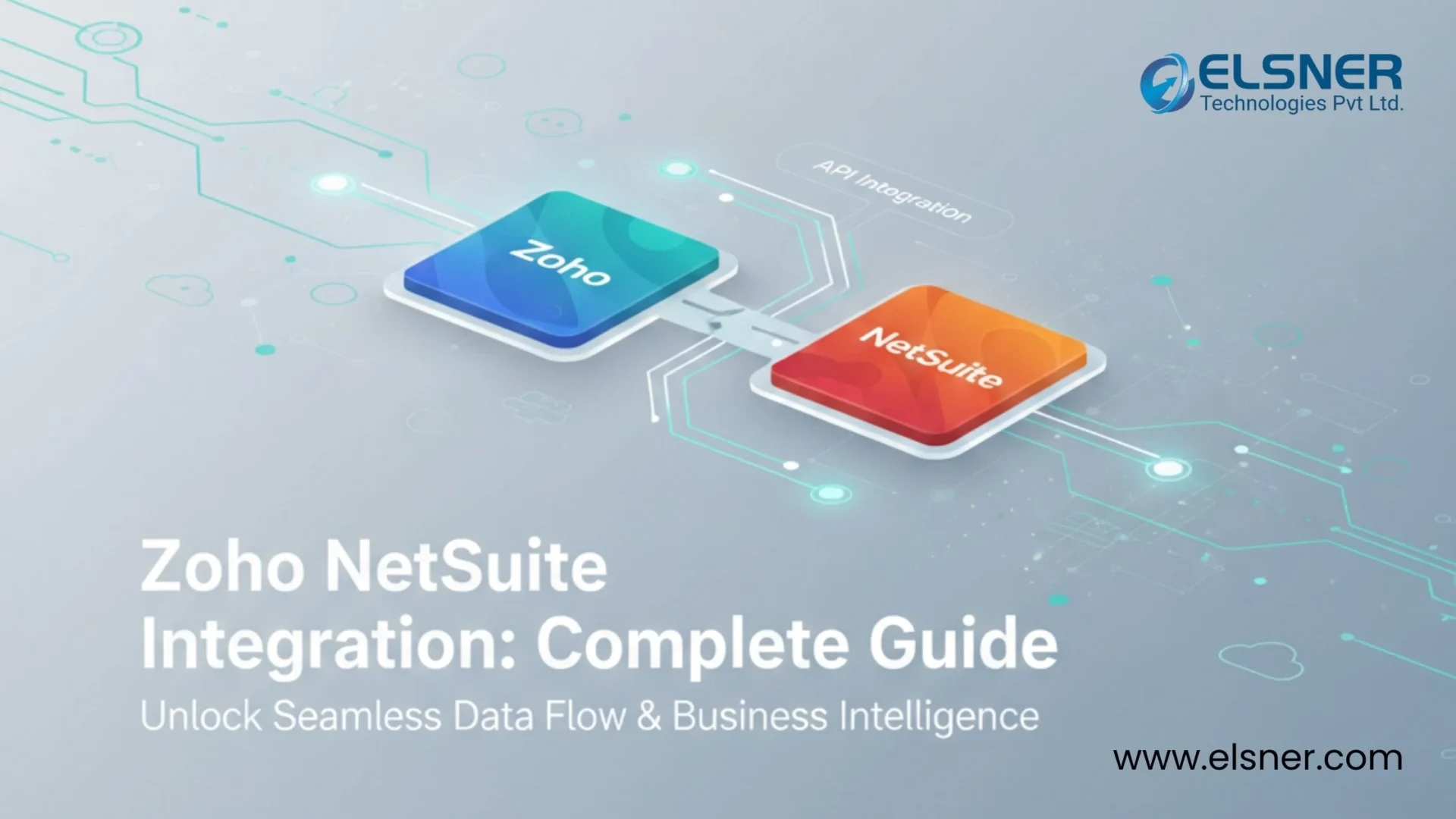
Zoho handles customer relationships and sales pipelines. It also supports automation beautifully. NetSuite takes care of finance, inventory, billing, and operational reporting. With Zoho NetSuite integration, you can get speed, accuracy, and visibility across departments.
This guide walks you through everything you need to know in 2026. We will cover what the integration actually means and why companies invest in it. We’ll also highlight the Zoho NetSuite integration steps.
What Is Zoho NetSuite Integration?
In simple terms, Zoho NetSuite integration connects your CRM and ERP. Now these systems can share data automatically. Information entered once flows to the right system without manual effort.
In a typical NetSuite Zoho integration, Zoho CRM acts as the front-facing system. Sales teams manage leads, contacts, and deals there. NetSuite works behind the scenes, handling accounting, order management, invoicing, and inventory.
Without integration, teams often end up copying data between systems or relying on spreadsheets. That leads to delays and mistakes. With Zoho CRM NetSuite integration in place, updates happen in real time or near real time, depending on how the workflow is designed.
Common problems this NetSuite Zoho integration solves include:
- Duplicate customer records across platforms
- Slow order processing due to manual handoffs
- Differences between sales and finance numbers
- Time wasted on manual reporting
- Poor visibility into inventory and order status
After NetSuite CRM integration, Zoho and NetSuite behave like parts of one system instead of two separate tools.
Why Connect Zoho with NetSuite Benefits That Matter?
The real value of Zoho NetSuite integration shows up in daily operations. Teams stop chasing information and start focusing on outcomes.
Unified customer view
NetSuite Zoho CRM integration lets sales, support, and finance teams see the same customer details. No more confusion about which record is correct or which system is up to date. This means everyone works from one source of truth, making customer conversations more consistent and reliable.
Automated order processing
Deals marked as won in Zoho can automatically generate sales orders in NetSuite. This shortens the gap between selling and fulfillment. It also removes manual steps, so orders move faster and fewer mistakes happen during handover.
Real-time data sync
Inventory levels, order status, and billing updates flow back into Zoho. Sales teams stop promising what is not available. This keeps expectations realistic and helps avoid awkward follow-ups with customers.
Inventory visibility
With NetSuite inventory synced to Zoho, product availability is always accurate during sales conversations. Sales reps can confidently quote delivery timelines without needing to check with operations.
Billing and finance automation
Invoices created in NetSuite appear inside Zoho CRM. Payment updates sync back without manual follow-ups. This gives sales teams clear visibility into who has paid and who still needs reminders.
Accuracy across teams
Automation reduces human error. Everyone works with consistent numbers. This removes disputes between departments and improves trust in reports and dashboards. Teams no longer need to double-check data across systems before making decisions.
Better forecasting
With clean and synced data, leadership teams get more reliable forecasts and reports. Planning becomes easier because projections are based on real performance, not outdated spreadsheets. This helps businesses respond faster to market changes and demand shifts.
Smoother operations
From lead to cash, workflows move faster with fewer handoffs and fewer surprises. Teams spend less time fixing issues and more time focusing on growth. Processes feel more organised, even as workloads increase.
These Zoho NetSuite integration benefits become even more important as businesses scale.
|
Business Challenge |
What Goes Wrong Without Integration |
How Zoho NetSuite Integration Helps |
|
Duplicate customer data |
Sales and finance store the same customer differently |
Creates a single shared customer record across systems |
|
Manual data entry |
Teams re enter orders and invoices by hand |
Automates data flow between Zoho and NetSuite |
|
Slow order processing |
Deals sit waiting for operations updates |
Converts closed deals into NetSuite orders instantly |
|
Inventory confusion |
Sales sells items that are not available |
Syncs real time inventory into Zoho |
|
Sales and finance mismatch |
Revenue numbers never fully align |
Keeps invoices and payments in sync |
|
Delayed reporting |
Reports rely on outdated or partial data |
Provides accurate, up to date visibility |
|
Poor customer experience |
Customers wait for updates and answers |
Improves response time with -shared data |
What Data Can Zoho and NetSuite Sync?
Zoho integration with NetSuite supports a wide range of data objects. You can start simple and then expand as you need. To support these workflows, many businesses also rely on broader Zoho ERP software integrations to connect multiple systems and streamline operations across departments.
Commonly synced data includes:
- Contacts
Customer details created in Zoho automatically appear in NetSuite. This helps sales and finance teams work from the same customer profile. It also reduces duplicate records and ensures communication history stays consistent.
- Leads
Qualified leads sync when they move further down the funnel. Your team avoids manual follow-ups and missed handovers between platforms. No more losing qualified leads because of delays. This improves conversion rates and shortens response times.
- Accounts
Company records stay aligned across systems. It ensures consistent data for reporting and account management. Your team doesn’t need to spend time scrambling for data. Account ownership and segmentation also remain accurate across tools.
- Opportunities
Deals in Zoho map to sales orders in NetSuite. This creates a smoother transition from sales conversations to fulfillment. This reduces delays and keeps the quote to cash cycle moving faster. Operations teams receive complete deal details without chasing sales reps.
- Products
Item data flows from NetSuite to Zoho for accurate selling. Sales reps always have the latest product and pricing information. This prevents quoting outdated prices or discontinued items. It also helps maintain consistent pricing across all sales channels.
- Quotes
Quotes created in Zoho sync for approval and processing. This reduces delays and keeps the quote to cash cycle moving faster. Approval workflows also become more transparent for finance teams. Customers receive quotes sooner, which improves deal closure rates.
- Orders
Sales orders are generated automatically in NetSuite. Operations teams can begin processing without waiting for manual entry. This helps maintain faster delivery timelines and better customer satisfaction. Order errors caused by retyping are also eliminated.
- Invoices
Billing data syncs back to Zoho for visibility. Operations teams can begin processing without waiting for manual entry. Sales teams also get real-time insight into billing progress. This makes it easier to answer customer questions about payments.
- Payments
Payment status updates reflect inside Zoho CRM. This gives real-time clarity on which accounts are fully settled. It also helps reduce unnecessary payment reminder emails.
- Inventory
Stock levels stay updated in Zoho. It prevents overselling and improves customer trust during order placement. No more “out of stock” surprises! This is critical for high-volume and seasonal sales businesses.
- Custom modules
Industry-specific fields can be mapped based on business logic. This makes the integration flexible enough for unique workflows and needs. Businesses do not need to change their processes to fit the software. This is especially useful for niche industries with specialised data.
Integration Methods with Pros and Cons
There is no one-size-fits-all approach. The right integration method depends on your workflows and scale.
|
Integration Method |
Best For | Features | Pricing Range | Pros |
Limitations |
|
Native / Direct Zoho NetSuite Connectors |
Small teams with simple needs | Basic data sync, standard objects, minimal setup | Low cost or included in plans | Quick to deploy, easy to manage, no coding required |
Limited customization, not suitable for complex workflows |
|
Third-Party Integration Tools |
Growing businesses | Visual workflow builders, flexible automation, prebuilt connectors | Monthly subscription based on usage | More control than native tools, faster setup than custom APIs |
Costs grow with scale, advanced logic can be difficult |
|
Custom API Integration |
Enterprises with complex processes | Fully custom workflows, real-time triggers, advanced validation | Higher upfront development cost | Maximum flexibility, highly scalable, supports custom modules |
Requires developers, longer implementation time |
Step-by-Step Flow: How Zoho NetSuite Integration Works?
Here is a simple view of how Zoho NetSuite automation typically functions.
Zoho CRM to NetSuite
- Contacts sync as customers
- Deals convert into sales orders
- Products sync as items
- Invoices move to billing
- Payments update accounting
NetSuite to Zoho CRM
- Inventory updates reflect in products
- Order status updates appear in deals
- Refunds sync to finance modules
|
Action in Zoho |
What Happens in NetSuite |
|
New contact created |
Customer record is created automatically |
|
Deal marked as won |
Sales order is generated |
|
Product updated |
Item details sync across systems |
|
Quote approved |
Order moves to fulfillment |
|
Invoice triggered |
Billing record is created |
|
Payment received |
Accounting status updates |
|
Order completed |
Order status reflects in Zoho |
This two-way flow keeps Zoho NetSuite data syncing accurately and timely.
Real Business Use Cases
Automating leads to order workflows
For many sales teams, the biggest frustration starts right after a deal is closed. Data needs to move. Fast. With Zoho CRM NetSuite integration, the moment a deal is marked as won in Zoho, customer and order data flows straight into NetSuite.
Working with an experienced Zoho development company helps ensure these workflows are designed correctly, so data moves smoothly without manual fixes or broken handoffs.
No one has to re-enter customer details. No one forgets a line item. Orders reach operations on time, every time. This kind of Zoho NetSuite automation shortens sales cycles and keeps customers from waiting while teams catch up internally.
Sales and finance finally speaking the same language
Invoices created in NetSuite sync back into Zoho. Payment updates appear inside the CRM. Sales teams know which accounts are pending and which ones are clear.
Finance teams trust the pipeline numbers because they come from synced data, not guesswork. This alignment alone often justifies the entire integration effort.
Inventory-driven selling without awkward surprises
Few things hurt credibility more than selling products that are out of stock. With Zoho integration with NetSuite, inventory levels update in Zoho CRM as soon as changes happen in NetSuite.
Sales reps see real availability while talking to prospects. Operations teams stop dealing with rushed explanations. This type of Zoho NetSuite data syncing is especially valuable for ecommerce brands and distributors managing high-volume SKUs.
Subscription and recurring billing workflows
SaaS companies often struggle with recurring billing visibility. Deals closed in Zoho may represent monthly or annual subscriptions that need accurate tracking in NetSuite.
With proper Zoho CRM to NetSuite data mapping, subscription details sync automatically. NetSuite handles billing and revenue recognition, while Zoho gives sales teams a clear view of customer status. Renewals become easier to track, and no one needs to chase spreadsheets at the end of the quarter.
Multi-region and multi-currency operations
Businesses operating across the USA, UK, Australia, and Canada face additional complexity. Different currencies. Different tax rules. Different fulfillment processes.
NetSuite manages this complexity well. But you need to feed the accurate data. Zoho NetSuite integration ensures sales data from Zoho CRM reaches NetSuite with the right context. Currency, region, and tax-related fields stay intact. This reduces manual corrections later.
Custom workflows for unique business models
This is where custom Zoho NetSuite automation really proves its value. Using APIs, businesses can sync custom fields and modules without bending their processes to fit the software.
Experienced NetSuite integration consultants often design these flows to feel invisible to end users, which is exactly how good automation should feel.
Leadership level visibility without extra reporting tools
Executives care less about where the data lives and more about what it tells them. With NetSuite Zoho CRM integration data sync, dashboards finally make sense.
Sales forecasts match actual revenue. Inventory reports reflect real demand. This clarity is one of the most underrated Zoho NetSuite integration benefits.
Elsner helps businesses implement and integrate Zoho ERP software in a way that actually supports real workflows.
Challenges and How to Avoid Them
Every integration comes with challenges, but most can be avoided with planning.
- Field mapping errors: Define clear Zoho CRM to NetSuite data mapping rules early.
- Duplicate records: Use unique identifiers and validation logic.
- API limits: Optimize sync frequency and batch processing.
- Slow sync performance: Use event-based triggers instead of constant polling.
- Security concerns: Apply role-based access and encrypted connections.
Experienced NetSuite integration services teams help prevent these issues before they appear.
Why Choose Elsner for Zoho NetSuite Integration?
Elsner brings hands-on experience from real-world implementations, not just documentation.
- Certified Zoho consultants
- Skilled NetSuite integration specialists
- Strong API development expertise
- Advanced Zoho workflow automation
- Proven case studies across industries
- Secure and scalable architectures
- Ongoing support after launch
- Custom dashboards and reporting
Struggling with Zoho & NetSuite Integration?
Get expert help to design, build, and support a reliable Zoho–NetSuite integration that fits your business workflows and scales as you grow.
Conclusion
Zoho NetSuite integration connects customer management and enterprise operations. Whether you need a quick connector or a fully custom API solution, the key is choosing the right approach. And the right Zoho CRM integration services can help you do just that!
Elsner helps businesses turn Zoho and NetSuite into one connected ecosystem. This transformation actually works the way your teams need it.
Frequently Asked Questions
How to integrate Zoho with NetSuite?
There are three most common ways to integrate Zoho and NetSuite. You can use:
- native connectors,
- third-party tools, or
- custom API development.
The final choice depends on your business size and needs
What is the best tool for Zoho NetSuite integration?
It depends on complexity. Smaller teams prefer third-party tools. But for enterprises, custom APIs work exceptionally well.
How much does Zoho NetSuite integration cost?
Zoho NetSuite integration cost varies based on scope, tools, and customization.
What data can be synced between Zoho and NetSuite
Contacts, accounts, deals, products, orders, invoices, payments, inventory, and custom modules.
How long does the integration process take
Simple setups take weeks. Complex integrations take longer.
Can Zoho CRM sync orders and invoices with NetSuite
Yes. You can use the Zoho NetSuite connector to easily sync orders and invoices.
Is custom API based integration better?
For complex workflows and scalability, custom APIs are often the best option.
Do I need a developer for Zoho NetSuite integration?
Basic tools may not require one, but advanced automation usually does.