- What is WordPress?
- What is Webflow?
- WordPress vs Webflow: Key Differences at a Glance
- Design & Customization
- Webflow: Design-First Excellence
- WordPress: Flexibility Beyond Design
- SEO Capabilities: WordPress vs Webflow for Search Rankings
- WordPress SEO: The Gold Standard
- Webflow SEO: Solid Basics, Limited Depth
- Webflow vs WordPress Pricing Comparison: What Will It Actually Cost You?
- The Long-Term Cost Reality
- Performance & Speed
- Webflow: Consistent, CDN-Backed Performance
- WordPress: Performance Is in Your Hands
- Scalability & Business Growth
- WordPress: Built for Scale
- Webflow: Great for Now, Limited for Later
- Pros & Cons: WordPress Or Webflow Which Is Better?
- When Should You Choose WordPress?
- When Should You Choose Webflow?
- Conclusion: Making the Right Call for Your Business
- Ready to build a website that grows with your business?
- Frequently Asked Questions
- Is Webflow better than WordPress?
- Which is better: WordPress or webflow for SEO?
- Is Webflow good for large websites?
- What is the WordPress vs Webflow pricing comparison for small businesses?
- Should I use WordPress or Webflow for my business website?
- When to choose WordPress over Webflow for scalability?
You need a website. You’ve done some research. Now you’re staring at two very different platforms WordPress and Webflow, trying to figure out which one makes sense for your business.
This is genuinely hard. Both platforms are capable, and can produce websites that look professional. The confusion isn’t irrational. It’s actually a reasonable response to how similar these two things sound on paper.
But they’re not similar. Not really. Underneath the shared vocabulary of drag and drop and beautiful design, WordPress Development Services and Webflow were built around fundamentally different assumptions about who is using them, what they are trying to build and how much technical overhead they are willing to carry.
That’s what this guide gets into. A WordPress vs Webflow comparison that’s actually useful, not just a feature checklist.
What is WordPress?
WordPress powers over 43% of all websites on the internet. It started in 2003 as a blogging tool. But it eventually became the CMS backbone for not just personal blogs but enterprise media platforms as well.
It’s open-source. The software is free. You pick your host, you install it, and then you have something that can become almost anything. What makes WordPress worth understanding:
- A plugin library exceeding 60,000 extensions. It has SEO tools, payment gateways, membership systems and more.
- Themes and page builders that cover most design scenarios.
- The ability to construct just about any site type: corporate, eCommerce, membership,or editorial.
- Full ownership of your data, code, and infrastructure. no vendor lock-in.
TechCrunch and BBC America both run on WordPress.
What is Webflow?
Webflow arrived in 2013 with a different pitch: what if designers could build production-ready websites visually, without handing off to a developer? It found a real audience. Agencies, SaaS startups, and portfolio-focused brands gravitated toward it fast.
The things Webflow does genuinely well:
- A visual editor that writes clean HTML, CSS, and JavaScript as you design, no code required
- Interactions and animations that would otherwise need a frontend developer
- Fully hosted, all-in-one setup, no separate hosting configuration
- A built-in CMS that works well for blogs, portfolios, and structured content
The design output is impressive. Spend ten minutes in the editor and you can see why designers like it, the control is real, and Webflow to WordPress Migration lowers the barrier to a polished result compared to most alternatives.
WordPress vs Webflow: Key Differences at a Glance
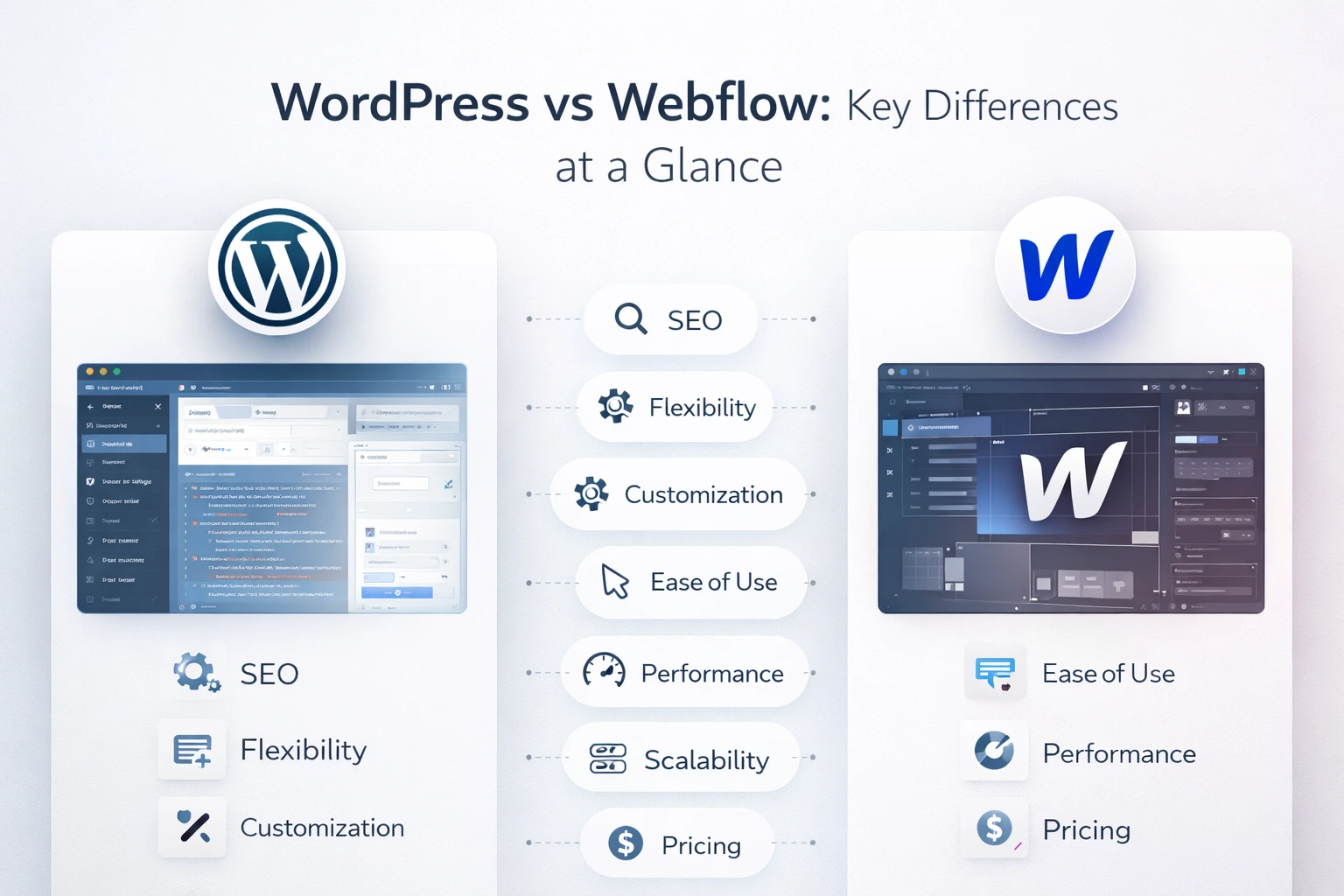
Before diving into each dimension, here’s the webflow vs wordpress comparison overview. You’ll notice a pattern in who wins and why:
| Feature | WordPress | Webflow | Winner | Why It Matters |
| Ease of Use | Moderate learning curve | Intuitive visual editor | Webflow | Webflow is faster to start for non-developers |
| Customization | Virtually unlimited | Good but limited | WordPress | WP wins for complex, custom builds |
| SEO Capabilities | Excellent (Yoast, RankMath) | Built-in basics only | WordPress | More granular SEO control with plugins |
| Pricing | Low entry, scales up | $14–$212/month | WordPress | WP is more cost-effective at scale |
| Performance | Depends on hosting | CDN-backed, fast | Webflow | Webflow has consistent built-in speed |
| Scalability | Highly scalable | Limited for large sites | WordPress | WP handles enterprise growth better |
| Security | Requires active management | Managed security | Webflow | Webflow handles security out of the box |
Design & Customization
Webflow: Design-First Excellence
Webflow was designed for people who care about pixels. Typography, spacing, hover states, scroll-triggered animations, all of it is adjustable through a visual interface that genuinely respects design intent. If you’ve worked in Figma, the mental model will feel familiar. And the output is clean; it’s not generating the bloated markup you’d expect from a visual tool.
That said, and this matters, Webflow has a ceiling. Marketing sites, landing pages, portfolio work: it handles all of that well. But push it toward something structurally complex, a multi-vendor marketplace, a custom booking system, a member portal with tiered access, and you’ll feel the constraints fairly quickly. The tool is good at what it’s designed for and less good at what it isn’t.
WordPress: Flexibility Beyond Design
WordPress won’t impress you out of the box on the design side. That’s just the truth. The default experience requires more setup, and without a good page builder or theme, it can feel dated. But with tools like Elementor or Bricks Builder, you get visual editing that’s genuinely comparable to Webflow, and behind that interface sits an architecture that a skilled developer can bend into almost any shape.
Custom post types, advanced database queries, third-party API integrations, enterprise-level access control, none of that requires workarounds on WordPress. It’s just what the platform can do. Webflow gives you a great paintbrush. WordPress gives you the whole studio.
SEO Capabilities: WordPress vs Webflow for Search Rankings
This is where the wordpress vs webflow decision gets serious for a lot of businesses and where the gap is harder to paper over.
WordPress SEO: The Gold Standard
WordPress has a well earned reputation as the strongest CMS for SEO, and any WordPress SEO Guide will highlight the reasons as concrete:
- Yoast SEO and RankMath provide control over meta titles, descriptions, canonical URLs, schema markup, and XML sitemaps, with interfaces that don’t require technical knowledge
- URL structures, breadcrumbs, and internal linking are all fully configurable
- Custom code can handle technical needs like hreflang tags, robots.txt customization, and server-side redirects
- Native compatibility with Google Search Console, Ahrefs, Search Atlas, and every major SEO toolset
Say you’re managing a 500-page site targeting competitive keywords across multiple categories. The kind of site where a missing canonical tag costs real traffic. WordPress gives you the controls for that. The granularity is there.
Webflow SEO: Solid Basics, Limited Depth
To be fair to Webflow: it has improved. Clean code output, fast page loads, SSL, editable meta tags and automatic sitemaps. For a smaller site with modest SEO goals, that’s a workable foundation. It won’t actively hurt you.
But there are gaps that matter at scale:
- No native structured data editor. Schema markup requires manual custom code.
- Redirect management becomes cumbersome on large sites
- Nothing comparable to Yoast or RankMath in the ecosystem
- CMS item caps on lower plans can limit content operations
Verdict on WordPress vs Webflow SEO: If organic search is a real growth channel for your business, not a nice-to-have, but a real one, WordPress is the more capable platform, and that advantage compounds as the site grows.
Webflow vs WordPress Pricing Comparison: What Will It Actually Cost You?
The sticker price rarely tells the full story. Here’s a more honest look:
| Cost Element | WordPress | Webflow |
| Starting Cost | Free (open-source) + ~$5–15/mo hosting | $14/mo (Basic) to $39/mo (Business) |
| eCommerce | WooCommerce plugin (free + transaction fees) | $29–$212/mo for eCommerce plans |
| Custom Domain | ~$10–15/yr (via registrar) | Included in paid plans |
| Long-Term Cost | Lower as you scale, more control over costs | Subscription rises with traffic & features |
The Long-Term Cost Reality
Webflow looks simple on paper: one subscription, one bill. And at the start, that simplicity is real. The problem is what happens as your requirements grow. More CMS items, upgrade. More traffic, upgrade. Another team member, upgrade. A business running Webflow’s Business plan is looking at $468/year before a single developer or designer touches the project. That’s before eCommerce, before custom functionality, before anything that makes a site actually work for a serious business.
WordPress behaves differently. Managed hosting through WP Engine or Kinsta runs $25–50/month, and once a site is built, that cost is largely stable. The upfront investment in custom WordPress development tends to look expensive until you run it against two or three years of Webflow subscription costs, at which point the math usually shifts. Not always, but often enough to be worth calculating before you commit.
Performance & Speed
Webflow: Consistent, CDN-Backed Performance
Every Webflow site is served through Amazon CloudFront’s global CDN. Images are automatically compressed, code output is lean, and the whole thing runs fast without any configuration from you. For a business without a technical team, or one that simply doesn’t want to think about infrastructure, that consistency is worth something. You don’t have to earn good performance. It’s just there.
WordPress: Performance Is in Your Hands
WordPress performance is earned not given. A WordPress site on cheap shared hosting with too many plugins installed is going to be slow. WordPress Website fix becomes essential at this stage to resolve performance issues and improve overall speed. That version of WordPress is the one that gave the platform a reputation for sluggishness and it is not entirely undeserved. But a properly set up WordPress site quality managed hosting WP Rocket for caching optimized images a CDN performs as well or better than Webflow. The ceiling is higher and getting there requires intentional setup rather than default good behavior.
Scalability & Business Growth
WordPress: Built for Scale
This is the area where the platform’s dominance becomes hard to argue with. WordPress runs some of the largest websites in the world, millions of monthly visitors, thousands of content pages, complex WooCommerce stores with tens of thousands of SKUs. WooCommerce alone powers over 28% of all online stores globally. The architecture is open and extendable in ways that Webflow’s simply isn’t. Custom APIs, multi-language setups, role-based access, advanced integrations, none of it requires you to fight the platform. It’s what WordPress is built for.
Webflow: Great for Now, Limited for Later
Webflow works well for small to mid-sized sites, and there’s no reason to pretend otherwise. For many businesses, it’s genuinely appropriate. But the CMS caps at 2,000 items on the Business plan. Custom functionality has hard limits without expensive workarounds. And there’s no real plugin ecosystem to fall back on when requirements grow. At some point, and for many businesses that point comes sooner than expected, you’re either paying for complex workarounds or planning a migration. Neither is cheap.
Pros & Cons: WordPress Or Webflow Which Is Better?
| WordPress | Webflow | |
| PROS | Massive plugin library (60,000+) | Beautiful, responsive designs fast |
| Unmatched SEO tools | All-in-one platform (no hosting setup) | |
| Scales from blog to enterprise | Fast loading via global CDN | |
| Open-source and cost-effective | Managed security and updates | |
| Huge developer/community support | ||
| CONS | Requires hosting setup | Expensive subscription at scale |
| Plugin bloat can slow the site | Limited CMS for large catalogs | |
| Security maintenance needed | Steep learning curve for advanced design | |
| No native plugin ecosystem |
When Should You Choose WordPress?
WordPress is the right choice if:
- SEO is a core part of your growth strategy, advanced technical SEO, schema markup, content-driven traffic
- You’re building or scaling a site with significant page depth, multiple content types, or large product catalogs
- Custom functionality is on the roadmap, integrations, APIs, membership portals, booking systems, complex workflows
- Long-term cost control and platform ownership matter to your business model
- eCommerce is involved and you need something genuinely flexible and scalable (WooCommerce)
- A growing team will eventually need serious content management capabilities
Bottom line: if your website is a core business asset, not a digital brochure, but the thing your growth actually depends on, WordPress gives you the foundation to build without hitting artificial limits.
When Should You Choose Webflow?
Webflow makes sense if:
- You’re building a portfolio, agency site, or design-forward brand presence
- Speed to launch matters more than depth of functionality right now
- Page count is limited and complex custom features aren’t in scope
- You’re an early-stage startup iterating quickly on messaging and design
- The content team is small and doesn’t need enterprise-level CMS capabilities
Webflow is a strong tool in the right context. The context just matters.
Conclusion: Making the Right Call for Your Business
So, WordPress vs Webflow for business websites? WordPress and Webflow are both legitimate platforms. If the priority is a visually polished site launched quickly with minimal complexity, Webflow is a rational choice. But for businesses where SEO performance, scalability, custom development, and long term economics matter, WordPress is the more capable foundation and the smarter choice when you hire WordPress experts for sustainable growth.
What’s worth knowing: most businesses that start on Webflow with serious growth ambitions migrate to WordPress eventually. The migration itself costs money, disrupts SEO, and means rebuilding work already done. Starting on the right platform isn’t always the exciting decision, but it’s usually the cheaper one.
Ready to build a website that grows with your business?
Our team builds custom, high-performance WordPress websites optimised for SEO, speed, and scalability. Starting fresh or moving from Webflow, we’ll help you build something that actually works for the long term.
Frequently Asked Questions
Is Webflow better than WordPress?
Webflow is better for specific use cases:
- Design-focused sites,
- Fast launches,
- Early-stage startups.
WordPress is a stronger platform for businesses focused on:
- SEO,
- scalability,
- custom functionality, and
- long-term ROI.
There’s no universal answer to custom WordPress website vs Webflow template which is better? But there’s usually a better fit for your specific situation.
Which is better: WordPress or webflow for SEO?
WordPress, and it’s not particularly close. The plugin ecosystem, Yoast, RankMath, combined with technical flexibility gives you a level of SEO control that Webflow can’t match. Webflow handles the basics competently. Competitive SEO strategy is a different conversation.
Is Webflow good for large websites?
It’s not well-suited to them. CMS item limits, constrained custom development options, and escalating subscription costs all create friction at scale. WordPress handles large sites with deep page structures, high traffic and complex content operations far more effectively.
What is the WordPress vs Webflow pricing comparison for small businesses?
WordPress is free software; hosting costs $5–50/month depending on quality, plus premium plugins or themes where needed. Webflow subscriptions run $14–$212/month. For a simple site, the costs are broadly comparable. For a growing business, WordPress tends to become more cost-efficient the longer you run the numbers.
Should I use WordPress or Webflow for my business website?
For most businesses where the website is expected to drive traffic, generate leads or support growth, WordPress is the more practical long-term choice. Webflow is the better option when design velocity and simplicity matter more than depth.
When to choose WordPress over Webflow for scalability?
When growth is part of the plan. If your roadmap includes scaling content operations, expanding eCommerce, building custom integrations, or creating complex user experiences, WordPress’s open architecture handles that trajectory in ways Webflow’s platform isn’t designed to.