- What Is HelloCustom?
- Why Use HelloCustom With WooCommerce? (Benefits)
- Live Product Editor
- Print Provider Integration
- Drag-and-Drop Designer
- Mobile-Friendly
- Lower Costs
- No Developer Required
- Automated Fulfillment
- Key Features of HelloCustom (WooCommerce Edition)
- Live Product Customizer
- Customer Image Uploads
- Text Styling Options
- Clipart Library
- Layer Management
- Print Area Editor
- Mockup Generator
- Printify and Printful Sync
- Order Routing
- Multi-Product Support
- Simple Plugin Installation
- Product Publishing Automation
- Integration Methods (Include Pros/Cons)
- 1. WooCommerce Plugin (Recommended)
- 2. Printify/Printful + HelloCustom Sync
- 3. Custom API Setup
- Step-by-Step Flow: How HelloCustom WooCommerce Setup Works?
- 1. WooCommerce → HelloCustom
- 2. HelloCustom → WooCommerce
- 3. HelloCustom → Print Providers
- Step-by-Step Setup Guide
- Step 1: Install WooCommerce
- Step 2: Install the HelloCustom Plugin
- Step 3: Create Your HelloCustom Account
- Step 4: Connect Printify/Printful
- Step 5: Create a Customizable Product
- Step 6: Sync Product with WooCommerce
- Step 7: Test Customizer on Front-end
- Step 8: Publish & Start Selling
- Real Business Use Cases
- Custom Apparel Stores
- Personalized Mugs and Drinkware
- Canvas & Poster Stores
- Gift Shops
- Branding Merchandise
- Dropshipping Stores Using Printify
- Etsy Sellers Scaling to WooCommerce
- Local Artists Launching Custom Designs
- Challenges & How to Avoid Them
- Challenge 1: Wrong Print-Area Size
- Challenge 2: Slow Sync Between WooCommerce and HelloCustom
- Challenge 3: Large Image Uploads by Customers
- Challenge 4: Theme Compatibility Issues
- Challenge 5: Print-Provider Mapping Mistakes
- Challenge 6: Mobile Preview Problems
- HelloCustom Alternatives
- 1. Zakeke
- 2. Fancy Product Designer
- 3. Customify
- 4. Product Designer for WooCommerce
- Why Choose HelloCustom for WooCommerce?
- Easiest Setup for Beginners
- Clean User Interface
- Integrated with Popular POD Suppliers
- Fast Workflow
- Lower Learning Curve
- Scalable for Small to Mid-Sized Stores
- Perfect for Creators & Merch Sellers
- Need Help Setting Up HelloCustom for WooCommerce?
- Wrapping Up
- FAQs
- What is HelloCustom in WooCommerce?
- How do I set up HelloCustom with WooCommerce?
- Does HelloCustom work with Printify?
- Can customers upload their own images?
- Is the HelloCustom plugin free?
- Does HelloCustom slow down WooCommerce stores?
- Can I customize any product using HelloCustom?
- What are the best HelloCustom alternatives?
- Does HelloCustom provide automated fulfillment?
- Is HelloCustom good for beginners?
The print-on-demand market is growing at lightning speed. Research shows the global POD industry will hit $39.40 billion by 2030. What does this mean for you? More people want custom products – personalized t-shirts, mugs with names, canvas prints with family photos.
WooCommerce store owners face a big problem. How do you add customization without hiring developers? How do you connect with print providers? How do you make the design process simple for customers?
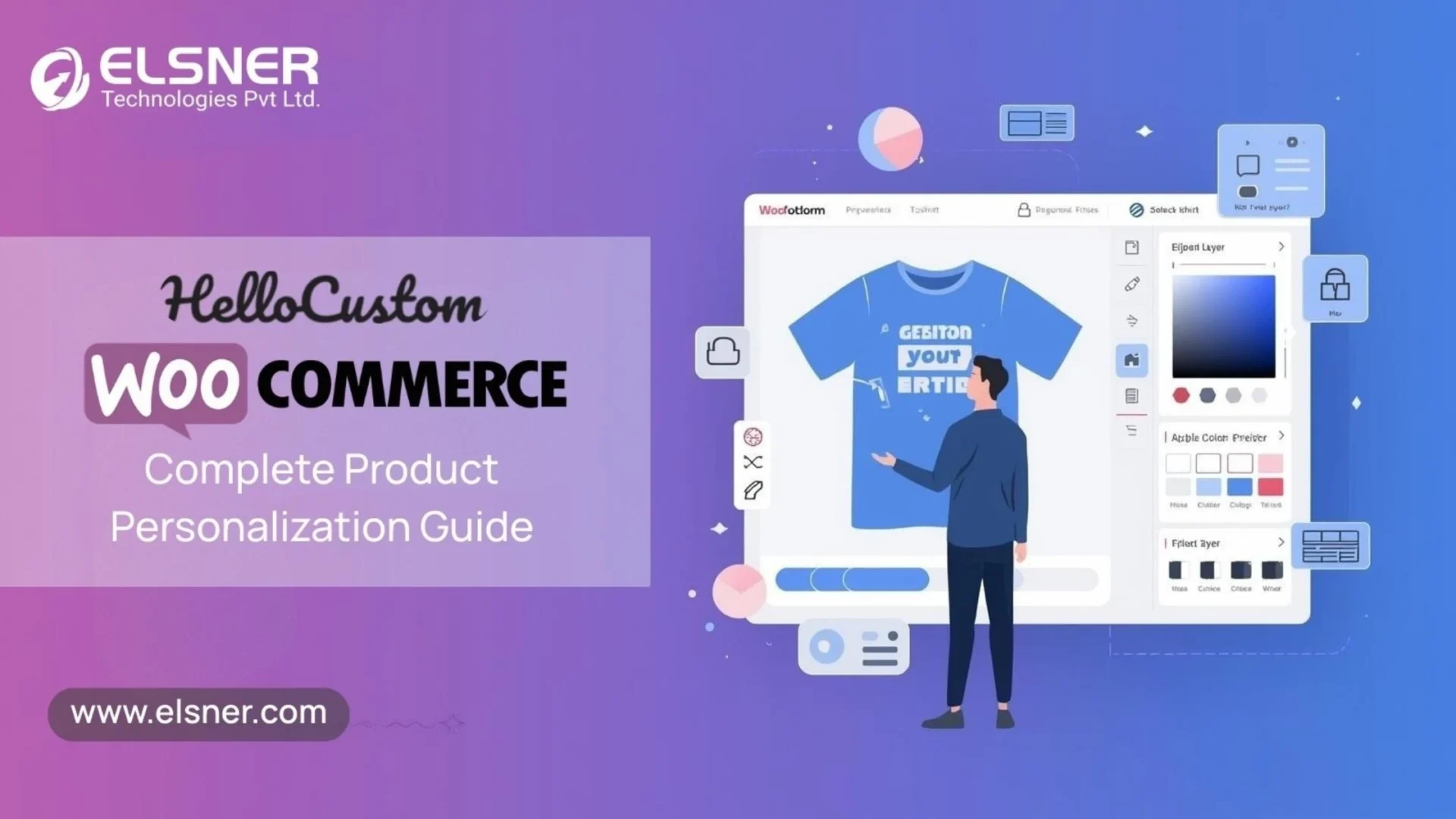
This is where HelloCustom for WooCommerce steps in. It is a product personalization tool that lets customers design their own products. No coding. No design software. Just drag, drop, and done.
We at Elsner, a WooCommerce Development Company, have helped hundreds of ecommerce stores set up product customization. We know what works and what does not. This guide will walk you through everything about the HelloCustom plugin – from basic features to setup steps, real business examples, and top alternatives.
Ready to turn your WooCommerce store into a customization powerhouse? Let’s get started.
What Is HelloCustom?
HelloCustom is a product personalization and print-on-demand automation tool. Think of it as a design studio built right into your WooCommerce store. Your customers can create custom designs without leaving your website.
The HelloCustom WooCommerce plugin works with major platforms. It connects with Shopify, Printify, Printful, and other suppliers. You can launch custom apparel, posters, mugs, and gift items in minutes.
Here is what makes it different:
- No coding needed – Install the plugin and start selling custom products the same day.
- Real-time editing – Customers see their designs come to life as they create.
- Automated orders – When someone buys a custom product, the order goes straight to your print provider.
- Fast publishing – Add products to your store faster than manual methods.
- Built-in tools – No need for Photoshop or Canva. Everything happens on your site.
Small businesses love HelloCustom because it removes technical barriers. You do not need a developer on speed dial. You do not need expensive design tools. With the right WooCommerce development services, HelloCustom can be configured quickly, just install, customize, and start selling.
Why Use HelloCustom With WooCommerce? (Benefits)
WooCommerce powers 28% of all online stores. Pairing it with HelloCustom for WooCommerce unlocks serious growth potential. Here is why this combination works so well:
-
Live Product Editor
Customers design products in real-time. They add text, upload images, choose colors. The preview updates instantly. This visual feedback builds trust and reduces returns.
-
Print Provider Integration
Connect with Printify, Printful, or MWW in clicks. When orders come in, HelloCustom sends design files automatically. No manual downloads. No email attachments.
-
Drag-and-Drop Designer
The WooCommerce custom product designer is user-friendly. Customers with zero design skills can create beautiful products. They drag elements, resize text, add clipart.
-
Mobile-Friendly
Over 60% of shoppers use mobile devices. HelloCustom works perfectly on phones and tablets. Your customers can design on the go.
-
Lower Costs
Enterprise personalization tools like Zakeke can cost hundreds of dollars per month. HelloCustom delivers similar functionality at a fraction of the price, helping businesses control overall WooCommerce Development Cost while still offering advanced product customization. A skilled WooCommerce website developer can help you set this up quickly without bloating your monthly expenses.
-
No Developer Required
You do not need technical skills. The plugin handles everything – product creation, mockup generation, order routing. You focus on marketing and customer service.
-
Automated Fulfillment
Orders go straight from your store to your print provider. You save hours every week. No copy-pasting. No manual order processing.
This way, you can scale your business without scaling your workload. Elsner has helped clients automate their entire POD workflow using this exact setup.
Key Features of HelloCustom (WooCommerce Edition)
The HelloCustom plugin comes packed with features. Let’s break down what you get:
-
Live Product Customizer
This is the heart of the system. Customers see a blank product – maybe a white t-shirt. They add their design elements one by one. The preview updates after each change. What they see is what they get.
-
Customer Image Uploads
People can upload their own photos. Family pictures on canvas. Pet photos on mugs. Logo files on t-shirts. The plugin accepts JPG, PNG, and other common formats.
-
Text Styling Options
Multiple fonts are available. Customers can change size, color, rotation, and spacing. They can curve text around circular products. They can add shadows and outlines.
-
Clipart Library
Built-in graphics and shapes help customers who do not have design files. They browse categories, pick an icon, and add it to their product.
-
Layer Management
Designs can have multiple layers. Text on top of images. Graphics behind text. Customers can rearrange, hide, or delete layers as needed.
-
Print Area Editor
You define where customers can add designs. Front of shirt only? Front and back? Specific zones? This prevents designs from going into seam areas.
-
Mockup Generator
The system creates product mockups automatically. Customers see realistic previews — the t-shirt on a model, the mug on a desk, which also helps improve WooCommerce Product SEO through better product visuals. Customers see realistic previews – the t-shirt on a model, the mug on a desk. These mockups also work great for your marketing.
-
Printify and Printful Sync
Connect your WooCommerce product customizer with major suppliers. Product details, pricing, and shipping options sync automatically. When orders arrive, design files transfer without manual work.
-
Order Routing
Each order gets sent to the right supplier. T-shirts go to one vendor. Mugs go to another. You set the rules once. The system handles routing forever.
-
Multi-Product Support
Sell different product types:
- Apparel (t-shirts, hoodies, tank tops)
- Drinkware (mugs, tumblers, water bottles)
- Home decor (canvas, posters, pillows)
- Accessories (phone cases, tote bags, hats)
-
Simple Plugin Installation
Download the plugin. Upload to WordPress. Activate. Connect your accounts. Start adding products. The whole process takes under 30 minutes.
-
Product Publishing Automation
Create a design template once. Apply it to multiple products. Publish 50 t-shirt variants in one click instead of creating each manually.
Integration Methods (Include Pros/Cons)
You can integrate HelloCustom WooCommerce three different ways. Each method fits different business models.
1. WooCommerce Plugin (Recommended)
This is the standard method for most store owners.
Features:
- Live customizer on product pages
- Direct integration with WooCommerce
- One-click product publishing
- Customer design management
Pros:
- Fastest setup process (under 30 minutes)
- Perfect for beginners
- No coding knowledge needed
- Great documentation and support
Cons:
- Advanced features require paid plans
- Customization options may be limited vs custom code
- Monthly subscription costs apply
Best For: Small to medium POD stores, beginners, non-technical users
2. Printify/Printful + HelloCustom Sync
This method adds fulfillment automation to the mix.
Features:
- Automated order fulfillment
- Professional product mockups
- Built-in shipping calculations
- Quality control from established suppliers
Pros:
- Trusted print-on-demand suppliers
- No inventory management needed
- Reliable shipping and tracking
- Wide product catalog
Cons:
- Production costs vary by supplier
- Profit margins may be tighter
- Shipping times depend on supplier location
- Less control over fulfillment process
Best For: Dropshippers, stores without inventory, international sellers
3. Custom API Setup
This option is for developers who want complete control.
Features:
- Full API access
- Custom design workflows
- Integration with proprietary systems
- White-label possibilities
Pros:
- Maximum flexibility
- Can build custom features
- Better for unique business models
- Full data control
Cons:
- Requires developer expertise
- Longer setup time
- Higher initial costs
- Ongoing maintenance needed
Best For: Large businesses, custom workflows, white-label solutions
Most people starting out should use method one. You can always upgrade to custom solutions later.
Step-by-Step Flow: How HelloCustom WooCommerce Setup Works?
Understanding the data flow helps you troubleshoot issues and optimize your store. Here is how information moves through the system:
1. WooCommerce → HelloCustom
- Products: You create product listings in WooCommerce. These sync to HelloCustom where you add customization options.
- Variations: Size and color variants map to different print areas and pricing rules.
- Media: Product photos and mockups flow into the customizer as background templates.
- Orders: When customers complete purchases, order data transfers to HelloCustom with design files attached.
2. HelloCustom → WooCommerce
- Personalization Preview: The customizer sends real-time previews back to your product pages.
- Customer Design Files: Finished designs attach to orders in high-resolution formats ready for printing.
- Order Status: HelloCustom updates order status as designs get approved and sent to suppliers.
- Print Tracking: Shipping updates from print providers flow back to WooCommerce and customers get tracking numbers.
3. HelloCustom → Print Providers
- Design Files: Print-ready files go to Printify, Printful, or other connected suppliers.
- Product Specifications: Size, color, print method details transfer automatically.
- Customer Information: Shipping addresses and special instructions sync with each order.
This circular flow creates a hands-off system. You set it up once. It runs automatically.
Step-by-Step Setup Guide
Let’s walk through the complete HelloCustom WooCommerce setup process. We will go slow. We will explain everything.
Step 1: Install WooCommerce
You probably have this already. If not:
- Log into your WordPress dashboard
- Go to Plugins > Add New
- Search for “WooCommerce”
- Click Install Now, then Activate
- Follow the setup wizard
Step 2: Install the HelloCustom Plugin
Getting the plugin on your site:
- Visit the HelloCustom website
- Download the plugin file (ZIP format)
- In WordPress, go to Plugins > Add New
- Click Upload Plugin
- Choose the ZIP file you downloaded
- Click Install Now
- Activate the plugin
Step 3: Create Your HelloCustom Account
The plugin needs an account to work:
- Click on HelloCustom in your WordPress menu
- Click “Create Account” or “Sign Up”
- Enter your email and create a password
- Verify your email address
- Choose your plan (free trial available)
Step 4: Connect Printify/Printful
Link your print on demand WooCommerce suppliers:
- Inside HelloCustom settings, find “Integrations”
- Click “Connect Printify” or “Connect Printful”
- Log into your print provider account
- Authorize the connection
- Select which products to import
- Map product categories
Step 5: Create a Customizable Product
Now the fun part starts:
- Go to HelloCustom > Products
- Click “Add New Product”
- Choose a product type (t-shirt, mug, etc.)
- Upload product images or use supplier mockups
- Define the print area (where designs can go)
- Set customization options (text, images, both)
Adding Design Elements:
- Enable text input and choose available fonts
- Enable image uploads and set size limits
- Add clipart library access
- Set color options for text and graphics
Creating Variations:
- Add size options (S, M, L, XL)
- Add color variants (white, black, navy)
- Set different pricing for each variant
- Map variants to supplier SKUs
Step 6: Sync Product with WooCommerce
Connect your customizable product to your store:
- Click “Sync to WooCommerce”
- The plugin creates a WooCommerce product automatically
- Review product details (title, description, price)
- Check that variations synced correctly
- Verify print areas are set properly
Step 7: Test Customizer on Front-end
Before going live, test everything:
- Visit the product page on your actual website
- Click the “Customize” button
- Try adding text in different fonts
- Upload a test image
- Change colors and sizes
- Add the product to cart
- Complete a test order
Check that:
- The customizer loads quickly
- Design preview updates in real-time
- Mobile version works smoothly
- Checkout process includes design files
- You receive the order with all design information
Step 8: Publish & Start Selling
You are ready to launch:
- Make the product visible on your store
- Add it to your product categories
- Create marketing materials using the mockups
- Set up Facebook/Instagram ads
- Share on social media
- Email your customer list
Pro Tip: Start with 2-3 products first. Master the workflow. Then expand your catalog.
Elsner recommends testing your entire funnel before spending money on ads. Place a real order. See if design files reach your supplier correctly. Make sure quality meets expectations.
Real Business Use Cases
Who actually uses HelloCustom for WooCommerce? Let’s look at real scenarios.
-
Custom Apparel Stores
Online t-shirt shops use HelloCustom to let customers create unique designs. Birthday shirts. Team uniforms. Family reunion apparel. Customers add names, dates, and inside jokes.
Example: A sports team shop lets coaches design uniforms. They pick colors, add team names, and include player numbers. Orders go straight to the printer.
-
Personalized Mugs and Drinkware
Coffee mug stores thrive on personalization. Best teacher ever mugs. Anniversary gifts. Office gag gifts with coworker names.
Example: A gift shop targets the “World’s Best Dad” market. Customers upload family photos. They add funny quotes. Mugs ship directly to gift recipients.
-
Canvas & Poster Stores
Turn photos into wall art. Wedding photos. Baby pictures. Pet portraits. Motivational quotes in custom fonts.
Example: A home decor store focuses on nursery art. Parents design prints with baby names and birth dates. The store offers multiple size options.
-
Gift Shops
Personalized gifts generate higher margins. Custom notebooks. Engraved cutting boards. Photo calendars.
Example: A graduation gift store lets students create custom diploma frames. They add school colors, graduation dates, and degree information.
-
Branding Merchandise
Companies need branded items. Logos on t-shirts. Company names on water bottles. Event branding on tote bags.
Example: A corporate gifts store serves small businesses. Marketing managers design employee swag. Bulk orders go to one print provider.
-
Dropshipping Stores Using Printify
Pure dropshippers with zero inventory love this model. They market products while HelloCustom and Printify handle production and shipping, creating a powerful WooCommerce Revenue Automation workflow.
Example: A niche store targets dog lovers. Customers upload pet photos for custom pillows. Printify produces and ships. The store owner never touches inventory.
-
Etsy Sellers Scaling to WooCommerce
Etsy charges fees on every sale. Many sellers open WooCommerce stores to keep more profit.
Example: An artist sells custom portrait illustrations. She started on Etsy. Now she runs her own WooCommerce store with HelloCustom. She saves 10% on transaction fees.
-
Local Artists Launching Custom Designs
Artists without coding skills can sell custom merchandise. Their art goes on products. Fans can personalize with text or color choices.
Example: A local illustrator sells art prints. Customers choose sizes and add custom dedications. The artist focuses on creating. HelloCustom handles the technical stuff.
Challenges & How to Avoid Them
Every tool has pain points. Here is what we see at Elsner and how to fix these issues:
Challenge 1: Wrong Print-Area Size
Setting incorrect print dimensions causes cropped designs or rejected orders.
Solution:
- Check your supplier’s print area specifications
- Use their exact pixel dimensions
- Test with sample orders before going live
- Save print area templates for reuse
Challenge 2: Slow Sync Between WooCommerce and HelloCustom
Large product catalogs can slow down synchronization, making WooCommerce Performance Optimization essential for maintaining a smooth store experience.
Solution:
- Sync products in smaller batches
- Install a quality caching plugin (W3 Total Cache or WP Rocket)
- Increase PHP memory limit to 256MB or higher
- Schedule syncs during low-traffic hours
Challenge 3: Large Image Uploads by Customers
Customers upload huge 10MB photos that slow your site.
Solution:
- Set maximum upload size limits (2-3MB works fine)
- Enable automatic image compression
- Show file size requirements before upload
- Display a loading spinner during uploads
Challenge 4: Theme Compatibility Issues
Some WordPress themes break the customizer layout.
Solution:
- Test HelloCustom with your theme before launching
- Use a WooCommerce-optimized theme (Storefront, Astra, OceanWP)
- Contact HelloCustom support for theme-specific fixes
- Consider switching themes if conflicts persist
Challenge 5: Print-Provider Mapping Mistakes
Orders go to the wrong supplier or with incorrect specifications.
Solution:
- Use clear, consistent naming for products and variants
- Create a mapping spreadsheet for reference
- Test orders for each product type
- Double-check SKU matching during setup
Challenge 6: Mobile Preview Problems
Designs look perfect on desktop but weird on phones.
Solution:
- Test every product on actual mobile devices
- Use responsive design settings in HelloCustom
- Simplify customization options for mobile users
- Show mobile-specific instructions
Prevention beats cure. Spend extra time on setup. You will save hours troubleshooting later.
HelloCustom Alternatives
HelloCustom WooCommerce is not your only option. Here are other WooCommerce personalization tool choices:
1. Zakeke
What It Offers: Advanced 3D product visualization and AR features
Best For: Enterprise-level stores with big budgets
Pros:
- Incredible visual quality
- 3D and augmented reality preview
- White-label options
- Strong support team
Cons:
- Expensive for small businesses
- Steeper learning curve
- Overkill for simple text-and-image customization
When to Choose: You sell complex products like custom jewelry or you need AR features.
2. Fancy Product Designer
What It Offers: Powerful design editor with extensive features
Best For: Stores focused purely on design, not POD integration
Pros:
- One-time payment (no monthly fees)
- Very flexible editor
- Good documentation
- Active user community
Cons:
- No built-in print provider integration
- Requires manual order processing
- More technical setup
When to Choose: You handle printing in-house or you have existing supplier relationships.
3. Customify
What It Offers: Affordable middle-ground solution
Best For: Budget-conscious store owners
Pros:
- Lower price point
- Decent feature set
- Works with multiple platforms
- Regular updates
Cons:
- Limited automation features
- Smaller clipart library
- Less polished interface
When to Choose: You want to save money and do not mind handling some manual tasks.
4. Product Designer for WooCommerce
What It Offers: Basic customization plugin
Best For: Very simple text-only customization
Pros:
- Free version exists
- Simple to set up
- Lightweight plugin
- No monthly fees
Cons:
- Basic features only
- No supplier integration
- Limited design options
- Minimal support
When to Choose: You only need simple text personalization and have a tiny budget.
Comparison Table
| Feature | HelloCustom | Zakeke | Fancy Product Designer | Customify |
| Ease of Setup | Easy | Moderate | Moderate | Easy |
| POD Integration | Yes | Limited | No | Limited |
| Price | $$ | $$$ | $ | $$ |
| Mobile-Friendly | Excellent | Excellent | Good | Good |
| For Beginners | Yes | No | Maybe | Yes |
| Automation | High | High | Low | Medium |
Why Choose HelloCustom for WooCommerce?
After reviewing alternatives, why pick the HelloCustom plugin?
-
Easiest Setup for Beginners
You do not need a computer science degree. Install the plugin. Follow the prompts. Start selling in under an hour. Elsner has watched complete beginners launch stores using HelloCustom.
-
Clean User Interface
The editor looks modern and professional. Customers enjoy using it. A good experience means more completed orders. Confusing tools lead to abandoned carts.
-
Integrated with Popular POD Suppliers
Printify WooCommerce customization works out of the box. Same with Printful WooCommerce personalization. You do not need custom code or complicated API setups.
-
Fast Workflow
Time is money. HelloCustom automates the boring parts. You spend time on marketing instead of processing orders manually.
-
Lower Learning Curve
Training staff takes minutes. Creating products takes minutes. Managing orders takes minutes. Compare this to enterprise tools that need days of training.
-
Scalable for Small to Mid-Sized Stores
Start with 5 products. Scale to 500 products. The system handles both. You pay for what you need. Plans grow with your business.
-
Perfect for Creators & Merch Sellers
Artists, designers, and content creators love HelloCustom. The focus is on creativity, not technology. You make art. The plugin handles the rest.
Not only that, but support teams respond quickly. Facebook groups share tips. YouTube tutorials cover common questions. You are not alone figuring things out.
Need Help Setting Up HelloCustom for WooCommerce?
Our WooCommerce experts can help you integrate HelloCustom, enable product customization, and connect print providers like Printify or Printful.
Wrapping Up
The HelloCustom WooCommerce combination gives you a complete product personalization system. Customers design custom products using this powerful WooCommerce design tool. Orders route automatically to print providers. You focus on growing your business. Small ecommerce stores struggle with technical complexity. HelloCustom removes that barrier and reduces the need to hire WooCommerce developers for customization.
We have covered HelloCustom plugin features, HelloCustom integration steps, real business examples, common problems, and alternatives. You now have everything needed to decide whether HelloCustom is right for WooCommerce.
Will HelloCustom work for every business? No tool fits everyone. Large enterprises might need Zakeke’s advanced features. Stores with in-house printing might prefer Fancy Product Designer.
For most WooCommerce store owners – especially beginners and small businesses – HelloCustom hits the sweet spot. It balances features, price, and ease of use better than competitors when it comes to WooCommerce product personalization setup.
Ready to add product customization to your store? Ready to automate your print-on-demand workflow with HelloCustom Printify integration?
Elsner specializes in WooCommerce development and POD store optimization. Our team has launched hundreds of custom product stores. We know the technical details and understand the business side. Get in touch with Elsner to implement HelloCustom the right way, avoiding common mistakes and setting up proper workflows from day one.
Whether you need custom WooCommerce development, HelloCustom integration support, or complete store setup, we are here to help your business grow.
FAQs
What is HelloCustom in WooCommerce?
HelloCustom is a product personalization plugin for WooCommerce. It lets customers design custom products using a drag-and-drop editor. They can add text, upload images, and choose colors. The plugin works with print-on-demand suppliers like Printify and Printful. Orders get sent automatically to manufacturers.
How do I set up HelloCustom with WooCommerce?
Learning how to use HelloCustom with WooCommerce is straightforward. First, install WooCommerce on your WordPress site. Then download and activate the HelloCustom plugin. Create a HelloCustom account through the plugin settings. Connect your print provider accounts (Printify or Printful). Create customizable products by defining print areas and design options. Sync products to WooCommerce. Test the customizer on your live site. Start selling. Following these HelloCustom integration steps ensures a smooth WooCommerce product personalization setup.
Does HelloCustom work with Printify?
Yes. HelloCustom Printify integration works seamlessly. When you connect your accounts, products sync automatically. Customers create designs on your site. Orders transfer to Printify with all design files. Printify produces and ships the products. You do not handle inventory or fulfillment.
Can customers upload their own images?
Yes. Customers can upload photos, logos, or artwork using this WooCommerce design tool. You set file size limits and format requirements. The plugin accepts JPG, PNG, and other common image types. Uploaded images appear in the product preview instantly. Make sure to set reasonable size limits to keep your site fast.
Is the HelloCustom plugin free?
HelloCustom doesn’t have a permanently free tier, but it offers a 14-day free trial that lets you test HelloCustom plugin features. Paid plans begin around $29.99/month plus a per-graphic fee, with higher tiers or custom enterprise pricing available. Most businesses subscribe to at least the basic paid plan to get full functionality.
Does HelloCustom slow down WooCommerce stores?
Site speed depends on your hosting and setup. HelloCustom is optimized for performance. Use a quality hosting provider. Install a caching plugin. Optimize product images. Set file upload limits. With proper setup, HelloCustom should not significantly slow your store. Test page speed before and after installation.
Can I customize any product using HelloCustom?
You can customize most physical products that accept printing or engraving. Common options include t-shirts, hoodies, mugs, canvas prints, posters, phone cases, tote bags, and pillows. Products must have a flat or curved surface for designs. 3D products with complex shapes may have limitations.
What are the best HelloCustom alternatives?
Zakeke offers advanced features but costs more. Fancy Product Designer provides powerful editing without POD integration. Customify is budget-friendly with decent features. Product Designer for WooCommerce works for basic text customization. Your best choice depends on budget, technical skills, and business needs.
Does HelloCustom provide automated fulfillment?
Yes. When customers order customized products, HelloCustom sends design files to your connected print provider automatically. You do not manually download files or upload to supplier portals. The entire process runs hands-free. You can track order status through your WooCommerce dashboard.
Is HelloCustom good for beginners?
Absolutely. HelloCustom is designed for beginners. Setup takes under an hour. The interface is user-friendly. Documentation covers common questions about how to use HelloCustom with WooCommerce. Support teams help with problems. You do not need coding skills. You do not need design experience. If you can install a WordPress plugin, you can use HelloCustom.