- Automation Workflows That Improve The Efficiency of WooCommerce Stores
- 1. Order Confirmation and Fulfillment Automation
- 2. Cart Abandonment Recovery Workflow
- 3. Customer Tagging and Segmentation Workflow
- 4. Automated Inventory Syncing
- 5. Subscription and Renewal Workflow
- 6. Automated Review Requests Post-Purchase
- 7. Loyalty and Rewards Program Integration Workflow
- Start WooCommerce Automation
- Essential Automation Tools That WooCommerce Development Services Use
- Native WooCommerce Solutions
- Third-Party Integration Platforms
- Custom Development Considerations
- Advanced Automation Tools Worth Considering
- When to Hire WooCommerce Experts?
- Complex business logic that needs to be custom-programmed:
- Integrating the system several times over with your current business tools:
- High-volume and performance that needs to be optimized:
- Unique customer journeys do not support standard tools:
- Regulatory and security-sensitive workflows:
- Continual work on performance monitoring and optimization:
- Start Small, Scale Smart With The Best WooCommerce Development Company
- FAQs
- What Is WooCommerce Automation & Why It Matters?
- How can I SEO my WooCommerce store using automation?
- Is WooCommerce automation free or paid?
- Which is the best automation plugin for my store?
- Can I automate my inventory in WooCommerce?
- What are the biggest mistakes when automating WooCommerce?
- How long does it take to implement WooCommerce automation?
- Are multilingual stores supported by WooCommerce automation?
Automation is no longer a nice–to–have but an essential feature for your eCommerce business to stay competitive. You can scale exponentially and still deliver personalized customer relationships with the right workflows.
The figures say it all-warehouses that apply workflow automation experience a decline in their manual works up to 40% and an increase in customer satisfaction rates of 25%. A 2024 McKinsey report found that companies that boost eCommerce revenues by fully automating eCommerce operations have 30% higher revenue growth year-over-year than those stuck in manual mode.
Here are seven automation works that store owners can implement with the help of WooCommerce Development Services.
Automation Workflows That Improve The Efficiency of WooCommerce Stores
1. Order Confirmation and Fulfillment Automation
Modern shoppers expect instant confirmation and regular updates throughout the fulfillment process.
Key Components of Order Automation
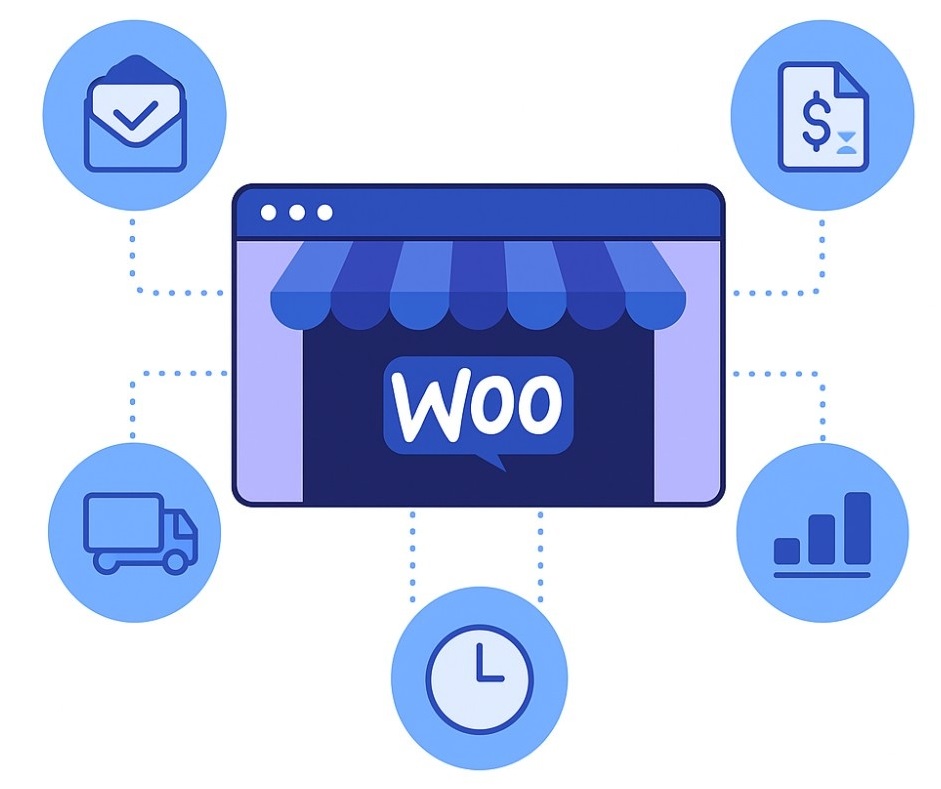
Professional order workflows automatically trigger multiple actions the moment a purchase completes:
- Instant confirmation emails with order details and tracking information
- Automated invoice generation for accounting and customer records
- Shipping label creation through integrated logistics platforms
- Inventory updates across all connected sales channels
Many successful stores partner with a WooCommerce development company to build these essential systems from the ground up.
Integration Benefits
Intelligent fulfillment automation integrates with popular shipping providers, including FedEx, UPS, and DHL. When inventory runs low, the system can automatically:
- Pause product listings or
- Notify suppliers for restocking.
Businesses working with a WooCommerce website developer often see 60% faster order processing times after implementing these workflows. The reduction in manual errors alone saves thousands of dollars annually in customer service costs.
While automation streamlines fulfillment, a smooth checkout process is equally critical to avoid cart drop-offs. If you’re facing checkout-related challenges, our WooCommerce Checkout Troubleshooting Guide covers proven solutions to identify and fix common issues quickly.
2. Cart Abandonment Recovery Workflow
Shoppers abandon their carts all the time. The statistics might shock store owners – nearly 70% of potential customers leave without completing their purchase.
Several factors contribute to cart abandonment:
- Unexpected shipping costs
- Complicated registration
- Security concerns
- Simple distractions
- Comparison shopping
Multi Channel Integrations
But smart recovery workflows designed by the WooCommerce development company bring back 15-25% of those lost sales. Successful stores create layered approaches that catch customers through different touchpoints.
- Email Recovery Sequences
- SMS for High-Value Carts
- Social Media Retargeting
Platform Integration Made Simple
The timing of recovery messages makes or breaks their effectiveness.
- Hour One (The Gentle Reminder)
- Day One (Add Some Value)
- Day Three (Create Urgency)
Most store owners don’t need complex technical setups.
- Klaviyo connects directly with WooCommerce and handles basic sequences automatically.
- Mailchimp offers similar functionality with different pricing structures.
However, sophisticated stores might need custom logic. A WooCommerce certified developer can create abandonment workflows that consider product categories, customer history, and seasonal patterns.
3. Customer Tagging and Segmentation Workflow
Automated tagging systems create detailed customer profiles without manual data entry.
Smart Segmentation Categories
Effective tagging workflows automatically assign customers to relevant groups:
- Purchase history segments (first-time buyers, repeat customers, VIP spenders)
- Behavioral tags (frequent browsers, sale shoppers, loyalty program members)
- Geographic classifications for regional promotions and shipping optimization
- Product preference indicators based on browsing and purchase patterns
CRM Integration Power
Customer tags are synced in real-time with CRM systems such as HubSpot or Zoho, so sales teams have access to rich customer data to build highly tailored outreach strategies.
Enterprise WooCommerce stores sometimes have complex segmentations that, when placed on the site, update dynamically changing content. Based on their tags, returning customers are shown different homepage sliders and product recommendations as well as on-site notifications and emails.
4. Automated Inventory Syncing
Multi-channel retailing requires strict inventory management to prevent overselling and underselling. Repeated manual updating of inventory on multiple platforms results in overselling, let-down customers and a poor reputation..
Cross-Platform Synchronization
Modern inventory automation connects enterprise WooCommerce stores with various sales channels:
- Amazon marketplace integration for consistent stock levels
- Point-of-sale system syncing for brick-and-mortar locations
- Wholesale platform coordination for B2B sales channels
- Dropshipping supplier connections for automated stock updates
Proactive Stock Management
Advanced workflows don’t just update quantities, they predict and prevent problems:
- Low stock alerts are sent to purchasing teams before items run out
- Automatic reorder triggers for fast-moving products with reliable suppliers
- Seasonal adjustment algorithms that account for predictable demand patterns
- Dead stock identification to optimize warehouse space and cash flow
For large-scale operations, hire WooCommerce developers to create custom inventory rules that match their specific business logic and supplier relationships.
5. Subscription and Renewal Workflow
Automated renewal workflows maximize customer lifetime value while reducing administrative overhead.
Essential Subscription Automations
Successful subscription workflows handle the entire customer lifecycle:
- Welcome sequences that onboard new subscribers effectively
- Renewal reminders sent 7, 3, and 1 days before billing dates
- Failed payment recovery with multiple retry attempts and payment method updates
- Cancellation prevention offers for subscribers attempting to leave
Payment Failure Solutions
Payment failures account for 20-40% of subscription churn, but smart automation can recover most of these situations. Workflows should automatically:
- Retry failed payments,
- Send updated billing reminders, and
- Offer alternative payment methods before canceling subscriptions.
The WooCommerce Subscriptions plugin works excellently for basic needs. However, complex subscription models often benefit from custom development by a WooCommerce development company specializing in recurring revenue optimization..
6. Automated Review Requests Post-Purchase
Manual review requests are time-consuming and often forgotten during busy periods.
Strategic Review Request Timing
Optimal review workflows consider product type and delivery logistics:
- Digital products – Request reviews 3-7 days after purchase
- Physical items – Wait 7-14 days after estimated delivery
- Services or courses – Send requests after completion milestones
- Subscription products – Request reviews after the first billing cycle
Incentive-Based Review Systems
Smart review automation can increase response rates through strategic incentives:
- Discount codes for future purchases after leaving reviews
- Loyalty points awarded for detailed feedback
- Entry into exclusive contests for regular reviewers
- Early access to new products for active review contributors
Several shop owners collaborate with a WooCommerce website developer to get custom review workflows tailored to match the brand voice and style of communication with clients..
7. Loyalty and Rewards Program Integration Workflow
Integration Workflow Auto loyalty programs promote repetition purchase and foster emotional engagement with the brand.
Automatic Enrollment and Tier Management
Effective loyalty automation removes friction from the customer experience:
- Instant enrollment for new customers during checkout
- Automatic tier upgrades based on spending thresholds or engagement
- Birthday and anniversary rewards triggered by customer data
- Referral tracking and rewards for customers who bring new business
Action-Based Point Systems
Modern loyalty workflows reward various customer behaviors beyond purchases:
- Social media shares of products or brand content
- Product reviews and photo submissions for community building
- Email newsletter engagement to maintain communication
- Account profile completion for better personalization
These comprehensive systems require careful planning and often benefit from consultation with WooCommerce-certified developers who understand both technical implementation and customer psychology.
Start WooCommerce Automation
Implement essential automation workflows today and watch your WooCommerce store save time and maximize profits.
Essential Automation Tools That WooCommerce Development Services Use
Different tools used by WooCommerce Development Services excel in various areas of store management.
Native WooCommerce Solutions
AutomateWoo provides comprehensive workflow automation specifically designed for WooCommerce stores.
The plugin handles:
- email marketing,
- customer segmentation, and
- conversion optimization.
WP Fusion excels at connecting WooCommerce with
- external CRM and
- marketing platforms.
This tool enables sophisticated customer journey mapping across multiple touchpoints.
Third-Party Integration Platforms
- Zapier offers the widest range of app connections, making it ideal for complex multi-platform workflows.
- Mailchimp provides excellent email automation with built-in WooCommerce integration. The platform works particularly well for small to medium-sized stores
Custom Development Considerations
Some businesses require unique automation logic that standard tools cannot provide.
A skilled WooCommerce website developer can create custom API integrations that connect any business system with your store’s workflows.
Advanced Automation Tools Worth Considering
ActiveCampaign for WooCommerce:
ActiveCampaign isn’t just an email automation tool; it is a CRM solution that combines email marketing and sales automation. It is so deeply integrated with WooCommerce that it monitors customer behavior, purchase history, and lifecycle stage – so you can deliver hyper-personalized drip campaigns. Businesses – especially retailers – will find its predictive sending and win probability scoring suited to their precise needs for building customer loyalty and getting customers to buy more products.
HubSpot WooCommerce Integration:
HubSpot’s free CRM integrates seamlessly with WooCommerce to record customer data, segment contacts based on purchase behavior, and run automated workflows. HubSpot makes it easy for non-developers to create visual automation via its visual automation builder and provides detailed insight into revenue attribution by marketing channel through its reporting suite.
Omnisend:
Built for ecommerce, Omnisend facilitates omnichannel marketing workflowsrelated to email, SMS, push notifications and social retargeting – all within one platform. Its predefined WooCommerce automation workflows (welcome series, abandoned cart, post-purchase) let you get started quickly, while advanced segmentation enables you to target specifically by behavior.
WooCommerce Follow-Ups (by WooCommerce.com):
E-commerce site owners can use this official add-on to send follow-up emails via Twitter and email after purchase, review, or registration. Native WooCommerce Integration: It seamlessly syncs with WooCommerce order statuses and customer information, offering a lightweight yet powerful alternative for small shops just starting out with automation.
When to Hire WooCommerce Experts?
Some basic automations can be configured through plugins. But you need to hire WooCommerce experts for comprehensive systems.
Consider professional help for these scenarios:
Complex business logic that needs to be custom-programmed:
If your store operations require multi-conditional rules, custom pricing tiers, or unique fulfillment processes that pre-packaged plugins cannot accommodate, a WooCommerce developer will design a custom solution for your exact business model.
Integrating the system several times over with your current business tools:
When you use ERP platforms like SAP or NetSuite, legacy inventory systems, or other industry-specific software, your certified WooCommerce developer can develop strong API bridges to keep everything in sync, not only avoiding data silos, but also manual transfers.
High-volume and performance that needs to be optimized:
Shops with hundreds or thousands of sales a day require automation infrastructure that can scale without lag or failure, so the promise of scaling to unconstrained transactions will seem much less speculative. Developers adjust database queries, add queue-based task runners, and fine-tune server environments for heavy traffic loads.
Unique customer journeys do not support standard tools:
Subscription boxes, B2B wholesale portals, product configurators and marketplace-style stores all require customized automation flows that a WooCommerce application development company can offer end-to-end.
Regulatory and security-sensitive workflows:
Shops in regulated industries (healthcare, finance, food & beverage) frequently require automation that meets rigorous data handling and compliance standards. Skilled WooCommerce developers design these solutions with GDPR, HIPAA, or PCI-DSS considerations from the outset.
Continual work on performance monitoring and optimization:
Don’t consider automation a set-it-and-forget-it investment. A WooCommerce development company continues to audit, benchmark performance, and make iterative improvements to ensure workflows remain efficient as your product catalog and customer base grow.
A WooCommerce development company provides end-to-end solutions instead of you having to hire separate freelancers for the discovery, wireframing, deployment, testing and support & maintenance phases.
Start Small, Scale Smart With The Best WooCommerce Development Company
Automation transforms WooCommerce stores into efficient, scalable businesses. The seven processes included are the common obstacles to efficient operations and growth.
Looking to simplify your WooCommerce workflows? Get in touch with our WooCommerce-certified developers to see what workflows can help grow your business.
FAQs
What Is WooCommerce Automation & Why It Matters?
WooCommerce automation is the use of systems and processes to automate monotonous tasks, such as order management or email marketing. It helps businesses scale and minimize mistakes while operating more efficiently, without adding more staff.
How can I SEO my WooCommerce store using automation?
Automation also aids in SEO by creating optimized product descriptions, automatically updating sitemaps, and systematizing meta tags via plugins such as Rank Math, enhancing your search engine ranking, which brings you more organic traffic.
Is WooCommerce automation free or paid?
Basic plugins such as ShopMagic are free, while premium ones like AutomateWoo can cost upwards of $99/year. Personalized expert-developed solutions could be $1,000 to $10,000+, depending on complexity.
Which is the best automation plugin for my store?
Think about your particular needs, for example, email marketing or inventory sync, then look for ease of use, what integrations are available and cost. Test them for free versions or trials for compatibility with your WooCommerce setup.
Can I automate my inventory in WooCommerce?
Yes, tools such as Zapier or custom integrations can help you synchronize your inventory across multiple channels, notify you when stock levels are low, and even automate reordering to prevent overselling and running out of stock.
What are the biggest mistakes when automating WooCommerce?
Don’t overcomplicate your workflows, forget to test them, or disregard their optimization for mobiles. Regularly check for errors on automations and make sure they capture the customer experience you are aiming for.
How long does it take to implement WooCommerce automation?
Basic configurations may take a few hours with plugins, whereas custom workflows may take 1 to 4 weeks with development, depending on the scope and testing.
Are multilingual stores supported by WooCommerce automation?
Several tools, including AutomateWoo, are compatible with multilingual plugins like WPML, enabling automated emails and workflows in more languages for global reach.